
Listen to this Post
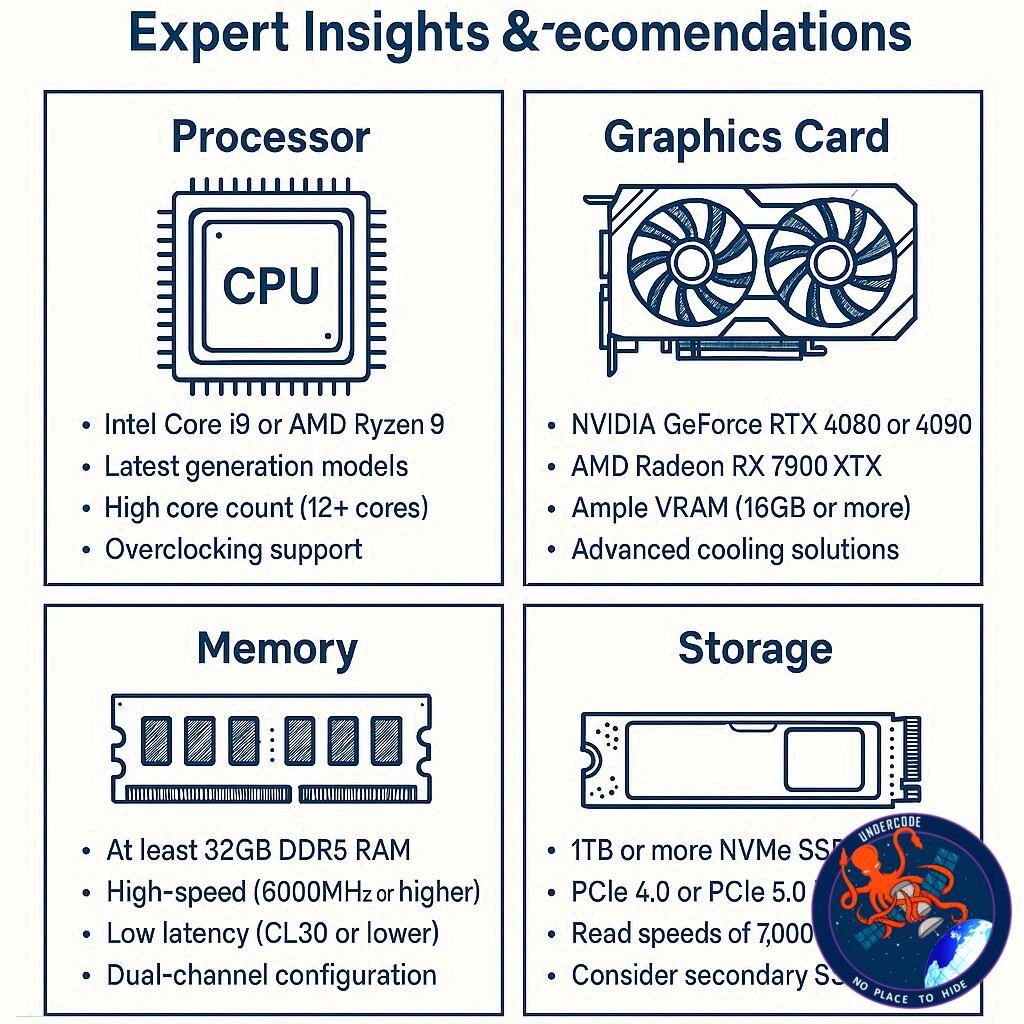
In today’s world of computing, speed is everything. Whether it’s for software development, gaming, or handling massive data workloads, having a PC that performs seamlessly can be a game-changer. Recently, cybersecurity expert Troy Hunt sparked a conversation on social media, asking for guidance on building—or having built—a high-performance, ultra-fast PC. His query opened the floor to tech enthusiasts, hardware experts, and everyday power users eager to weigh in on the best components and configurations for a top-tier machine.
The discussion quickly highlighted the critical factors for maximizing PC speed: processor selection, storage type, memory configuration, and overall system architecture. Experts debated the merits of AMD versus Intel, the impact of NVMe storage, and how to identify potential bottlenecks. The exchange reflects a broader trend: while off-the-shelf computers suffice for most users, crafting a workstation designed for raw performance demands careful planning and technical knowledge.
Expert Opinions
Johno recommended going with AMD Threadripper or Pro CPUs, citing their superior base and boost clock speeds in comparison to Intel counterparts. He emphasized pairing this with high-end Samsung SSDs—either the 990 Pro or 9100 Pro—and suggested a minimum 4TB OS drive on a workstation-class motherboard for stability and speed. His advice leaned toward professional-grade components, ideal for workloads requiring sustained high performance.
Lukas, on the other hand, stressed understanding the workload bottleneck first. He noted that NVMe drives drastically improve system speed, and for maximum read/write performance, combining two NVMe drives in RAID could offer substantial gains—though only if the CPU and motherboard can handle such throughput. His advice highlights a performance-centric approach that identifies weak links before investing in expensive hardware.
Sam Whitford raised a practical concern: budget. While enthusiasts often chase peak performance, a high-end build can quickly escalate in cost. Knowing financial constraints helps refine component selection, balancing speed with affordability.
Across the conversation, common themes emerged: prioritize high-speed storage, choose a processor aligned with workload demands, invest in a quality motherboard, and always consider the practical aspects such as cost and system compatibility.
What Undercode Say: In-Depth Analysis
Building a high-speed PC is not just about stacking the latest hardware together; it’s about strategic component synergy. A CPU with high clock speeds is essential, but pairing it with inadequate RAM or storage can bottleneck the system. For workloads like software development, virtualization, or data analysis, a Threadripper or workstation-class CPU provides the necessary multi-threaded performance. These processors excel in parallel tasks, handling simultaneous processes without slowing down the system.
Storage is equally crucial. NVMe SSDs have revolutionized how fast data is read and written. Traditional SATA SSDs are significantly slower, creating a gap that even a high-end CPU cannot bridge. RAID configurations can double read/write performance, but this is only effective if the motherboard’s PCIe lanes and the CPU architecture support it. Otherwise, the system might throttle performance, wasting the investment.
Memory configuration also plays a pivotal role. Multiple high-speed RAM sticks reduce latency, enabling smoother multitasking. For workstation builds, ECC memory can prevent data corruption during intensive tasks, ensuring both speed and reliability.
Cooling and power delivery are often underestimated. High-end CPUs and GPUs generate substantial heat, which can limit boost performance if not managed correctly. Liquid cooling solutions or high-capacity air coolers, paired with quality power supplies, ensure that the system runs optimally under sustained load.
Another consideration is software optimization. Even the fastest hardware can underperform if the operating system and drivers aren’t optimized. Tweaking BIOS settings, enabling XMP profiles for RAM, and ensuring NVMe drives run at maximum PCIe speeds can yield noticeable speed improvements.
Ultimately, building a high-speed PC is about understanding the workflow and identifying bottlenecks. A one-size-fits-all approach rarely delivers true performance. Careful planning, component synergy, and ongoing optimization are the keys to a machine that doesn’t just meet expectations—it surpasses them.
Fact Checker Results
✅ Threadripper CPUs outperform most Intel counterparts in multi-threaded workloads.
✅ NVMe storage significantly boosts system speed compared to SATA SSDs.
❌ RAID configurations only improve performance if the motherboard and CPU can support the bandwidth; otherwise, gains are minimal.
Prediction
💡 As workloads become more data-intensive and software more complex, high-performance, custom-built PCs will increasingly outpace pre-built systems. Expect hybrid storage solutions combining NVMe SSDs and high-capacity HDDs, alongside multi-core processors, to dominate professional setups in the next 2–3 years. Enthusiasts and professionals who invest in optimization rather than just hardware specs will experience the most substantial performance gains.
If you want, I can also create a visual component guide showing the ideal build configuration based on this advice, making it easy to see which CPU, storage, and RAM choices pair best. Do you want me to do that?
🕵️📝✔️Let’s dive deep and fact‑check.
References:
Reported By: x.com
Extra Source Hub (Possible Sources for article):
https://www.github.com
Wikipedia
OpenAi & Undercode AI
Image Source:
Unsplash
Undercode AI DI v2
Bing
🔐JOIN OUR CYBER WORLD [ CVE News • HackMonitor • UndercodeNews ]
📢 Follow UndercodeNews & Stay Tuned:
𝕏 formerly Twitter 🐦 | @ Threads | 🔗 Linkedin | 🦋BlueSky | 🐘Mastodon


