
Listen to this Post
Introduction: When a Webcam Stops Being Just a Webcam
The modern webcam market is crowded with incremental upgrades, slightly sharper lenses, marginally better microphones, and software tricks that promise more than they deliver. The Insta360 Link 2 arrives with a different ambition. Instead of behaving like a static accessory clipped to a screen, it positions itself as a compact, AI-powered PTZ camera designed for people who move, teach, present, and perform in front of an audience. This is not a casual upgrade for everyday video calls. It is a deliberate shift toward professional-grade online presence, packed into a device small enough to sit atop a monitor.
TechRadar Verdict Overview: Power Meets Simplicity
The Insta360 Link 2 is instantly recognized as an external webcam the moment it is plugged in, working seamlessly across desktop and browser-based applications. With the optional Insta360 Link Controller software installed, the camera transforms into a miniature PTZ system capable of automatically tracking the subject around a room. While its capabilities go far beyond what most users require, features such as DeskView and Whiteboard Mode make it especially compelling for online educators, presenters, and professionals running advanced meetings.
Core Strengths and Weaknesses at a Glance
The Link 2 delivers exceptionally clear video quality, smooth AI-powered subject tracking, and true plug-and-play convenience. On the downside, it is significantly more expensive than standard webcams, the built-in microphone is merely average, and 4K recording is capped at 30 frames per second.
Design Philosophy: Compact Hardware With Serious Intent
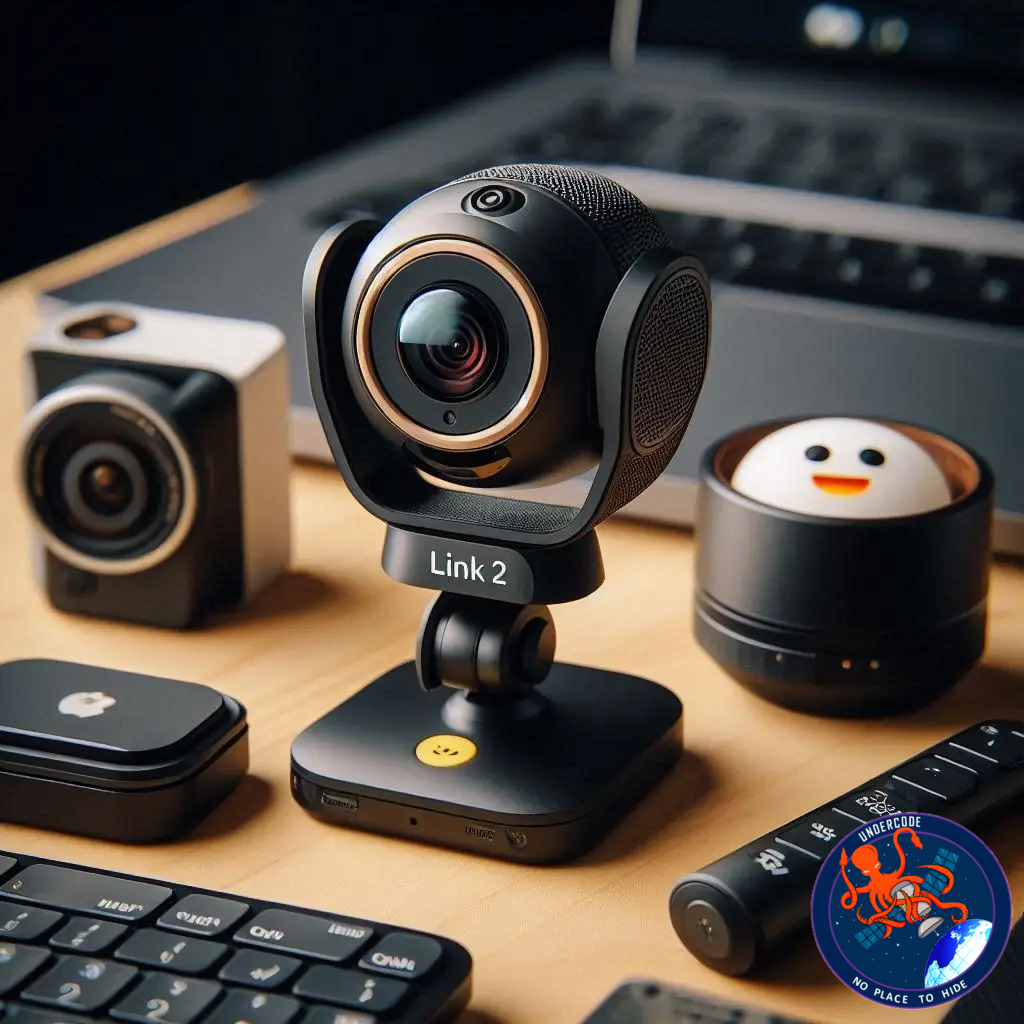
At first glance, the Insta360 Link 2 resembles a premium external webcam, compact and understated. Its black plastic housing feels solid and refined, avoiding the cheap, glossy finishes common in consumer webcams. What immediately sets it apart is the physical two-axis gimbal. Instead of being locked in place, the camera can pan and tilt across a wide range, enabling real-time subject tracking similar to much larger PTZ systems.
The magnetic articulated mount is a standout feature. It securely attaches to a wide variety of monitors, from slim laptops to bulky studio displays, while remaining easy to reposition. The camera itself is small enough to remain portable, yet substantial enough to feel purpose-built rather than gimmicky. A large circular LED next to the lens provides clear visual feedback, glowing green when active and flashing during gesture control or tracking.
Video Capabilities: 4K Clarity With Professional Polish
The Link 2 supports 4K UHD video at 3840 × 2160 resolution at up to 30fps, a significant leap over standard HD webcams. Its larger 1/2-inch sensor enhances low-light performance, making it particularly effective in offices, lecture halls, and studios where lighting conditions are less than ideal.
Although the absence of 60fps at 4K is disappointing, especially for movement-heavy content like fitness classes, the image quality at 30fps remains sharp, clean, and natural. AI-driven exposure and auto-framing ensure the subject remains well-lit and properly composed without constant manual adjustments.
Intelligent Features: More Than Just a Talking Head
The Insta360 Link 2 distinguishes itself through intelligent modes that address real-world presentation needs. DeskView mode allows the camera to physically rotate downward to capture documents, sketches, or keyboards, correcting perspective automatically through software. This is particularly useful for demonstrations or creative workflows.
Whiteboard Mode is one of the camera’s most compelling features. By placing included markers on the corners of a whiteboard, the camera automatically detects, crops, and corrects the board’s angle, filling the screen for viewers. Even without markers, AI detection can identify and frame a whiteboard with impressive accuracy.
Portrait mode support further extends its versatility, catering to mobile-first audiences, though this requires manual repositioning of the camera.
Performance in Real Use: A Personal Camera Operator
Setting up the Link 2 is effortless. Once connected, it calibrates itself with a brief movement and is immediately ready for use across platforms like Zoom and Google Meet. The improvement over built-in laptop webcams is instantly noticeable, particularly in low-light environments where clarity and color accuracy remain consistent.
AI tracking is the feature that truly elevates the experience. Activated via a simple gesture or button press, the camera smoothly follows the user around the room. Movements are subtle and fluid, avoiding the jittery behavior seen in cheaper tracking webcams. Even when the subject leaves the frame, the camera reliably reacquires them upon return.
Audio performance is competent but unremarkable. While the dual noise-canceling microphones are serviceable, they fall short of dedicated external microphones. For professional setups, pairing the Link 2 with a separate mic remains the best option.
Software and Control: Power Without Complexity
The Insta360 Link Controller software unlocks the camera’s full potential. From AI beautification and background replacement to manual pan and tilt control, the interface remains accessible without feeling simplistic. A companion mobile app adds remote control functionality, allowing users to adjust framing, switch modes, and manage tracking during live sessions, a valuable tool during presentations or lectures.
Gesture controls work reliably once learned, though they may initially feel unconventional to viewers. Over time, they become an intuitive way to manage the camera without interrupting a session.
Value and Market Position
Priced at $399 USD, the Insta360 Link 2 sits well above standard webcams but far below traditional PTZ camera systems. While the cost may be difficult to justify for casual users, it represents strong value when compared to dedicated PTZ setups that offer similar functionality at significantly higher prices.
What Undercode Say:
The Insta360 Link 2 is not trying to compete with budget webcams, and that distinction matters. Its real competition is entry-level PTZ cameras and DSLR-based streaming setups. From that perspective, the Link 2 makes a compelling argument. It compresses hardware stabilization, AI tracking, intelligent framing, and software automation into a device that requires no technical expertise to operate.
The most impressive aspect is not raw image quality, although that is excellent, but how frictionless the experience feels. Traditional PTZ systems demand planning, control panels, and constant adjustment. The Link 2 quietly removes those barriers. It adapts to the user rather than forcing the user to adapt to the camera.
However, this convenience comes with trade-offs. The lack of 4K at 60fps limits its appeal for motion-heavy content, and the microphone quality reinforces the idea that this camera is designed to be part of a larger setup, not a one-device solution. Professionals who already understand lighting and audio will extract far more value from it than casual users.
Ultimately, the Link 2 reflects a broader shift in how online communication is evolving. As remote lectures, virtual conferences, and livestreamed presentations become more common, the demand for intelligent, autonomous camera systems grows. The Insta360 Link 2 is an early and convincing response to that demand, blurring the line between consumer webcam and professional broadcast tool.
Fact Checker Results
✅ The Insta360 Link 2 supports 4K video at up to 30fps with AI tracking
✅ Whiteboard and DeskView modes function through physical movement and software correction
❌ The built-in microphone does not outperform dedicated external microphones
Prediction
📊 AI-powered PTZ webcams will become standard tools for educators and remote professionals
📊 Future iterations are likely to introduce 4K at 60fps to meet content creator demands
📊 The line between webcams and professional cameras will continue to blur as automation improves
▶️ Related Video (82% Match):
🕵️📝✔️Let’s dive deep and fact‑check.
References:
Reported By: www.techradar.com
Extra Source Hub (Possible Sources for article):
https://www.quora.com/topic/Technology
Wikipedia
OpenAi & Undercode AI
Image Source:
Unsplash
Undercode AI DI v2
Bing
🔐JOIN OUR CYBER WORLD [ CVE News • HackMonitor • UndercodeNews ]
📢 Follow UndercodeNews & Stay Tuned:
𝕏 formerly Twitter 🐦 | @ Threads | 🔗 Linkedin | 🦋BlueSky | 🐘Mastodon


