
Listen to this Post
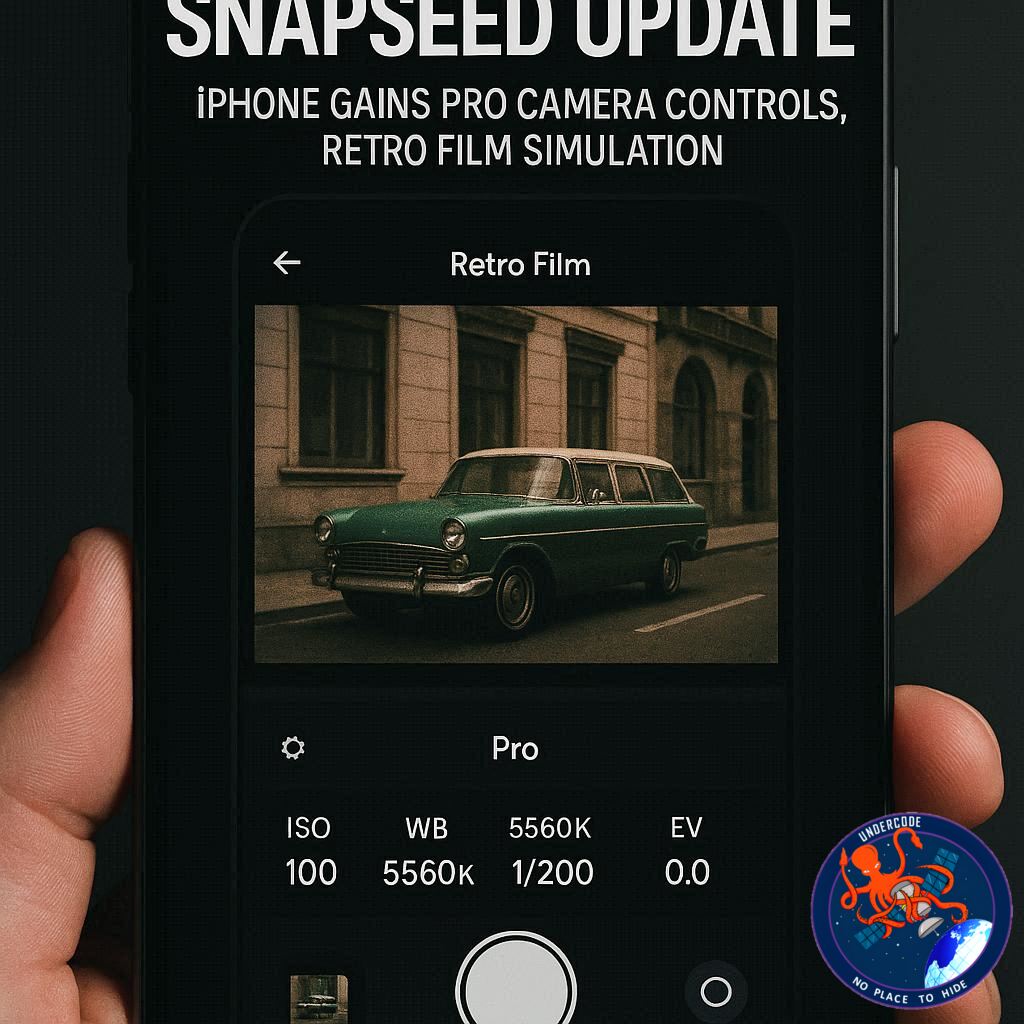 A Quiet Update That Transforms Snapseed Into a Full Camera App
Google has delivered one of the most significant Snapseed updates in years, and this time the spotlight is firmly on iPhone users. What was once considered a powerful but straightforward photo-editing tool has evolved into something far more ambitious. With a newly integrated built-in camera system, advanced manual controls, and authentic film-style simulations, Snapseed now steps into territory traditionally occupied by professional photography apps.
The update, which surfaced gradually in late 2025 before becoming officially accessible, marks a strategic shift in how Google positions Snapseed on iOS. It is no longer just about refining images after capture. It is about controlling the creative process from the very first click. For mobile photographers, content creators, and visual storytellers, this change signals a deeper commitment to serious photography tools on smartphones.
Built-In Snapseed Camera Redefines the App’s Core Identity
The headline feature of this release is the introduction of a fully functional Snapseed camera within the app itself. Unlike previous versions that relied entirely on importing images from the native camera roll, users can now shoot directly inside Snapseed.
In automatic mode, the camera performs seamlessly for everyday photography, delivering quick and reliable results. But the real transformation lies in the manual controls. Users now gain access to ISO adjustment, shutter speed customization, and manual focus controls. These are features typically associated with dedicated Pro camera applications rather than editing tools.
The ability to control ISO allows users to fine-tune light sensitivity in low-light or high-contrast scenarios. Adjusting shutter speed provides creative flexibility, enabling motion blur effects or freezing fast-moving subjects. Manual focus introduces artistic depth, allowing precise control over sharpness and background blur.
This level of control moves Snapseed closer to a DSLR-inspired mobile experience, bridging the gap between casual photography and professional-grade capture.
Real-Time “Saved Looks” Elevate Creative Workflow
Another standout enhancement is the integration of “saved looks” directly into the shooting process. Instead of applying presets after taking a photo, users can now shoot with these looks enabled in real time.
More importantly, these looks remain editable even after the image is captured. This hybrid approach blends pre-visualization with post-production flexibility. It empowers photographers to experiment confidently without permanently committing to a specific style at the moment of capture.
For creators who value consistency across social media feeds or portfolios, this feature streamlines workflow and enhances creative efficiency.
Retro Film Simulations Bring Classic Photography to iPhone
Beyond technical precision, Google has infused Snapseed with nostalgic artistry. The update introduces a comprehensive range of film-inspired presets that emulate iconic analog photography styles.
These presets draw inspiration from legendary film stocks, offering both warmth and cinematic depth. Among them are:
KP1 inspired by Kodak Portra 400
KP2 inspired by Kodak Portra 160
KG1 inspired by Kodak Gold 200
KE1 inspired by Kodak E200
FS1 inspired by Fuji Superia 200
FS2 inspired by Fuji Superia 800
FP1 inspired by Fuji Pro 400h
AG1 inspired by Agfa Optima 200
AS1 inspired by Agfa Scala 200
PD1 inspired by Polaroid 600
TC1 inspired by Technicolor
These presets range from soft, warm vacation tones to cooler cinematic aesthetics. The grain structure, color rendering, and tonal balance evoke the texture and emotion of analog film photography.
For many iPhone users, this offers an opportunity to recreate vintage aesthetics without investing in physical film equipment or third-party applications.
Customizable User Interface Enhances Personal Experience
In addition to camera and filter upgrades, Google has introduced customizable UI color themes. Users can now alter the visual appearance of the Snapseed interface itself.
This seemingly minor change reflects a broader user-centric philosophy. Creative professionals often spend extended periods editing within apps. Personalizing the interface improves comfort and strengthens user attachment to the platform.
A Stealth Rollout Before Official Release
Interestingly, the new camera feature began appearing quietly in December 2025. Early adopters discovered it hidden behind lock screen widgets or the iPhone’s Control Center shortcuts.
It was not immediately accessible from the main app interface. With the official rollout, Google has added a dedicated icon in the top-right corner of the app, allowing direct camera access. This shift confirms the feature’s permanence and signals Google’s confidence in the update.
The quiet testing phase suggests Snapseed’s transformation was carefully monitored before wide release.
What Undercode Say:
Google’s decision to prioritize iPhone for this advanced camera integration reveals a calculated move rather than a casual update. The iOS ecosystem has long been associated with premium content creation, social media influence, and professional photography workflows. By introducing Pro-level manual controls directly into Snapseed on iPhone, Google is tapping into a user base that values high-end creative tools.
This update also challenges the dominance of paid professional camera apps. Many third-party applications offer ISO control, shutter speed adjustment, and film simulations at subscription prices. Snapseed, historically free, disrupts that model by bundling professional functionality into an accessible platform.
The film simulation feature is not merely cosmetic. The resurgence of analog aesthetics across Instagram, TikTok, and digital portfolios reflects a cultural shift. Younger creators crave authenticity and texture in an era dominated by ultra-clean digital imagery. By incorporating Kodak, Fujifilm, Agfa, Polaroid, and Technicolor-inspired looks, Google aligns Snapseed with current creative trends.
There is also a workflow advantage. Combining capture and editing within a single environment reduces friction. Creators no longer need to switch between multiple apps for manual shooting and advanced editing. This integrated pipeline strengthens Snapseed’s position as a serious creative suite rather than a casual editing utility.
Another important dimension is competitive positioning. Apple’s native Camera app offers strong computational photography, but it limits manual flexibility. Professional users often turn to third-party apps for granular control. Snapseed’s new feature sits directly in that gap, offering manual precision combined with editing depth.
The delayed and quiet rollout suggests strategic testing. Google likely measured performance stability, user feedback, and feature engagement before making it universally visible. This cautious release pattern indicates that Snapseed’s evolution is long-term, not experimental.
However, questions remain. Will this feature expand to Android users soon? Will Snapseed introduce RAW shooting enhancements or deeper exposure tools? The foundation is now in place for broader professional expansion.
This update also hints at a deeper shift in Google’s mobile photography ambitions. While Pixel devices dominate computational photography discussions, strengthening Snapseed on iOS extends Google’s influence beyond hardware ecosystems.
The most intriguing aspect is how this update repositions Snapseed in the photography app hierarchy. It is no longer just competing with basic editing tools. It is stepping into the arena of hybrid camera-editing platforms.
If Google continues refining this approach, Snapseed could evolve into a serious contender in the Pro mobile photography market.
Fact Checker Results
✅ Snapseed now includes built-in camera functionality with manual ISO, shutter speed, and focus controls for iPhone users.
✅ The update introduces multiple film-inspired presets modeled after classic analog film stocks.
❌ The feature was not initially visible in the main interface and required alternative access before official rollout.
Prediction
📊 Snapseed is likely to expand Pro camera capabilities to Android within the next update cycle.
📊 Film simulation tools may evolve into customizable grain and color science controls for advanced creators.
📊 Snapseed could emerge as a leading free alternative to paid professional camera apps on iOS.
▶️ Related Video (80% Match):
🕵️📝✔️Let’s dive deep and fact‑check.
References:
Reported By: timesofindia.indiatimes.com
Extra Source Hub (Possible Sources for article):
https://www.pinterest.com
Wikipedia
OpenAi & Undercode AI
Image Source:
Unsplash
Undercode AI DI v2
Bing
🔐JOIN OUR CYBER WORLD [ CVE News • HackMonitor • UndercodeNews ]
📢 Follow UndercodeNews & Stay Tuned:
𝕏 formerly Twitter 🐦 | @ Threads | 🔗 Linkedin | 🦋BlueSky | 🐘Mastodon


