
Listen to this Post
Introduction:
With every iOS update, Apple introduces a variety of tweaks and features, but iOS 26 takes things a step further by unveiling two exciting new system apps: Preview and Apple Games. The Preview app, an expansion of its Mac counterpart, offers a comprehensive solution for managing PDFs and images directly from your iPhone or iPad. For users who regularly work with documents, sketches, or digital forms, this new app promises to streamline the entire process. Here’s how the Preview app is reshaping productivity on iOS 26.
the
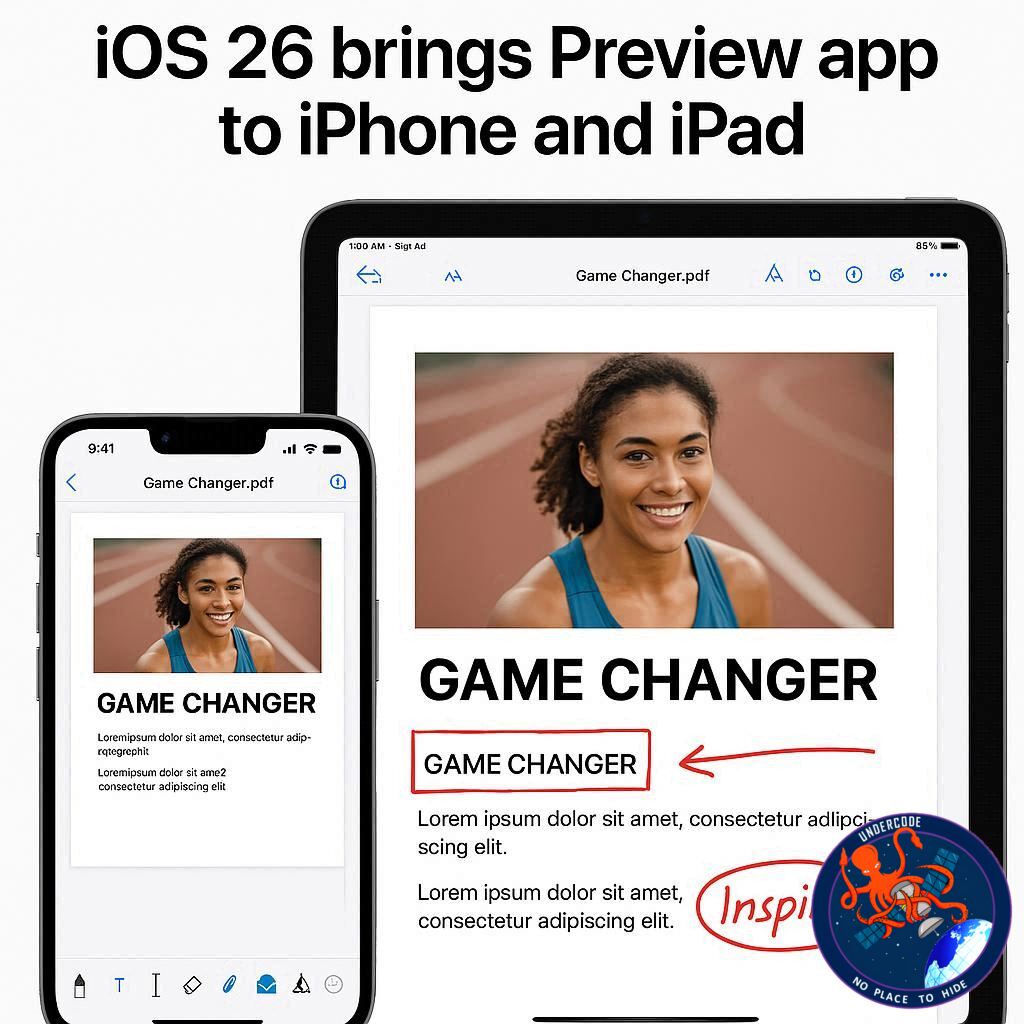
Apple has introduced the Preview app with iOS 26 and iPadOS 26, making it a significant addition to its ecosystem. The app, which mirrors the Preview function on macOS, offers iPhone and iPad users a dedicated platform for viewing, editing, and marking up PDFs and images. It also includes features like AutoFill for PDF forms, the ability to create sketches with Apple Pencil, and easy access to all files stored in the Files app. Prior to iOS 26, PDFs opened directly in the Files app, but with Preview now available, managing multiple documents on the go has become much more efficient. This is especially useful in multitasking environments, like the home buying process, where managing various documents simultaneously is a constant challenge.
One of the key benefits of the Preview app is the integration with the Files app’s Quick Look function, allowing users to easily switch between documents without clunkiness. On iPads, Preview pairs well with the new windowing system, offering a more flexible workspace where users can view and manage documents more efficiently. The app has a richer toolset for editing PDFs compared to the default Files app, making it an indispensable tool for those who need to sign, fill out, or modify PDFs regularly.
What Undercode Says:
The Preview app marks a major leap in how iPhones and iPads handle document management and editing. Historically, Apple’s mobile devices lacked a robust native solution for working with PDFs and images directly on the device. The introduction of Preview on iOS 26 helps bridge that gap, bringing a full-featured, desktop-like editing experience to mobile devices.
One of the standout features is the seamless multitasking capability. With the Files app and Preview working together in tandem, users can handle multiple documents at once without having to switch between apps constantly. This function significantly improves the efficiency of workflows, especially for business professionals or anyone handling multiple files throughout the day. Whether it’s filling out forms, making annotations, or simply organizing a series of documents, Preview’s user-friendly interface enhances productivity.
Another important aspect is the use of Apple Pencil in the Preview app. Sketching or adding handwritten annotations on PDFs has never been easier, especially for iPad users who can now work in a more fluid and intuitive manner. This feature alone is a game-changer for anyone who requires precise note-taking or creative additions to their documents.
For iPad users, the introduction of a windowed workspace makes Preview even more powerful. You can have multiple windows open simultaneously, allowing for a smoother, more focused work experience. This dynamic setup makes it easy to keep track of different documents and switch between them quickly, without feeling bogged down by cluttered screens.
Overall, Preview’s introduction reflects Apple’s commitment to improving productivity tools for its users. While many apps still exist for PDF management on iOS, Preview’s tight integration with the system, rich feature set, and multitasking options make it an invaluable tool. Its arrival on iPhone and iPad marks a significant step toward making Apple devices even more versatile for professional use.
🔍 Fact Checker Results:
✅ Preview app is a direct expansion of its macOS counterpart, bringing PDF and image editing features to iOS and iPadOS 26.
✅ The app allows seamless integration with Files, Quick Look, and multitasking features on iPadOS 26.
❌ No claims of “overwhelming” reviews or contradictory opinions found in official app feedback—Preview’s functionality is widely praised.
📊 Prediction:
Looking ahead, it’s clear that Apple’s strategy with Preview in iOS 26 is just the beginning. As users become more reliant on document-centric workflows, Apple will likely expand the app’s capabilities further, integrating even deeper with other Apple apps and services. We may see more collaboration features, such as real-time document editing with other users, or advanced AI-driven editing tools that could enhance the user experience even more. As Apple continues to refine its ecosystem, apps like Preview could become the centerpiece for professional users seeking an all-in-one document solution.
🕵️📝✔️Let’s dive deep and fact‑check.
References:
Reported By: 9to5mac.com
Extra Source Hub (Possible Sources for article):
https://www.stackexchange.com
Wikipedia
OpenAi & Undercode AI
Image Source:
Unsplash
Undercode AI DI v2
Bing
🔐JOIN OUR CYBER WORLD [ CVE News • HackMonitor • UndercodeNews ]
📢 Follow UndercodeNews & Stay Tuned:
𝕏 formerly Twitter 🐦 | @ Threads | 🔗 Linkedin | 🦋BlueSky | 🐘Mastodon


