Listen to this Post
Introduction: A Small Machine Built for Everyday Computing
The mini PC market has quietly evolved into one of the most competitive segments in personal computing, offering users compact alternatives to bulky desktops without sacrificing essential performance. The AceMagic K1 enters this space as a budget-friendly solution, targeting users who prioritize efficiency, space-saving design, and reliable day-to-day functionality. Rather than chasing cutting-edge innovation, this machine leans on proven hardware, aiming to deliver consistency over flash. But in a world increasingly driven by performance-heavy applications and demanding workflows, the real question becomes clear: is reliability enough?
Main Summary: A Balanced Yet Conservative Approach to Mini Computing
The AceMagic K1 positions itself as an entry-level mini PC designed for home offices, light productivity, and general computing tasks. At its core lies the Intel Core i5-12600H processor, a chip that may not be the latest generation but still carries a strong reputation for dependable performance. Paired with 16GB of DDR4 RAM and a 512GB SSD, the system is well-equipped to handle everyday workloads such as document editing, spreadsheet management, presentations, web browsing, and media streaming.
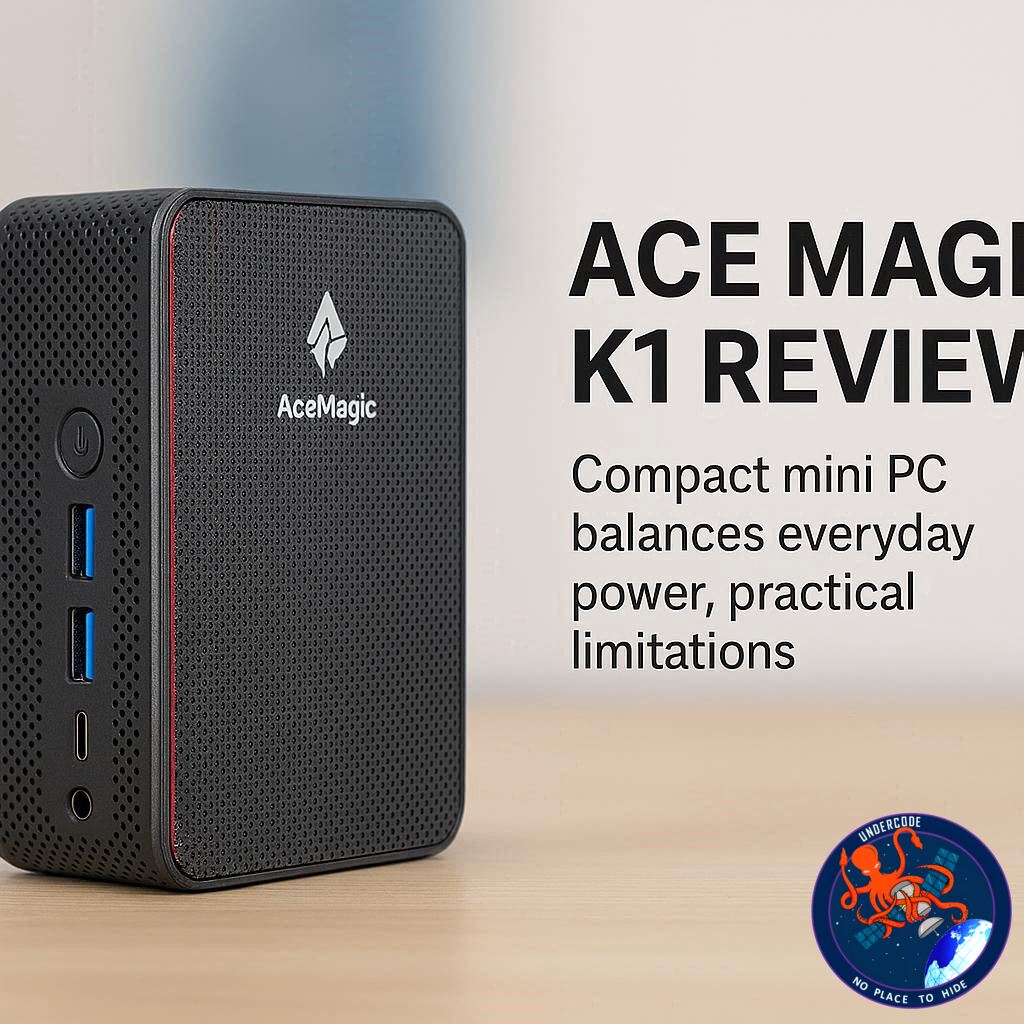
Physically, the K1 stands out for its ultra-compact form factor, measuring just over 12 centimeters on each side. Its silver finish gives the illusion of a premium metallic build, though it is entirely plastic. Despite this, the construction feels solid, and the weight adds a sense of durability that exceeds initial expectations. Its size also allows for flexible placement, including VESA mounting behind a monitor, making it an excellent choice for clean, minimalist desk setups.
Connectivity is another strong point. The device includes a mix of front and rear ports, with USB-A and USB-C options, HDMI, DisplayPort, and Ethernet. It also supports up to three 4K displays simultaneously, which is impressive for a system in this price range. Wireless connectivity is handled through Wi-Fi 6 and Bluetooth 5.2, ensuring compatibility with modern networks and peripherals.
However, the system’s configuration reveals some compromises. The 16GB RAM is installed as a single stick, resulting in single-channel memory operation. This limits bandwidth and has a noticeable impact on integrated GPU performance. The Intel Iris Xe graphics, while capable for basic visual tasks, struggles under heavier loads such as 4K video editing or modern gaming. Applications like Adobe Premiere Pro expose these limitations quickly, with slow rendering times and reduced responsiveness.
Storage performance is respectable, with PCIe 3.0 speeds delivering fast read and write operations. Still, the base 512GB capacity may feel restrictive for users working with large media files. Fortunately, the system supports expansion up to 4TB and RAM upgrades up to 64GB, offering a pathway for future improvements.
Thermal performance is handled by a dual-fan cooling system. While effective at maintaining safe temperatures, the fans become noticeably loud under heavy workloads. During lighter tasks like document editing or browsing, the system remains relatively quiet and efficient.
Upgradability, while technically available, is not particularly user-friendly. Accessing internal components requires removing adhesive rubber feet and navigating a more complex disassembly process than many competing mini PCs. This could deter less experienced users from upgrading hardware themselves.
Performance benchmarks reinforce the system’s intended role. Scores across PCMark, Geekbench, and Cinebench confirm that the K1 is well-suited for productivity and administrative tasks. However, graphics benchmarks and real-world testing highlight its limitations in gaming and demanding creative workflows.
Ultimately, the AceMagic K1 delivers where it matters most for its target audience. It is reliable, compact, and capable of handling daily computing needs with ease. Yet it avoids pushing boundaries, making it a safe but somewhat conservative choice in a rapidly advancing market.
What Undercode Say: The Reality Behind Budget Mini PCs
The Strategy of Playing It Safe in Hardware Design
The AceMagic K1 reflects a broader trend in budget computing: manufacturers are increasingly relying on slightly older, well-optimized components instead of chasing the latest innovations. This approach reduces costs and ensures stability, but it also creates a ceiling that users will eventually hit. The Intel Core i5-12600H is a perfect example. It remains powerful for productivity, yet it belongs to a generation that is slowly being overshadowed by newer, more efficient chips.
Memory Configuration as a Hidden Bottleneck
One of the most overlooked aspects of budget PCs is memory configuration. On paper, 16GB RAM sounds sufficient, even generous. In practice, running it in single-channel mode cuts memory bandwidth significantly. This directly affects integrated graphics performance, which depends heavily on system memory. The result is a system that feels capable in office tasks but unexpectedly weak in anything visually demanding.
The Illusion of Premium Design
The K1’s design highlights an interesting psychological factor in consumer electronics. The metallic silver finish mimics premium materials, creating a perception of higher value. Yet beneath that surface is a plastic shell. This isn’t necessarily a flaw, but it reveals how much design language influences buying decisions, sometimes more than actual build quality.
Multi-Monitor Support as a Productivity Multiplier
One area where the K1 genuinely excels is display support. Triple 4K output is not just a specification; it represents a real productivity advantage. In modern workflows, especially remote work environments, multiple monitors can drastically improve efficiency. This feature alone makes the K1 more appealing than many similarly priced competitors.
The Trade-Off Between Size and Performance
Mini PCs always walk a fine line between compactness and thermal efficiency. The K1’s small size is impressive, but it limits airflow and cooling potential. The dual-fan system compensates for this, yet the increased noise under load is a direct consequence. This is the cost of shrinking hardware without redesigning thermal architecture at a deeper level.
Upgrade Potential vs Accessibility
The K1 advertises strong upgrade capabilities, supporting up to 64GB RAM and 4TB storage. However, the difficulty of accessing internal components creates a contradiction. Upgradeability exists in theory, but in practice, it demands technical confidence and patience. This disconnect can frustrate users who expect easy customization.
Performance Expectations in 2026
As software becomes more demanding, the definition of “entry-level performance” continues to evolve. What was considered powerful a few years ago is now baseline. The K1 sits right at this threshold. It performs well today for basic tasks, but its longevity is uncertain, especially for users whose needs may grow over time.
The Real Target Audience
This machine is not for gamers, content creators, or power users. It is designed for office workers, students, and home users who need a reliable system for structured, predictable workloads. When viewed through this lens, the K1 succeeds. The problem arises when expectations exceed this scope.
Fact Checker Results
✅ The Intel Core i5-12600H is a proven mid-range processor suitable for productivity tasks.
✅ Single-channel RAM significantly reduces integrated GPU performance compared to dual-channel setups.
❌ The system is not suitable for modern AAA gaming or heavy 4K video editing despite 4K display support.
Prediction
📊 Budget mini PCs will increasingly adopt newer low-power chips while maintaining compact designs.
📊 Dual-channel RAM configurations will become standard as users demand better integrated GPU performance.
📊 Entry-level systems like the K1 may struggle to remain relevant as software requirements continue to rise.
🕵️📝✔️Let’s dive deep and fact‑check.
References:
Reported By: www.techradar.com
Extra Source Hub (Possible Sources for article):
https://www.stackexchange.com
Wikipedia
OpenAi & Undercode AI
Image Source:
Unsplash
Undercode AI DI v2
Bing
🔐JOIN OUR CYBER WORLD [ CVE News • HackMonitor • UndercodeNews ]
📢 Follow UndercodeNews & Stay Tuned:
𝕏 formerly Twitter 🐦 | @ Threads | 🔗 Linkedin | 🦋BlueSky | 🐘Mastodon