
Listen to this Post
 A Small Software Change That Solves a Big Foldable Phone Problem
Foldable smartphones have transformed the way people interact with mobile devices, offering users a combination of phone portability and tablet-like productivity. However, these unique designs also introduce new challenges that traditional smartphones do not face. One of the most common frustrations has been automatic screen rotation behavior, especially on book-style foldables where users switch between an outer cover display and a large inner screen.
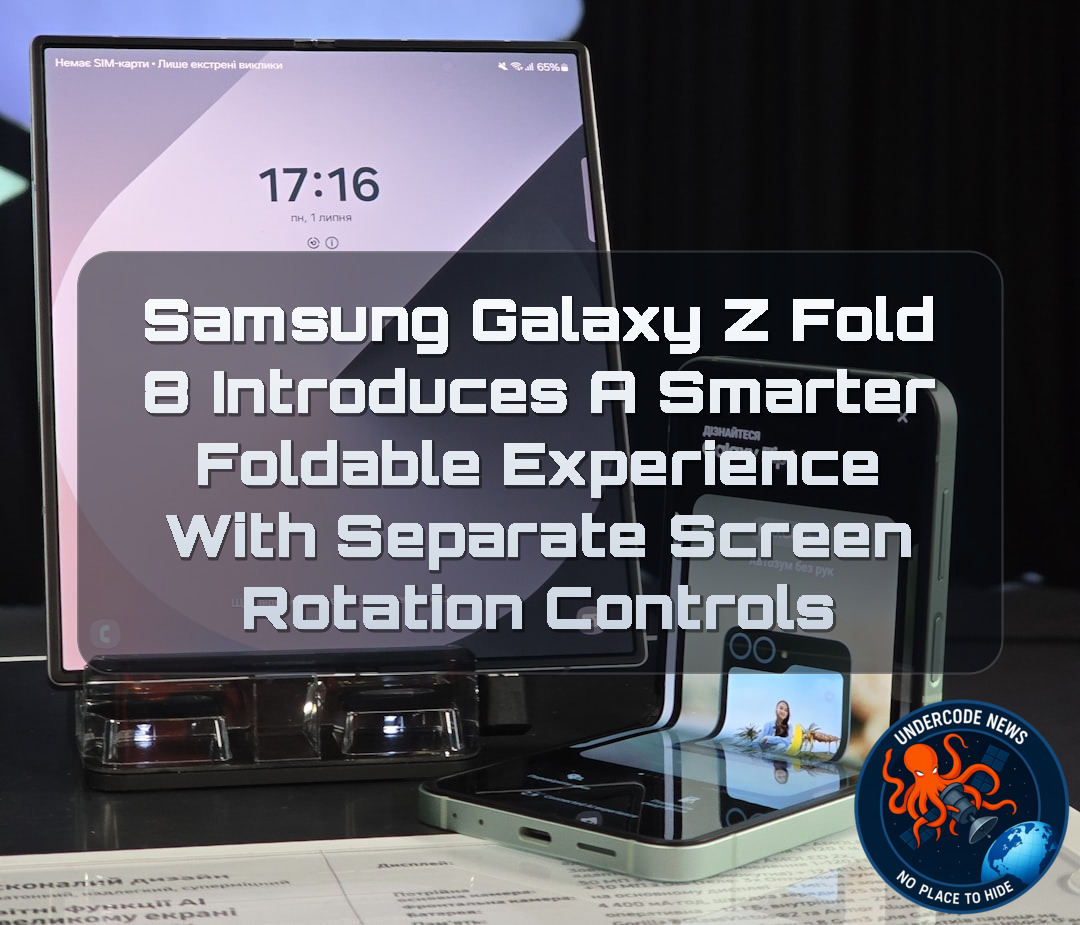
Samsung is addressing this issue with One UI 9.0 based on Android 17 on its latest foldable devices, including the Galaxy Z Fold 8 and Galaxy Z Fold 8 Ultra. The company has introduced a smarter rotation system that remembers separate auto-rotation preferences for each display, making the foldable experience more natural and seamless.
Instead of forcing users to choose between convenience and control, Samsung’s new approach recognizes that the cover screen and the inner folding display serve completely different purposes. This small but meaningful software improvement highlights how foldable smartphones are evolving beyond hardware innovation and becoming more intelligent through software optimization.
The Traditional Screen Rotation Problem on Smartphones
On standard smartphones, many users prefer disabling automatic rotation. While the feature can be useful when watching videos, browsing websites, or viewing images, it often becomes annoying during everyday tasks.
A slight movement of the phone while lying down, walking, or changing hand positions can trigger unwanted rotation. Users who prefer reading messages, checking social media, or navigating apps in portrait mode often choose to manually lock the orientation to avoid these interruptions.
For years, this behavior has remained mostly unchanged because traditional smartphones only have one main display. The rotation preference applies everywhere because there is no need to distinguish between different screens.
Foldable Phones Require a Different Approach
Foldable smartphones changed this situation completely. Devices like the Galaxy Z Fold series include two separate experiences: a narrow external cover display designed for quick phone usage and a large internal display designed for multitasking, productivity, and media consumption.
When users open the main folding display, rotating the device often makes sense. A large screen can benefit from switching between portrait and landscape modes depending on whether someone is reading documents, watching videos, browsing websites, or using multiple applications.
However, the same behavior becomes inconvenient when returning to the cover display. A user may prefer the outer screen to remain locked in portrait orientation, just like a traditional smartphone.
This difference created a software challenge. A single rotation setting could never perfectly satisfy both displays.
Samsung’s One UI 9.0 Creates Display-Specific Rotation Memory
Samsung’s solution in One UI 9.0 is a simple but effective improvement. According to reports, the Galaxy Z Fold 8 and Galaxy Z Fold 8 Ultra can now remember separate rotation preferences for each screen.
Users can disable automatic rotation on the cover display while keeping it enabled on the inner folding display. The device automatically switches between these preferences depending on which screen is active.
This means the phone understands the context of usage instead of applying one universal setting.
For example:
When the phone is closed, the cover screen stays locked in portrait mode.
When the device opens into tablet mode, automatic rotation activates.
When the phone closes again, the original cover display preference returns automatically.
This creates a smoother transition between phone and tablet experiences.
A Software Improvement That Makes Foldables Feel More Natural
Foldable technology is often judged by hardware features such as hinge durability, display quality, battery life, and camera performance. However, the long-term success of foldable devices depends heavily on software intelligence.
Small details like adaptive rotation controls can have a bigger daily impact than flashy specifications. A foldable phone should not simply provide two screens. It should understand how those screens are used differently.
Samsung’s update demonstrates a broader trend in the smartphone industry: future devices will increasingly rely on software personalization to eliminate friction.
The best technology is often invisible. When a device automatically behaves the way users expect, it creates a feeling of simplicity and reliability.
Samsung’s Continued Push Toward Better Foldable Usability
Samsung has been one of the biggest forces behind mainstream foldable smartphones. With every generation, the company has focused not only on improving hardware but also refining the software experience through One UI.
The Galaxy Z Fold 8 series represents another step toward making foldable phones feel less like experimental devices and more like mature everyday products.
Features like independent rotation settings show that Samsung is paying attention to real-world user behavior. These improvements come from understanding how people actually interact with foldable devices rather than simply adding more technical features.
Older Galaxy Fold Devices May Receive Similar Improvements
While the feature is currently associated with newer foldable models, many users hope Samsung will expand it to previous devices, including the Galaxy Z Fold 7 and other book-style foldables through future One UI updates.
Software-based improvements are especially valuable because they allow older hardware to gain new capabilities without requiring a device upgrade.
If Samsung brings this feature to more generations, it could improve user satisfaction across the entire Galaxy foldable ecosystem.
What Undercode Say:
Samsung’s Rotation Feature Shows Why Software Is Becoming the Future of Foldables
Samsung’s latest improvement may appear small, but it represents a much larger shift in smartphone design philosophy.
Foldable phones are no longer only about bending displays and advanced hinges.
The real competition is moving toward intelligent software experiences.
A foldable device has two identities.
One identity is a compact smartphone.
The second identity is a portable tablet.
Traditional smartphone software was designed around one screen.
Foldable software must understand multiple states.
The rotation problem was a perfect example of outdated smartphone logic being applied to new hardware.
Samsung solved this by allowing the operating system to understand context.
The device now knows whether the user is interacting with the cover display or the internal screen.
This creates a more human relationship between the user and the device.
Future foldable phones will likely become increasingly adaptive.
They may automatically adjust brightness, performance settings, application layouts, sound profiles, and connectivity preferences based on the physical state of the device.
The Galaxy Z Fold 8 feature also shows how important user feedback has become.
Many major improvements in modern smartphones are not discovered in laboratories.
They come from millions of users experiencing small frustrations every day.
The rotation issue was never a hardware limitation.
It was a software intelligence problem.
Samsung’s approach demonstrates that premium devices require premium software thinking.
As foldables become more popular, companies will need to solve hundreds of similar usability challenges.
The winner in the foldable market may not be the company with the strongest specifications.
It may be the company that creates the most natural user experience.
Android manufacturers are increasingly competing through customization.
Features that remember user behavior could become a major differentiator.
Samsung’s One UI strategy is moving toward a more personalized ecosystem.
The future smartphone may not simply respond to commands.
It may predict user needs.
Foldable devices provide the perfect platform for this evolution because they already contain multiple usage modes.
The ability to recognize display states is just the beginning.
Artificial intelligence could eventually analyze how users interact with different screens and automatically optimize settings.
Samsung’s latest update is a reminder that innovation is not always about adding new hardware.
Sometimes the biggest improvements come from making existing technology work smarter.
Deep Analysis: Testing Android Display Rotation Behavior With Commands
Checking Android Device Configuration
Advanced users and developers can inspect display and rotation settings using Android Debug Bridge:
adb shell settings list system | grep rotation
This command searches system settings related to rotation behavior.
Checking Current Display Information
To view connected displays and their states:
adb shell dumpsys display
This helps developers understand how Android detects internal and external displays.
Checking Window Manager Rotation State
Android window management information can be viewed with:
adb shell dumpsys window | grep -i rotation
This reveals current rotation configuration and orientation handling.
Monitoring Foldable Device Events
Developers can observe system events while opening and closing foldable devices:
adb logcat | grep -i fold
This can help analyze how Android responds to hinge states and display transitions.
Checking Device Properties
General device information can be collected using:
adb shell getprop
Developers can identify Android versions, manufacturer settings, and hardware configurations.
✅ Samsung’s One UI 9.0 on Android 17 introduces separate rotation preferences for different displays on newer Galaxy foldable devices.
✅ Foldable smartphones create unique software challenges because cover screens and inner displays are used differently.
✅ Samsung’s approach improves usability by allowing different behavior between the external and internal screens.
Prediction
(+1) Positive Outlook: Samsung’s smarter rotation management could become a standard feature across future foldable smartphones.
More foldable manufacturers will likely adopt display-specific settings as users demand better software experiences.
Artificial intelligence and contextual software will make future foldable devices more adaptive.
Older Galaxy foldable models may receive similar improvements through future One UI updates.
Software optimization will become one of the biggest competitive advantages in the foldable smartphone market.
Negative Risk: If advanced features remain limited to expensive flagship models, budget foldable users may experience slower software improvements.
The Future of Foldable Phones Depends on Intelligent Software
Samsung’s Galaxy Z Fold 8 rotation improvement proves that the next generation of smartphones will not only be defined by hardware innovation. The most important upgrades may come from software that understands user habits and device conditions.
Foldable phones are entering a more mature stage where convenience, personalization, and intelligence matter as much as display technology. Small improvements like smarter rotation controls could ultimately determine whether foldable devices become mainstream or remain premium niche products.
▶️ Related Video (78% Match):
🕵️📝Let’s dive deep and fact‑check.
🎓 Live Courses & Certifications:
Join Undercode Academy for Verified Certifications
🚀 Request a Custom Project:
Secure, high-velocity infrastructure and disruptive technological engineering. Contact our engineering team for high-tier development and proprietary systems:
[email protected]
💎 Smart Architecture | 🛡️ Secure by Design | ⭐ Trusted by Thousands
References:
Reported By: www.sammobile.com
Extra Source Hub (Possible Sources for article):
https://www.pinterest.com
Wikipedia
OpenAi & Undercode AI
Image Source:
Unsplash
Undercode AI DI v2
🔐JOIN OUR CYBER WORLD [ CVE News • HackMonitor • UndercodeNews ]
📢 Follow UndercodeNews & Stay Tuned:
𝕏 formerly Twitter 🐦 | @ Threads | 🔗 Linkedin | 🦋BlueSky | 🐘Mastodon | 📺Youtube


