
Listen to this Post
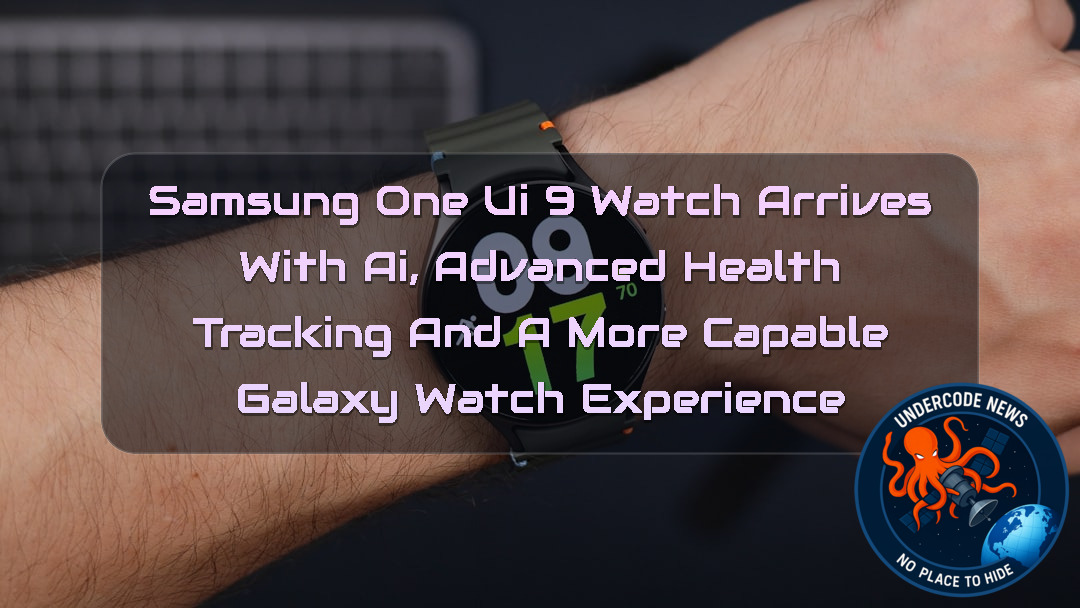 A New Chapter Begins for Samsung’s Smartwatch Software
Smartwatches have quietly evolved from simple notification screens into powerful health, fitness, navigation, and communication devices. Samsung is now pushing that transformation further with One UI 9 Watch, its new software experience based on Wear OS 7.
The update represents more than a visual refresh. Samsung is introducing a redesigned interface, faster access to AI assistants, expanded health monitoring, improved running and cycling tools, and, on supported models, specialized diving capabilities.
One UI 9 Watch debuted alongside the Galaxy Watch 9 and Galaxy Watch Ultra 2 in July 2026. Samsung plans to expand the software to compatible Galaxy Watch models before the end of 2026, although some of its most advanced features will remain exclusive to newer or more capable hardware.
For Galaxy Watch users, the important question is no longer simply whether the interface looks different. The real question is whether Samsung is finally turning the smartwatch into a device that understands what its wearer is doing, how their body is responding, and what information they need at that exact moment.
What One UI 9 Watch Brings to the Galaxy Watch
One UI 9 Watch is
At its core, the update focuses on three major areas: interface refinement, intelligent interaction, and expanded health and fitness capabilities.
The visual changes may appear subtle at first, but Samsung has adjusted several elements to make information easier to access on a small circular display. Colors are more vibrant across parts of the interface and widgets, while the default font size has been reduced slightly.
The purpose is simple. If more information fits on a single line, users spend less time scrolling through menus.
That may sound like a minor change, but smartwatch interfaces live under very different constraints from smartphones. Every pixel matters. A design decision that saves one swipe can make the entire experience feel faster.
Samsung has also refreshed some of its built-in applications, including Samsung Health, giving the software a more modern and consistent appearance.
A More Colorful Interface Designed for Faster Interaction
One UI 9 Watch appears to continue
Instead of forcing users to learn an entirely new system, Samsung is refining familiar interactions.
The brighter colors can help widgets and important information stand out more clearly, especially during outdoor activity. Meanwhile, smaller labels allow more information to remain visible without requiring constant navigation through menus.
The strategy reflects an important reality about wearables.
A smartwatch should not demand attention for long periods. The ideal interaction is quick: raise the wrist, see the information, take action, and move on.
If One UI 9 Watch succeeds in reducing unnecessary scrolling, the software could feel significantly more efficient even without dramatic visual changes.
Raise to Talk Brings AI Assistants Closer to the Wrist
One of the more interesting additions in One UI 9 Watch is Raise to Talk, a feature designed to provide faster access to AI assistants such as Google’s Gemini.
The concept is straightforward.
Instead of navigating through applications or manually activating an assistant, users can raise the watch and quickly begin interacting through voice.
AI assistants make particular sense on smartwatches because typing on a small display has always been inconvenient. Voice interaction removes much of that friction.
A user might eventually ask the assistant to summarize information, set reminders, answer questions, manage tasks, or help navigate daily activities without reaching for a phone.
The success of the feature will depend heavily on response speed and reliability. AI on a wearable must feel immediate. If activation takes too long, users will simply return to their smartphones.
But if Samsung and Google can make these interactions feel natural, the smartwatch could become one of the most practical places to use an AI assistant.
Samsung Changes the Meaning of Double Pinch and Shake Gestures
Gesture controls are also receiving attention in One UI 9 Watch.
Samsung has reportedly reorganized how Double Pinch and Shake interactions are used, creating a clearer separation between positive and negative actions.
Double Pinch is intended for actions such as confirming alerts or answering incoming calls.
Shake gestures are intended for actions such as dismissing notifications or declining calls.
This approach may sound simple, but consistency matters.
A wearable gesture system becomes useful only when users can remember it instinctively. If the gestures are too complicated, people stop using them.
By associating one gesture with acceptance and another with rejection or dismissal, Samsung appears to be creating a more predictable interaction model.
The ultimate goal is to allow users to control their watch without touching the screen, particularly when their hands are occupied.
That could be useful during exercise, cooking, outdoor activities, or situations where touching a small display is inconvenient.
Samsung Health Receives a More Advanced Role
Health and fitness remain at the center of Samsung’s smartwatch strategy.
With One UI 9 Watch, select Galaxy Watch models can provide new information related to Daily Cardio Load, Hearing Health, Heart Health, and Vitals.
These features suggest that Samsung is continuing to move beyond simple activity tracking.
Counting steps was once enough to make a smartwatch feel advanced.
Today, users expect their devices to help interpret physical activity and provide a broader picture of their wellbeing.
Daily Cardio Load could be particularly useful for users trying to understand how demanding their recent exercise has been. Instead of looking at a single workout in isolation, the feature can help place physical effort into a broader context.
The addition of heart, hearing, and vital information also demonstrates the growing importance of continuous monitoring.
However, users should remember that smartwatch health features are not automatically replacements for professional medical evaluation. The value of these tools lies primarily in monitoring trends, encouraging awareness, and helping users recognize changes worth discussing with qualified professionals.
Trail Run Mode Turns the Galaxy Watch Into a Better Outdoor Companion
Outdoor athletes are also receiving new capabilities.
The Trail Run exercise mode in Samsung Health introduces features including climb guidance, turn-by-turn route tracking, navigation, and water intake alerts.
Users can also load their own routes onto a compatible Galaxy Watch through GPX files.
This is an important step because trail running is very different from running through a city.
A traditional running application can track pace and distance, but outdoor athletes often need additional information about elevation, direction, terrain, and hydration.
Climb guidance could help runners prepare for demanding sections of a route, while navigation reduces the risk of getting lost in unfamiliar environments.
Support for GPX routes also gives users greater flexibility.
Rather than depending entirely on preconfigured workouts or routes, runners can bring their own planned journeys to the watch.
This makes the Galaxy Watch more useful as an independent outdoor device instead of simply an extension of a smartphone.
Cyclists Can Now Compete Against Their Own Past Performance
One UI 9 Watch also introduces improvements for cycling.
Users can compare their current performance against previous records and receive real-time comparison metrics during their activity.
This creates a personal benchmark.
Instead of competing only against other athletes, cyclists can compete against their previous version of themselves.
That can be surprisingly powerful.
A rider may want to know whether they are faster than last month on the same route, whether their pace is improving, or whether fatigue is affecting performance.
Real-time comparisons can transform historical workout data from something users review after exercise into information that actively influences decisions during exercise.
This is part of a broader trend in wearable technology.
The most valuable fitness devices are moving away from simply collecting data. They are increasingly trying to interpret that data while the activity is still happening.
Diving Features Push the Galaxy Watch Into New Territory
One of the most ambitious areas of One UI 9 Watch is its support for diving on selected hardware.
Compatible watches can use the built-in Depth app to display information such as elapsed dive time, current depth, and water temperature.
These capabilities are available only on supported devices, including models such as the Galaxy Watch Ultra 2.
Samsung is also expanding functionality through the Mares app.
Supported devices can provide additional information related to ascent and descent speeds, No-Decompression Limit guidance, real-time nitrogen absorption monitoring, and adjustable gradient factors.
This is a major step beyond traditional smartwatch fitness tracking.
Diving requires specialized hardware, software, and safety considerations. As a result, Samsung is not simply enabling these capabilities across every Galaxy Watch model.
Instead, the company is tying them to watches capable of supporting the necessary sensors and environmental requirements.
The feature could make
Why Hardware Compatibility Will Matter More Than Ever
Not every Galaxy Watch will receive every feature introduced with One UI 9 Watch.
That distinction is important.
Software can add new functions, but it cannot create hardware sensors that do not exist.
Advanced diving metrics, for example, require compatible hardware. Some health features may also depend on specific sensors or processing capabilities.
This means
Older compatible watches may receive the redesigned interface and some software features.
Newer watches may receive a broader collection of health and AI tools.
Premium models such as the Galaxy Watch Ultra 2 may receive the most specialized capabilities.
For consumers, the update therefore creates two separate questions.
The first question is whether a Galaxy Watch will receive One UI 9 Watch.
The second is which features will actually be available once the update arrives.
Those answers may not always be identical.
The Rollout Timeline for One UI 9 Watch
One UI 9 Watch debuted in July 2026 with the Galaxy Watch 9 and Galaxy Watch Ultra 2.
Samsung expects the software to reach compatible Galaxy Watch devices before the end of 2026.
As with previous Samsung software releases, the timing may vary depending on device model, region, carrier requirements, and testing schedules.
Users should also expect Samsung to refine the software after its initial launch.
Major wearable updates often evolve after release as manufacturers respond to battery performance, application compatibility, sensor behavior, and user feedback.
The first version is rarely the final story.
What Undercode Say:
Samsung Is Quietly Changing What a Smartwatch Is Expected to Do
One UI 9 Watch looks like a software update, but its larger significance is more strategic.
Samsung is attempting to combine several different wearable categories into one platform.
It wants the Galaxy Watch to be a health tracker.
It wants it to be an AI interface.
It wants it to be a running companion.
It wants it to support cyclists.
It wants premium models to assist divers.
And it wants the watch to remain simple enough for someone who only wants to check notifications.
That is an extremely difficult balance.
The Biggest Upgrade May Actually Be AI Accessibility
The Raise to Talk feature could become more important than the visual redesign.
Smartwatches are ideal for short AI interactions.
They are always attached to the user.
They have microphones.
They are designed for quick information access.
The missing ingredient has always been frictionless activation.
If users can naturally raise their wrist and speak to Gemini, the Galaxy Watch could become a more meaningful AI device than many people expect.
The smartphone may remain the place for long conversations.
The smartwatch could become the place for immediate commands.
Health Data Is Moving From Collection Toward Interpretation
For years, wearable companies focused heavily on collecting numbers.
Heart rate.
Steps.
Distance.
Sleep duration.
Calories.
The next stage is interpretation.
Daily Cardio Load is an example of this shift.
Users do not necessarily want another number.
They want to know what the number means.
Samsung’s challenge will be to provide useful insights without overwhelming users with medical-sounding information or unnecessary alerts.
Specialized Sports Features Could Strengthen the Ultra Brand
The diving capabilities are particularly interesting.
Samsung appears to understand that an Ultra-branded device needs features that ordinary models cannot easily offer.
Premium hardware requires a reason to exist beyond a larger battery or more expensive materials.
Diving support creates a stronger identity for the Galaxy Watch Ultra line.
It positions the device closer to dedicated adventure watches and professional outdoor equipment.
The strategy could become even more important as the smartwatch market matures.
Consumers will increasingly ask why they should upgrade.
Specialized capabilities may provide a stronger answer than minor processor improvements.
GPX Support Is a Small Feature With a Big Meaning
The ability to load personal GPX routes may not dominate marketing campaigns.
However, it matters to serious outdoor users.
It signals that Samsung is paying attention to people who plan routes outside the company’s ecosystem.
This openness can make the watch more useful for runners and hikers who already use mapping platforms and route-planning tools.
It also reduces dependence on the smartphone.
That independence is critical.
A smartwatch becomes more valuable when it can continue functioning even when the phone stays behind.
The Real Competition Is Becoming More Complex
Samsung is no longer competing only on screen quality, battery life, or application support.
The wearable market is increasingly shaped by ecosystems.
AI integration.
Health services.
Sports analysis.
Navigation.
Third-party applications.
Sensor capabilities.
Cross-device connectivity.
One UI 9 Watch is
The Danger Is Feature Fragmentation
There is also a risk.
The more features Samsung introduces, the more difficult it becomes to explain which device supports what.
Some functions will be available on all compatible watches.
Others may require newer sensors.
Others may be exclusive to premium models.
Others may depend on region or application availability.
Consumers could easily become confused.
Samsung will need clear compatibility information when the update expands.
Gesture Control Could Become More Important Than It Appears
Double Pinch and Shake gestures are part of a larger movement toward hands-free computing.
As wearables become smaller and more capable, traditional touch interaction becomes less practical.
Gesture controls provide an alternative.
Voice provides another.
Eventually, users may interact with wearable devices through a combination of voice, motion, sensors, and contextual automation.
One UI 9 Watch appears to be taking another step toward that future.
Samsung’s Smartwatch Strategy Is Becoming More Ambitious
The update suggests Samsung does not see the Galaxy Watch as a secondary smartphone accessory.
It is becoming a platform with its own identity.
AI can make it more intelligent.
Health monitoring can make it more personal.
Outdoor tools can make it more independent.
Specialized applications can make premium models more capable.
The success of One UI 9 Watch will depend on execution.
The features sound promising.
The real test will be whether they work reliably in everyday life.
Because on a smartwatch, convenience is everything.
A feature that takes ten seconds to activate may be ignored.
A feature that works instantly can become part of a user’s daily routine.
That is where
What Appears Consistent With the Provided Information
✅ One UI 9 Watch is described as Samsung’s Wear OS 7-based smartwatch software and debuted with the Galaxy Watch 9 and Galaxy Watch Ultra 2 in 2026.
✅ The update includes interface refinements, faster AI assistant access, expanded health and fitness tools, Trail Run improvements, cycling comparisons, and diving features on supported hardware.
❌ Users should not assume that every compatible Galaxy Watch will receive every One UI 9 Watch feature, because specialized functions may depend on the specific hardware and supported applications.
Prediction
(+1) Samsung’s AI and Health Strategy Could Make Future Galaxy Watches More Independent
Samsung is likely to expand AI interactions beyond simple voice commands, making contextual assistance a larger part of future Galaxy Watch software.
Advanced health and performance analysis may become increasingly personalized as Samsung combines long-term activity data with AI-powered interpretation.
The Galaxy Watch Ultra line could receive even more specialized outdoor, navigation, and sports capabilities as Samsung attempts to strengthen its position in the premium wearable market.
Fragmented feature availability between older, standard, and Ultra models could create confusion if Samsung does not clearly explain compatibility during future software rollouts.
Deep Analysis
How to Check Your Galaxy Watch Software and Prepare for the Update
Before installing a major smartwatch update, users can take a few basic technical steps to document their current device information and prepare for troubleshooting.
Check Connected Android Devices
On a Linux system using Android debugging tools, connected devices can be checked with:
adb devices
If developer access is enabled and the watch is available through ADB, basic system information can be inspected with:
adb shell getprop ro.build.version.release
To inspect broader system properties:
adb shell getprop
Monitor Storage and System Information
Checking available storage can help identify whether the device has enough room for temporary update files:
adb shell df -h
Users can also inspect installed package information:
adb shell pm list packages
For deeper troubleshooting after an update, logs may provide useful information:
adb logcat
A filtered search for potential errors can also be performed:
adb logcat | grep -i error\|warning\|crash
Why Technical Preparation Matters
Major wearable updates can introduce changes to battery behavior, application compatibility, sensor performance, and synchronization.
Keeping a record of the software version before updating can make troubleshooting easier.
If an application begins behaving differently after One UI 9 Watch is installed, comparing system information and logs may help identify whether the issue is related to the application, the watch firmware, or a connected smartphone.
One UI 9 Watch is therefore more than a cosmetic update. It represents another stage in Samsung’s attempt to turn the Galaxy Watch into a smarter, more independent, and increasingly specialized computing device that lives directly on the user’s wrist.
▶️ Related Video (72% Match):
🕵️📝Let’s dive deep and fact‑check.
🎓 Live Courses & Certifications:
Join Undercode Academy for Verified Certifications
🚀 Request a Custom Project:
Secure, high-velocity infrastructure and disruptive technological engineering. Contact our engineering team for high-tier development and proprietary systems:
[email protected]
💎 Smart Architecture | 🛡️ Secure by Design | ⭐ Trusted by Thousands
References:
Reported By: www.sammobile.com
Extra Source Hub (Possible Sources for article):
https://www.github.com
Wikipedia
OpenAi & Undercode AI
Image Source:
Unsplash
Undercode AI DI v2
🔐JOIN OUR CYBER WORLD [ CVE News • HackMonitor • UndercodeNews ]
📢 Follow UndercodeNews & Stay Tuned:
𝕏 formerly Twitter 🐦 | @ Threads | 🔗 Linkedin | 🦋BlueSky | 🐘Mastodon | 📺Youtube


