
Listen to this Post
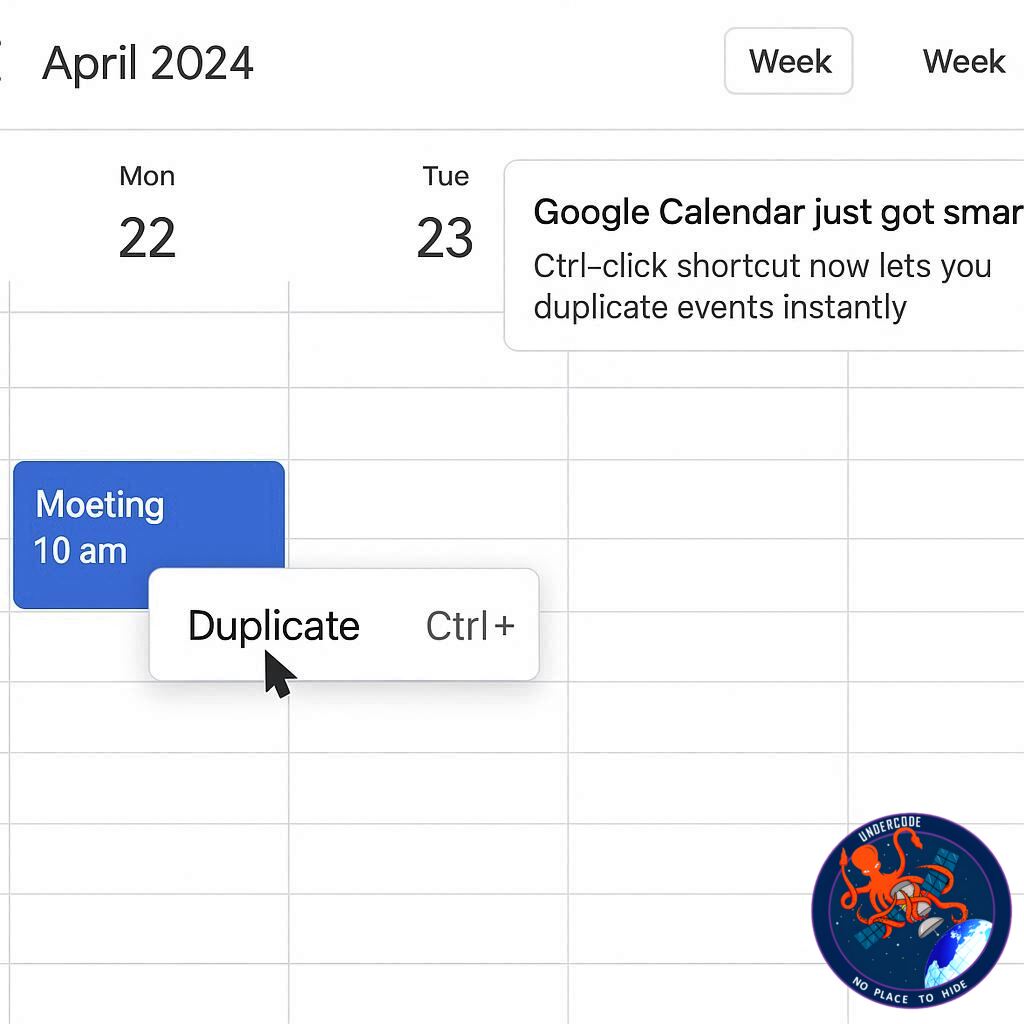
In a rare but impactful example of social media influencing tech development, Google Calendar has introduced a long-requested feature: an event duplication shortcut. Prompted by Stripe co-founder John Collison’s suggestion on X (formerly Twitter), Google CEO Sundar Pichai confirmed the new functionality, making scheduling faster, simpler, and more intuitive for millions of users worldwide. What started as a light-hearted exchange between tech leaders has now translated into a concrete update, highlighting how user feedback and executive engagement can directly shape software tools.
How a Simple Social Media Suggestion Transformed Google Calendar
On July 5, John Collison posted a straightforward request: Google Calendar should allow users to copy events with a Ctrl-click shortcut, similar to Microsoft Outlook’s functionality. By tagging Sundar Pichai, Collison ensured the idea reached the highest levels of Google leadership. Unlike the majority of online suggestions that fade into obscurity, this one resonated. Within weeks, Pichai confirmed that the feature was implemented on Google Calendar’s web platform, proving that even small requests can generate real product improvements when noticed by the right decision-makers.
Google Calendar Event Duplication Shortcut: How It Works
The update allows users to hold Ctrl (or Cmd on Mac) while dragging an event to another time slot in Day, Week, or Month view. This instantly creates a copy of the event without opening menus or performing multiple clicks.
Key benefits include:
Faster scheduling: Duplicate events in seconds without navigating multi-step menus.
Reduced friction: The previous process required opening a three-dot menu to copy an event.
Boosted productivity: Particularly helpful for professionals managing recurring meetings or multiple appointments.
The shortcut makes Google Calendar more intuitive, aligning with Google’s mission to simplify user experiences.
Current Limitations of the New Shortcut
Despite its usefulness, the feature is not universal across all views:
Not available in Schedule or Year view.
Works only in views where events can be dragged or resized.
Even with these constraints, the shortcut saves time and streamlines workflow for the majority of users.
Social Media Buzz: Sundar Pichai’s Hands-On Approach
Collison’s post quickly went viral on X, with tech leaders and users weighing in. Box CEO Aaron Levie added humor, suggesting similar influence could improve Waymo’s self-driving cars. Everyday users, however, appreciated the practicality of the update, praising Pichai for his responsiveness:
“Sundar Pichai is out here doing customer service. I love it.”
“Hi Sundar, can we log out of one Gmail account at a time instead of all accounts at once?”
This is consistent with Pichai’s ongoing engagement with user feedback. Earlier in 2025, he responded to Quora CEO Adam D’Angelo about Google Meet audio issues, reflecting Google’s commitment to listening and reacting to its user base.
Why This Update Matters for Google Calendar Users
While duplicating events might seem minor, the shortcut signifies a broader trend: Google actively listening to its users. By simplifying recurring or similar appointment management, the update enhances productivity for professionals, teams, and casual users alike. Small improvements like this reduce friction, save valuable time, and make Google Calendar a more practical tool for daily life.
What Undercode Say:
Google’s quick adoption of Collison’s suggestion demonstrates a growing synergy between social media influence and tech development. In today’s fast-paced digital environment, product updates that directly respond to user feedback can strengthen brand loyalty and improve workflow efficiency.
From a user perspective, this shortcut may seem minor but its ripple effect is significant. Professionals juggling multiple meetings, especially in corporate or hybrid work settings, now have a tool that minimizes repetitive clicks and cognitive load. In essence, Google Calendar is subtly shifting from a passive scheduling platform to a proactive productivity assistant.
Strategically, this could also indicate a broader trend in Google’s approach to software development. By publicly responding to high-profile suggestions, Google signals transparency and openness to input—a valuable PR strategy that humanizes the brand while delivering tangible product improvements. The shortcut itself may inspire further refinements, such as similar updates for mobile apps or integration with AI-driven scheduling suggestions, which could redefine how users interact with calendar platforms.
On the social front, the interaction highlights how tech leaders are leveraging platforms like X not just for marketing, but for direct engagement with users. Such engagement fosters a sense of community, encourages user-driven innovation, and sets a precedent for other tech giants to follow.
In short, the Ctrl-click shortcut is more than just a time-saver; it represents the evolving relationship between tech companies and their users, emphasizing responsiveness, efficiency, and a focus on practical solutions. As productivity tools become central to professional life, features like this will shape user expectations and push competitors to match or surpass Google’s responsiveness.
🔍 Fact Checker Results
✅ Ctrl-click duplication is confirmed for Google Calendar’s web version.
✅ Feature works in Day, Week, and Month views, not Schedule or Year view.
❌ No evidence that the shortcut currently applies to mobile versions.
📊 Prediction
This update may signal a larger trend where Google increasingly tests small, user-suggested improvements publicly before integrating them into broader product strategies. Within the next year, similar shortcuts could appear in Google Workspace apps, possibly paired with AI-driven suggestions to automatically duplicate recurring events, creating a more seamless, predictive scheduling experience.
🕵️📝✔️Let’s dive deep and fact‑check.
References:
Reported By: timesofindia.indiatimes.com
Extra Source Hub:
https://www.pinterest.com
Wikipedia
OpenAi & Undercode AI
Image Source:
Unsplash
Undercode AI DI v2
🔐JOIN OUR CYBER WORLD [ CVE News • HackMonitor • UndercodeNews ]
📢 Follow UndercodeNews & Stay Tuned:
𝕏 formerly Twitter 🐦 | @ Threads | 🔗 Linkedin | 🦋BlueSky | 🐘Mastodon


