
Listen to this Post
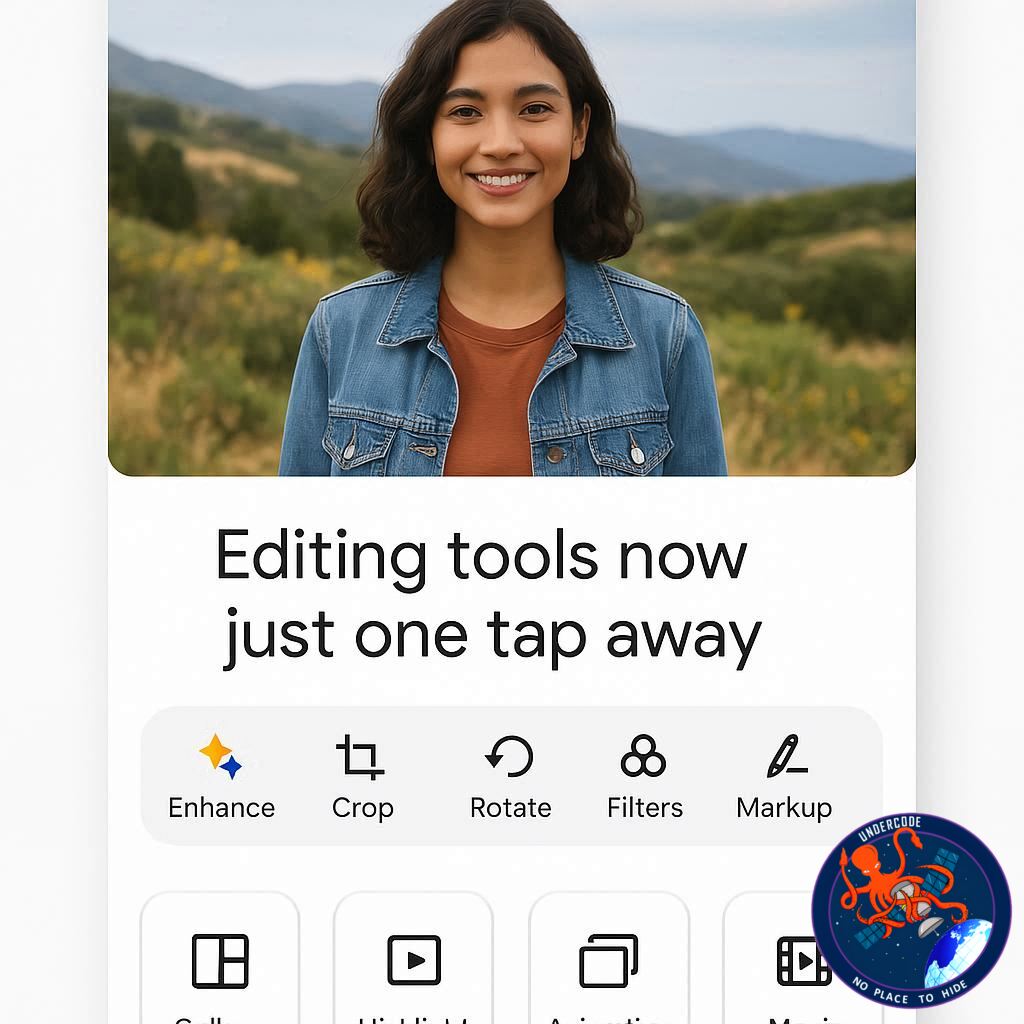
Google Photos has rolled out a new, streamlined way to access its most creative editing tools — introducing the Create tab. Positioned alongside the existing Photos, Collections, and Ask tabs, this addition makes it far easier for users to find and use features that previously required multiple menu dives. Whether you want to make your images pop with 3D effects, turn them into fun animations, or reimagine them in artistic styles, all the tools are now gathered in one place for quick access. Available for both Android and iOS, the feature reflects Google’s ongoing push to make photo creativity effortless and fun.
the Original
Google has unveiled a Create tab in its Photos app, designed to consolidate and simplify access to its most imaginative editing options. The new tab sits alongside Photos, Collections, and Ask, and houses tools that go well beyond standard adjustments like contrast or cropping. These features allow users to turn a simple snapshot into something completely new — from GIF-style animations to cinematic 3D effects.
The six key tools inside the Create tab include:
- Animations – Generates quick-moving GIFs from selected photos and videos.
- Cinematic photos – Adds immersive 3D motion effects to static images.
3. Collage – Arranges multiple pictures into stylish layouts.
- Highlight videos – Compiles clips and photos into music-backed highlight reels.
- Photo to video – Animates a static shot into a six-second video.
- Remix – Reimagines photos in styles like anime, comic book, or sketches.
While these tools aren’t brand-new, the centralized Create tab makes them far more accessible. Google hasn’t shared a formal rollout date, but the update is gradually appearing for Android and iOS users. Some Pixel devices, such as the Pixel 9 Pro and 9a, may not have the feature yet.
The update comes alongside other Google app changes, such as AI-driven features in the Ask tab and Gemini app, though opinions on their usefulness are mixed. Users can disable the Ask tab if they prefer a more classic Photos experience.
What Undercode Say:
This change might seem small, but in practice, it’s a big deal for user experience. Previously, finding Google Photos’ more advanced editing tools often felt like hunting for hidden treasure — they existed, but you had to know where to look. By placing them under a single, clearly labeled “Create” tab, Google is eliminating friction and encouraging casual users to experiment more.
From a design perspective, the new layout taps into behavioral psychology — when tools are visible and grouped logically, people are far more likely to use them. Instead of being buried in menus, they’re presented upfront, almost inviting you to play. This approach mirrors trends in other apps, where creation is positioned as an equal priority to consumption.
The six tools cater to both casual and creative users. For quick fun, Animations and Remix let you produce share-worthy content in seconds. For more artistic projects, Cinematic photos and Highlight videos offer a polished, professional feel without needing external software. The Photo to video feature is particularly interesting because it hints at AI-assisted storytelling — transforming still moments into something dynamic.
It’s also worth noting that Google is aligning Photos with Gemini and other AI projects. The Remix function and some animations are almost certainly AI-powered, suggesting Google wants Photos to become more than just storage — it wants it to be an AI-driven creativity hub. That’s an important competitive move against rivals like Adobe Express, Canva, and even TikTok’s in-app editing tools.
The rollout strategy, however, is a double-edged sword. On one hand, Google keeps interest alive by slowly releasing updates, creating anticipation. On the other, staggered availability frustrates users who want the feature immediately, especially if they’ve seen others using it online. If Google truly wants this tab to be central to the Photos experience, it may need to prioritize a faster, more transparent release schedule.
From a business perspective, this is subtle but strategic lock-in. By making creation effortless inside Photos, Google keeps you in its ecosystem instead of losing you to third-party apps. And once you start storing, editing, and sharing all within one app, switching to another platform feels inconvenient.
The real question is: Will this make people edit more photos? I think yes — especially for those who find traditional editing intimidating. When the tools are fun, easy, and just a tap away, even the least tech-savvy user is tempted to try them. And once you share a cinematic shot on social media and get a flood of compliments, you’re hooked.
In short, the Create tab is not just a convenience — it’s a gateway to deeper engagement, stronger brand loyalty, and more AI-powered features down the road.
🔍 Fact Checker Results
✅ The Create tab is indeed available for both Android and iOS, though rollout is gradual.
✅ The six editing tools listed are existing features, now centralized.
❌ No confirmed global release date was provided by Google.
📊 Prediction
Google will likely expand the Create tab with exclusive AI editing tools over the next year, potentially making it a premium offering tied to Google One subscriptions. Expect smarter, auto-generated video stories, AI object removal, and real-time background replacement to be integrated directly into the tab. By late 2025, the Create section may become the primary engagement driver for Google Photos, turning it into a hybrid of storage service and creative platform.
🕵️📝✔️Let’s dive deep and fact‑check.
References:
Reported By: www.zdnet.com
Extra Source Hub:
https://www.quora.com/topic/Technology
Wikipedia
OpenAi & Undercode AI
Image Source:
Unsplash
Undercode AI DI v2
🔐JOIN OUR CYBER WORLD [ CVE News • HackMonitor • UndercodeNews ]
📢 Follow UndercodeNews & Stay Tuned:
𝕏 formerly Twitter 🐦 | @ Threads | 🔗 Linkedin | 🦋BlueSky | 🐘Mastodon


