
Listen to this Post
🎯 Introduction:
As the clock ticks toward October 14, 2025, the end of Windows 10’s official support has stirred confusion, fear, and an avalanche of misinformation across tech communities. From Reddit threads to YouTube comment sections, many users are still unclear about what “End of Life” really means. Will your computer stop working? Will Microsoft lock you out unless you pay? The truth is far less dramatic but crucial to understand. The end of support for an operating system doesn’t mean the end of your machine—it marks a shift in responsibility, from Microsoft to you. Let’s separate fact from fiction and expose the five biggest myths surrounding the death of Windows 10.
🧩 The Truth Behind the 5 Myths
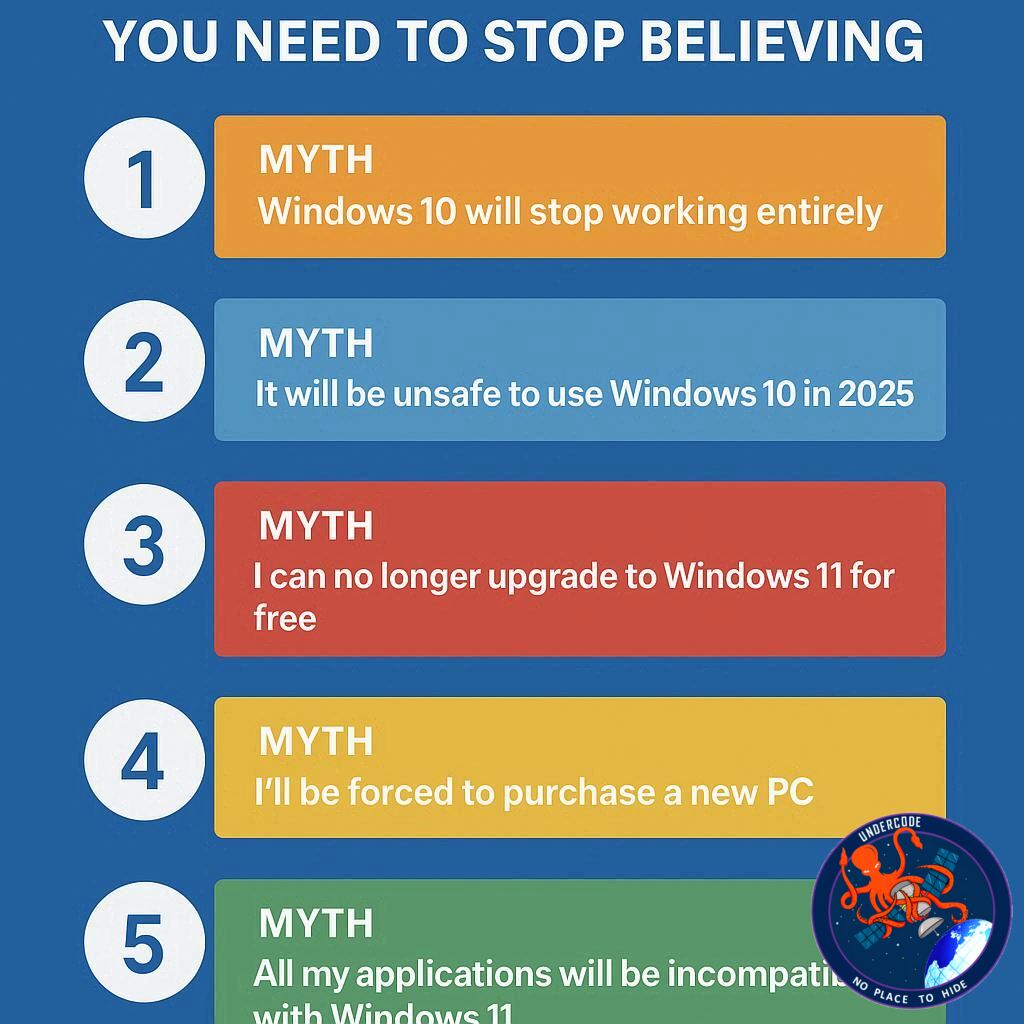
Myth 1: Windows 10 will completely stop working after October 14, 2025
No, your computer won’t suddenly die on October 14. What Microsoft means by “End of Life” is that the company will stop issuing updates, patches, and technical support. The operating system itself will continue to function normally. You can still browse the web, run apps, and use your PC. The only change is that new vulnerabilities won’t be patched—leaving you increasingly exposed to security risks over time.
Myth 2: It’s safe to stay on Windows 10 without updates if you’re careful
This myth is perhaps the most dangerous. While being cautious online helps, it doesn’t shield you from system-level vulnerabilities that hackers exploit. Over time, as new weaknesses are discovered in Windows 10, Microsoft will no longer fix them. Even a vigilant user can fall victim to these unseen exploits. The longer you stay on an unsupported OS, the greater the danger—no matter how disciplined your browsing habits may be.
Myth 3: To get free extended updates, you must sync all your data with Microsoft
There’s been widespread misunderstanding about Microsoft’s Extended Security Updates (ESU) program. The truth: you don’t need to hand over all your personal data. For users outside Europe, enrolling in ESU for free requires syncing only minimal system settings via OneDrive—not your private files. For those in the European Economic Area, even that requirement is waived, thanks to digital market regulations.
Myth 4: You don’t need a Microsoft account for Extended Security Updates
Regardless of whether you pay for ESU or enroll for free, a Microsoft account is required. Even European users who aren’t forced to sync data still need to log in with a valid account. And no, a “throwaway” or fake account won’t work; Microsoft will verify and check your ongoing connection to that account. This is part of Microsoft’s broader push to unify user identity across its platforms.
Myth 5: Most newer PCs can’t upgrade to Windows 11 due to harsh system requirements
This myth contains a kernel of truth but exaggerates the problem. Yes, Windows 11 has stricter hardware requirements—especially regarding TPM 2.0 and CPU support—but many PCs that appear incompatible actually are. The issue often lies in TPM being disabled in BIOS rather than absent altogether. If your PC was purchased in the past few years, there’s a strong chance it can upgrade after enabling TPM 2.0. Don’t assume you’re stuck with Windows 10; check your BIOS before giving up.
In short, Windows 10 won’t vanish—it will just move into a quieter phase of its life. Users will need to take extra precautions, or transition to Windows 11 for continued security.
💡 What Undercode Say:
Microsoft’s decision to sunset Windows 10 isn’t just a technical update; it’s a strategic nudge toward modernization and ecosystem control. Let’s dissect what’s really happening beneath the surface.
The company’s shift to “Windows as a Service” blurred the line between product and subscription. By ending support, Microsoft pushes consumers to adopt Windows 11—an OS that tightly integrates with Microsoft accounts, OneDrive, and cloud-driven telemetry. This is not only about improving security but also about consolidating data streams, refining user behavior insights, and driving cloud service adoption.
For the average user, the end of Windows 10 marks a crossroads. On one side lies convenience: familiar software, stable performance, no learning curve. On the other side is vulnerability—an unpatched environment ripe for exploitation. Cybersecurity today isn’t static. Threats evolve faster than ever, and unpatched operating systems become magnets for ransomware and zero-day exploits.
The most dangerous part isn’t October 14, 2025—it’s the months and years that follow. History shows what happens after support ends: Windows 7 machines were soon targeted by mass ransomware campaigns like WannaCry and EternalBlue. The same pattern is poised to repeat unless users transition or pay for extended updates.
From a technical standpoint, Microsoft’s offer of a free ESU year is both generous and pragmatic. It buys users time, helps them plan upgrades, and reduces backlash. Yet it also subtly pulls more users into Microsoft’s ecosystem—by requiring account logins and optional cloud sync. This move mirrors the company’s long-term vision: unified identity across devices, seamless updates, and continuous engagement.
Some may view this as a loss of privacy or autonomy. But from Microsoft’s perspective, it’s a step toward uniform security and product management. A fragmented user base running multiple old versions creates massive overhead and security liabilities. The more unified the system, the more efficiently Microsoft can deploy protection and updates.
Still, the myths around Windows 10’s demise highlight a deeper issue: mistrust. Many users feel Microsoft has grown too controlling—deciding when an OS dies, forcing accounts, and embedding telemetry. This sentiment fuels conspiracy theories about data harvesting and forced obsolescence. But while corporate motives are rarely pure, the practical truth is simpler: technology ages, and patching old systems indefinitely isn’t sustainable.
Undercode’s view? The smart move is to prepare early. Enable TPM 2.0, back up your files, and test-drive Windows 11. Or, if your hardware truly can’t upgrade, take advantage of the free ESU year and start exploring Linux or cloud-based environments. Security today is proactive, not reactive. The myths might be comforting, but ignoring reality isn’t.
🔍 Fact Checker Results:
✅ Windows 10 will still work after support ends, but without updates.
✅ Microsoft requires a valid account for Extended Security Updates.
❌ You do not have to sync all your PC data for free ESU—only minimal settings.
📊 Prediction:
🖥️ Within the first year after Windows 10’s End of Life, at least 35% of users will still be running it.
💸 Expect a rise in paid ESU subscriptions as small businesses delay upgrading.
⚙️ By 2027, Microsoft may introduce “Windows 12” to fully transition users into a cloud-first, AI-integrated environment.
🕵️📝✔️Let’s dive deep and fact‑check.
References:
Reported By: www.techradar.com
Extra Source Hub (Possible Sources for article):
https://www.quora.com/topic/Technology
Wikipedia
OpenAi & Undercode AI
Image Source:
Unsplash
Undercode AI DI v2
Bing
🔐JOIN OUR CYBER WORLD [ CVE News • HackMonitor • UndercodeNews ]
📢 Follow UndercodeNews & Stay Tuned:
𝕏 formerly Twitter 🐦 | @ Threads | 🔗 Linkedin | 🦋BlueSky | 🐘Mastodon


