
Listen to this Post
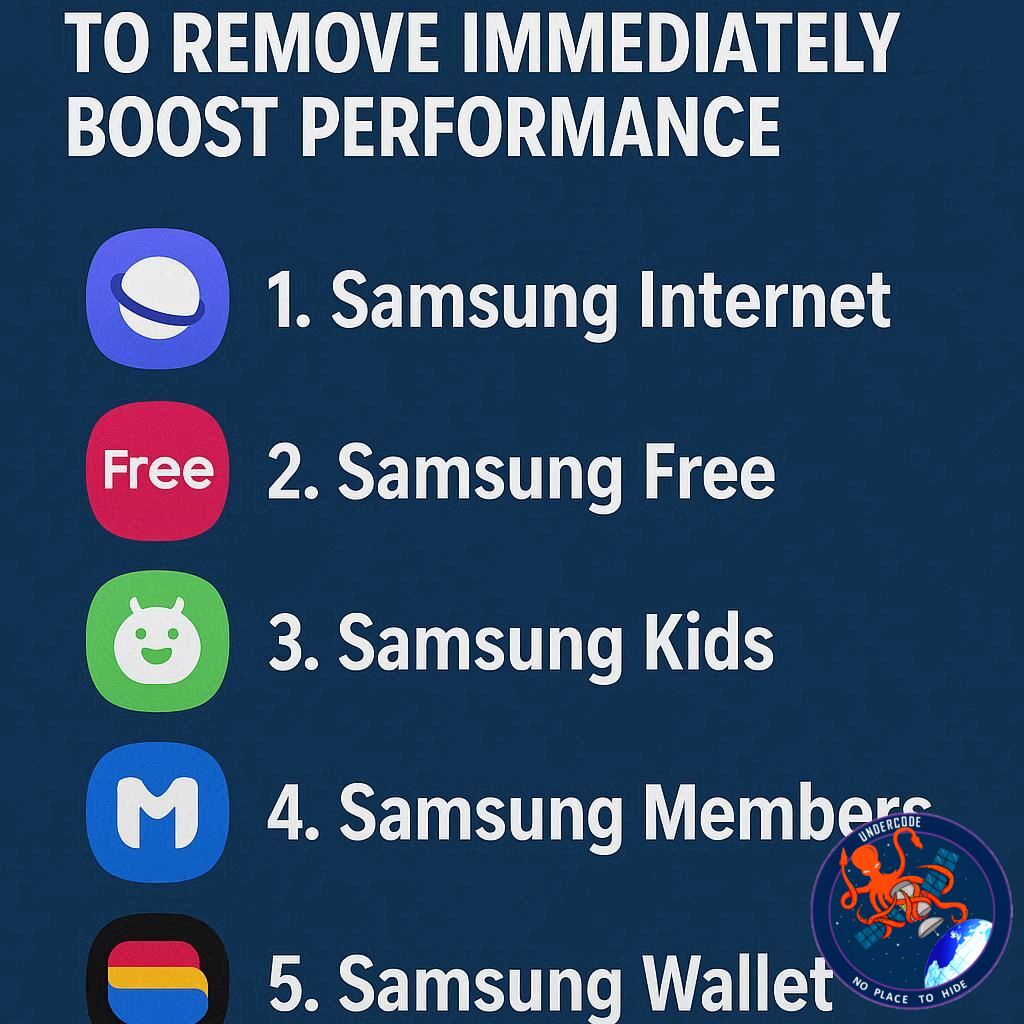
Samsung’s Galaxy phones are widely praised for their sleek One UI interface, combining high functionality with intuitive design. However, even the most loyal Samsung fans face a common frustration: preinstalled apps that many never use. While some apps like Wearable and Wallet integrate well within the Samsung ecosystem, others are little more than digital clutter. These apps consume storage, drain battery life, and add unnecessary notifications, making them prime candidates for removal. Streamlining your device by disabling or uninstalling underused apps can improve performance, save space, and declutter your digital life.
Common Bloatware on Samsung Phones
Samsung’s preinstalled apps vary across devices and price points, but certain apps appear on nearly all Galaxy phones. Not all can be fully uninstalled, but most can be disabled and re-enabled later if needed. Removing apps you don’t use helps optimize memory and reduces background battery consumption. Here are five apps that users rarely touch but often clog their devices:
1. Global Goals
The Global Goals app supports sustainability by encouraging users to donate or watch ads that fund the United Nations’ Sustainable Development Goals. While its mission is commendable, not every user wants to engage in charitable activities through a preinstalled app. For many, this app is simply an unused placeholder occupying storage.
2. Samsung Free
Samsung Free aggregates movies, TV shows, live TV, news, and games. It overlaps heavily with Samsung TV Plus and the Galaxy Store, making it largely redundant. Users who already subscribe to streaming services like Netflix or HBO Max will find little value here, and its presence can slow down the device and clutter the interface.
3. Samsung TV Plus
This ad-supported streaming service offers over 1,200 channels across 24 countries but doesn’t produce original content. For users who consume media primarily through established streaming platforms, TV Plus offers limited benefits and takes up unnecessary space.
4. Samsung Shop
Samsung Shop promotes deals, recommendations, and exclusive offers on Samsung products. While useful for avid Samsung buyers, it often generates unwanted notifications and contributes little to users who prefer shopping directly through the web or other marketplaces. Disabling this app can declutter your notifications and streamline your device.
5. Samsung Kids
Designed to help children develop thinking skills and healthy digital habits, Samsung Kids can be invaluable for parents. For users without children, however, it becomes an unnecessary storage hog and source of notifications. Disabling it frees up both memory and attention.
Other preinstalled apps like Facebook, Snapchat, Microsoft apps, and Samsung’s Gaming Hub may be helpful for some users but unnecessary for those focused on productivity. Reviewing installed apps after setup is essential to remove underused apps and optimize device performance.
What Undercode Say:
Preinstalled apps are a double-edged sword. While some enhance the Samsung experience, many serve more as brand promotion than practical tools. The presence of bloatware impacts device efficiency in multiple ways:
Battery Drain: Many preinstalled apps run background processes that consume battery power, even if the apps are never opened. Disabling them reduces unnecessary energy use.
Storage Management: These apps take up space that could otherwise store apps, photos, or videos. Even a few hundred megabytes can affect devices with lower storage capacities.
User Experience: Constant notifications and redundant services clutter the interface, making navigation less smooth. A cleaner app roster enhances usability and reduces cognitive load.
Security Considerations: Unused apps, especially those connected to the internet, may introduce security vulnerabilities over time. Minimizing unused software reduces potential exposure.
System Optimization: Removing or disabling non-essential apps allows One UI to allocate resources more efficiently, improving overall device speed and responsiveness.
From a strategic perspective, Samsung’s inclusion of these apps is also a marketing tactic. Apps like Samsung Shop and Samsung TV Plus subtly push users toward the brand’s ecosystem. While some consumers benefit from this integration, most don’t actively engage, making the apps more intrusive than helpful.
In conclusion, evaluating which apps are essential and which are expendable is vital for maximizing the Galaxy phone experience. Users should customize their devices based on personal habits, prioritizing apps that deliver value and removing those that only drain resources. This process not only boosts performance but also creates a cleaner, more intuitive interface, transforming your device into a highly responsive tool tailored to individual needs.
Fact Checker Results:
✅ Samsung Global Goals supports donations for UN SDGs.
✅ Samsung Free and TV Plus offer free streaming with overlapping content.
❌ Preinstalled apps are mandatory; most can be disabled without harming device functionality.
Prediction:
📊 As Samsung continues to expand One UI, bloatware removal will likely become more accessible and user-friendly. Users who streamline apps now may see significant long-term improvements in battery life, storage management, and system performance. By 2027, Samsung may offer more customizable setup options, allowing phones to ship with only essential apps preinstalled, transforming the Galaxy experience into a leaner, faster ecosystem.
▶️ Related Video (86% Match):
🕵️📝✔️Let’s dive deep and fact‑check.
References:
Reported By: www.zdnet.com
Extra Source Hub (Possible Sources for article):
https://www.reddit.com
Wikipedia
OpenAi & Undercode AI
Image Source:
Unsplash
Undercode AI DI v2
Bing
🔐JOIN OUR CYBER WORLD [ CVE News • HackMonitor • UndercodeNews ]
📢 Follow UndercodeNews & Stay Tuned:
𝕏 formerly Twitter 🐦 | @ Threads | 🔗 Linkedin | 🦋BlueSky | 🐘Mastodon


