
Listen to this Post
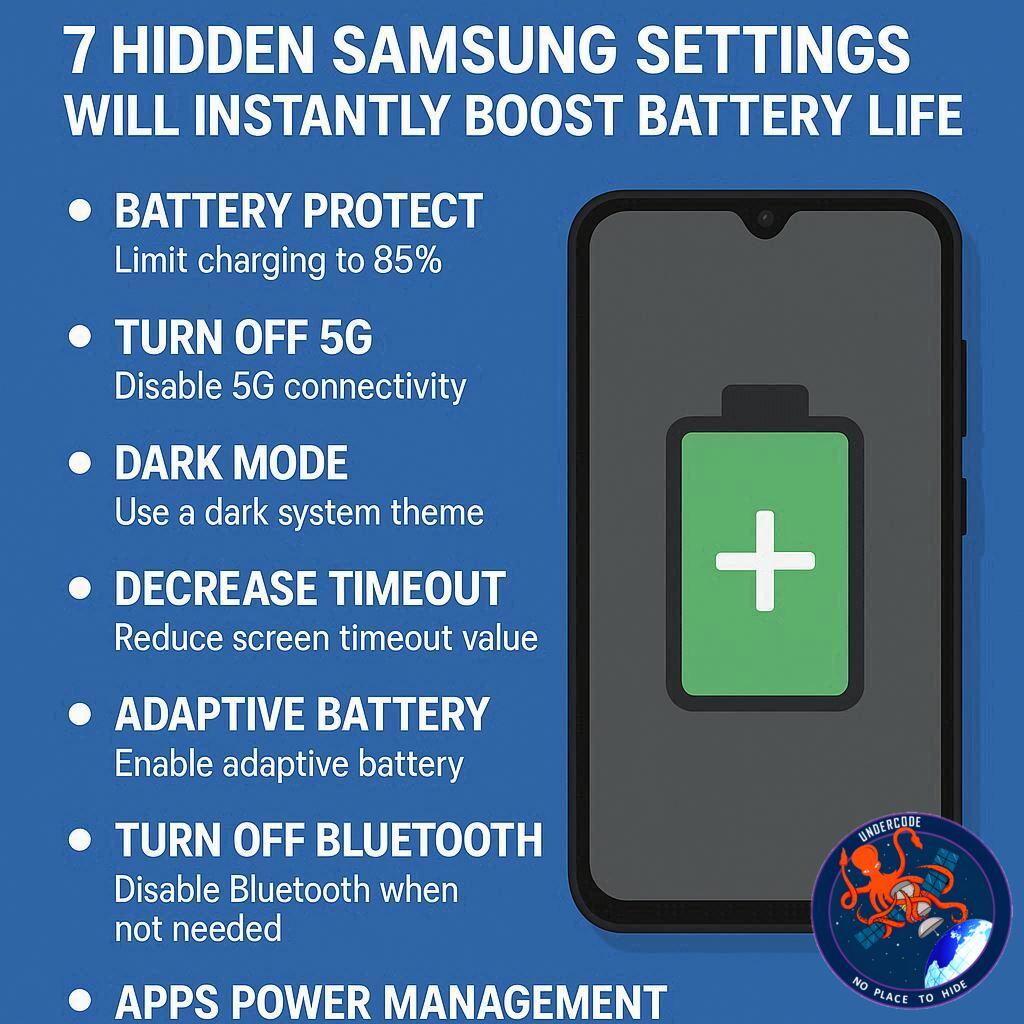
Introduction: Why Your Galaxy Phone Runs Out of Juice Too Soon
Samsung’s Galaxy lineup has a well-earned reputation for being feature-rich, powerful, and sleek. From the premium Galaxy S25 Ultra to the folding Galaxy Z Flip 7, these devices are packed with software capabilities that often exceed the needs of everyday users. But here’s the catch: those extra features can quietly drain your battery, leaving you scrambling for a charger before the day ends.
The good news? You don’t have to cripple your phone’s performance or downgrade your experience just to keep it alive longer. With a few smart adjustments, you can significantly extend battery life while still enjoying everything Samsung phones have to offer. Below, we’ll break down seven key settings that help your Galaxy survive longer on a single charge — and then we’ll dig deeper into why these changes matter.
The 7 Essential Battery-Saving Settings on Samsung Phones
Dark Mode for AMOLED Efficiency
Most Samsung phones come with AMOLED displays, where black pixels actually switch off rather than just dim. By enabling Dark Mode, you reduce unnecessary power draw while giving your phone a sleek new look. It’s more than cosmetic — it’s functional battery conservation.
Adaptive Brightness That Actually Works
Samsung’s modern light sensors are surprisingly accurate now. Adaptive Brightness ensures your phone isn’t blindingly bright in dim rooms or wasting battery outdoors by overcompensating. It keeps brightness right where it needs to be without manual tweaking.
Uninstalling Battery-Hungry Apps
Out of the box, Galaxy devices come loaded with apps you’ll probably never touch — from Facebook to OneDrive. These can run in the background and siphon away energy. Removing or disabling them not only cleans your phone but also extends your daily battery life.
Identifying Hidden Power Drainers
Some apps, especially ones tied to 5G connectivity or constant background activity, consume more power than expected. Samsung provides a built-in tracker under Device Care to expose these culprits. Shutting them down can make a noticeable difference.
Download Content Before Travel
Streaming music, videos, or even map data over mobile networks consumes a surprising amount of power. By pre-downloading playlists, podcasts, or navigation routes, you shift that energy drain onto your Wi-Fi and preserve mobile battery life.
Smarter Always-On Display
The Always-On Display looks fantastic, but it’s a subtle drain if left unchecked. Scheduling it to activate only during useful hours (like working hours) keeps its benefits without burning through battery when you’re asleep or not checking notifications.
Choosing the Right Performance Profile
Not everyone needs maximum horsepower all the time. By switching to the Light Performance profile, you prioritize efficiency over raw power. It’s ideal for those who use their phone primarily for calls, browsing, and daily apps, rather than heavy gaming.
What Undercode Say:
The above tweaks may sound small, but together they represent a philosophy shift in how we think about smartphone use. Most people assume battery drain is inevitable — a side effect of having a modern flagship device. But Samsung’s layered software ecosystem gives you more control than you might realize.
Dark Mode, for example, is one of the simplest but most underestimated battery savers on AMOLED technology. It highlights how design choices aren’t just about visuals but about power engineering. Adaptive Brightness is another overlooked gem. Earlier generations often miscalculated lighting conditions, frustrating users into turning it off. Now, with improved sensors, it does a better job than human reflexes at adjusting brightness on the fly.
App management is where the real power savings lie. Preinstalled apps, often called “bloatware,” don’t just take up storage. They quietly run tasks in the background, syncing, updating, and consuming data. By uninstalling them, you’re not only freeing space but also cutting hidden energy leaks. Samsung’s inclusion of tools to monitor app-level power consumption is essentially handing you the keys to identify digital freeloaders.
Another underrated fix is offline content preparation. Streaming over LTE or 5G involves constant data transmission, which heavily stresses the modem and heats up the phone. Pre-downloading reduces that stress, making travel or commutes smoother on your battery. It’s a behavioral adjustment, not just a settings toggle.
The Always-On Display is a classic example of convenience versus efficiency. High-end models mitigate this with LTPO technology that can refresh at just 1Hz, but midrange phones still burn unnecessary power if AOD is left on all the time. Scheduling it provides the middle ground — useful when awake, dormant when not.
Performance profiles speak directly to user identity. Gamers will want maximum output, but for the majority of users, the Light Profile is more than enough. It reduces thermal strain, lowers energy draw, and prolongs daily runtime without noticeable sluggishness in standard tasks.
In essence, these seven tweaks aren’t hacks or compromises. They represent a smarter way of using your device: leveraging Samsung’s built-in flexibility to fit your lifestyle instead of defaulting to a one-size-fits-all approach. If used together, they can transform a Galaxy device from a battery-hungry beast into a reliable all-day companion.
Fact Checker Results
✅ Dark Mode does extend battery life on AMOLED screens.
✅ Adaptive Brightness is more accurate in recent Galaxy models.
❌ Always-On Display is not efficient on all Samsung phones — depends on model.
Prediction
Battery optimization will become less about users manually tweaking settings and more about AI-driven automation. Future Samsung devices will likely analyze personal habits to auto-adjust brightness, background apps, and performance profiles in real time, giving users maximum efficiency without lifting a finger.
🕵️📝✔️Let’s dive deep and fact‑check.
References:
Reported By: www.zdnet.com
Extra Source Hub:
https://www.reddit.com/r/AskReddit
Wikipedia
OpenAi & Undercode AI
Image Source:
Unsplash
Undercode AI DI v2
🔐JOIN OUR CYBER WORLD [ CVE News • HackMonitor • UndercodeNews ]
📢 Follow UndercodeNews & Stay Tuned:
𝕏 formerly Twitter 🐦 | @ Threads | 🔗 Linkedin | 🦋BlueSky | 🐘Mastodon


