
Listen to this Post
Introduction
A sluggish Android phone can be incredibly frustrating, especially when every swipe or app launch feels like a mini test of patience. While many tech enthusiasts rush to upgrade to the newest devices, most users rely on their existing phones for years. The good news is that you don’t need to spend hundreds on a new model to regain speed. With a few strategic tweaks, your Android device can feel revitalized, responsive, and ready to handle daily tasks with ease. Here’s a comprehensive guide to a simple, four-step refresh routine designed to make even older Android phones perform like new.
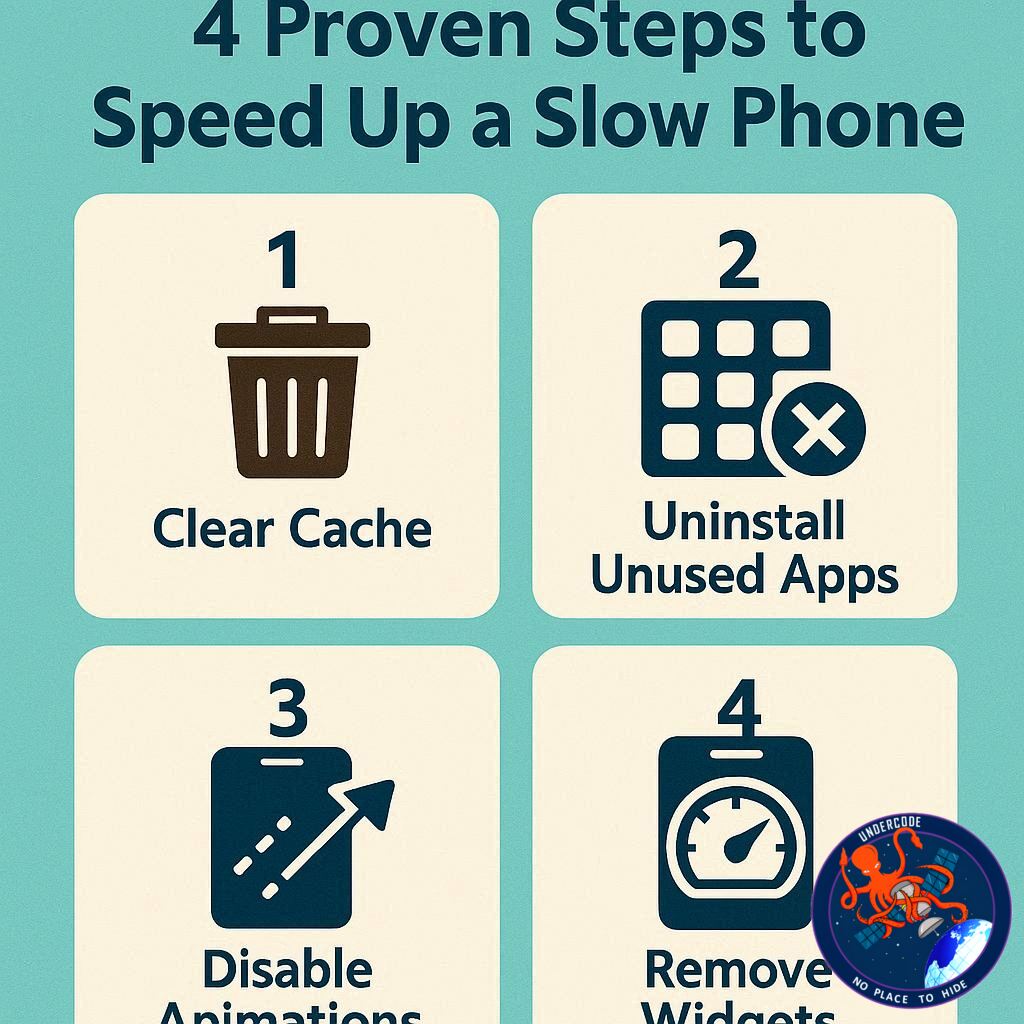
Step 1: Remove Unused Apps
Over time, Android phones become crowded with apps that are rarely—or never—used. That old QR scanner app from a past trip or a photo editor you downloaded years ago still takes up space and resources. By uninstalling these forgotten apps, your phone can redirect memory and processing power toward essential tasks. Navigate to Settings > Storage > Apps to review installed apps and uninstall anything unnecessary. Long-pressing an app and selecting App Info > Uninstall is another quick way to declutter your device. The result is smoother operation and better overall performance.
Step 2: Clear Storage and Cache
Even after removing apps, leftover files, photos, and cached data can bog down performance. Start by reviewing your Downloads folder and removing obsolete PDFs, screenshots, or videos. Offloading photos and important files to the cloud or an external drive frees up space while preserving memories. Additionally, clearing cached data helps apps run more efficiently, especially those you rarely use. Access Settings > Storage > App > Clear Cache for targeted cleanup. A cleaner storage system translates directly into faster response times and a snappier user experience.
Step 3: Update System and Apps
An outdated Android OS can slow down your device and leave it vulnerable to security risks. Ensuring that your system is up to date not only improves speed but also provides the latest features. Navigate to Settings > General > System Update to install any pending updates. Once the OS is current, visit the Google Play Store to update all apps. Updated apps tend to run more efficiently, consume fewer resources, and provide smoother interactions, further enhancing the overall performance of your phone.
Step 4: Adjust Animation Settings for Perceived Speed
For a more advanced tweak, reducing animation scales can dramatically improve the phone’s responsiveness. Enable Developer Options by going to Settings > About Phone > Software Information and tapping the Build Number seven times. Within Developer Options, adjust the Window Animation Scale, Transition Animation Scale, and Animator Duration Scale to 0.5x. These changes minimize delays in app transitions, home screen swipes, and UI interactions, giving the impression of a faster device even without hardware upgrades.
What Undercode Say: Analyzing the Phone Refresh Routine
These four steps combine both practical cleanup and subtle system optimizations that leverage Android’s inherent flexibility. Removing unused apps addresses one of the most common causes of sluggish performance: fragmented memory and background processes. Each app consumes CPU cycles and RAM, so decluttering can free up resources for active applications.
Clearing storage and cache tackles another silent culprit—file accumulation. Android devices often accumulate temporary files, thumbnails, and system caches over months or years. These files, while small individually, collectively create delays in read/write operations. Offloading media not only helps with speed but also extends device longevity by reducing storage stress.
System updates serve a dual purpose: security and performance. Android updates often include memory optimizations, bug fixes, and efficiency improvements, particularly in the kernel and background task management. Regularly updating apps ensures they are compatible with the latest OS and reduces the likelihood of performance bottlenecks caused by outdated software.
Animation adjustments exploit a perceptual trick: while the phone’s actual speed may not dramatically change, the reduced transition and animation durations make interactions feel instantaneous. This is particularly beneficial on older phones with slower processors or limited RAM. For users willing to experiment with Developer Options, this tweak can significantly enhance the perceived smoothness of everyday tasks.
Combining these steps results in a comprehensive refresh that addresses both hardware and software limitations. It demonstrates that performance issues are rarely caused by a single factor; instead, cumulative inefficiencies in app usage, storage, outdated software, and animation delays collectively slow a device. Addressing each layer systematically produces the best results, maximizing both user satisfaction and device longevity.
Moreover, this routine underscores an important principle: optimizing existing hardware is often more cost-effective than upgrading. Many users mistakenly believe that only new devices can offer smooth experiences, but careful maintenance can extend the life of an Android phone by several years. By routinely decluttering, clearing cache, updating software, and fine-tuning animations, users can maintain a high-performance experience without financial strain.
Another key insight is the psychological impact of device responsiveness. Slow phones frustrate users, often leading to unnecessary upgrades. By enhancing speed through these steps, users regain control and satisfaction, reducing tech anxiety and fostering a more productive interaction with their device.
Finally, this routine emphasizes user empowerment. While rooting or complex modifications may intimidate many, these steps are accessible to anyone, regardless of technical proficiency. They provide measurable benefits without risking device stability, making them ideal for everyday users seeking a faster, more responsive Android experience.
Fact Checker Results
✅ Unused apps consume memory and can slow down Android phones.
✅ Clearing cache and storage improves device responsiveness.
✅ Updating system software and apps enhances speed and security.
Prediction
📊 Devices following this refresh routine could maintain peak performance for 12–18 months, delaying the need for costly upgrades.
📊 Animation tweaks will become increasingly popular as older Android models remain in circulation.
📊 Regular maintenance may reshape consumer habits, making users more focused on software optimization rather than hardware replacement.
▶️ Related Video (84% Match):
🕵️📝✔️Let’s dive deep and fact‑check.
References:
Reported By: www.zdnet.com
Extra Source Hub (Possible Sources for article):
https://www.reddit.com
Wikipedia
OpenAi & Undercode AI
Image Source:
Unsplash
Undercode AI DI v2
Bing
🔐JOIN OUR CYBER WORLD [ CVE News • HackMonitor • UndercodeNews ]
📢 Follow UndercodeNews & Stay Tuned:
𝕏 formerly Twitter 🐦 | @ Threads | 🔗 Linkedin | 🦋BlueSky | 🐘Mastodon


