
Listen to this Post
A Subtle Change That Signals a Bigger Shift
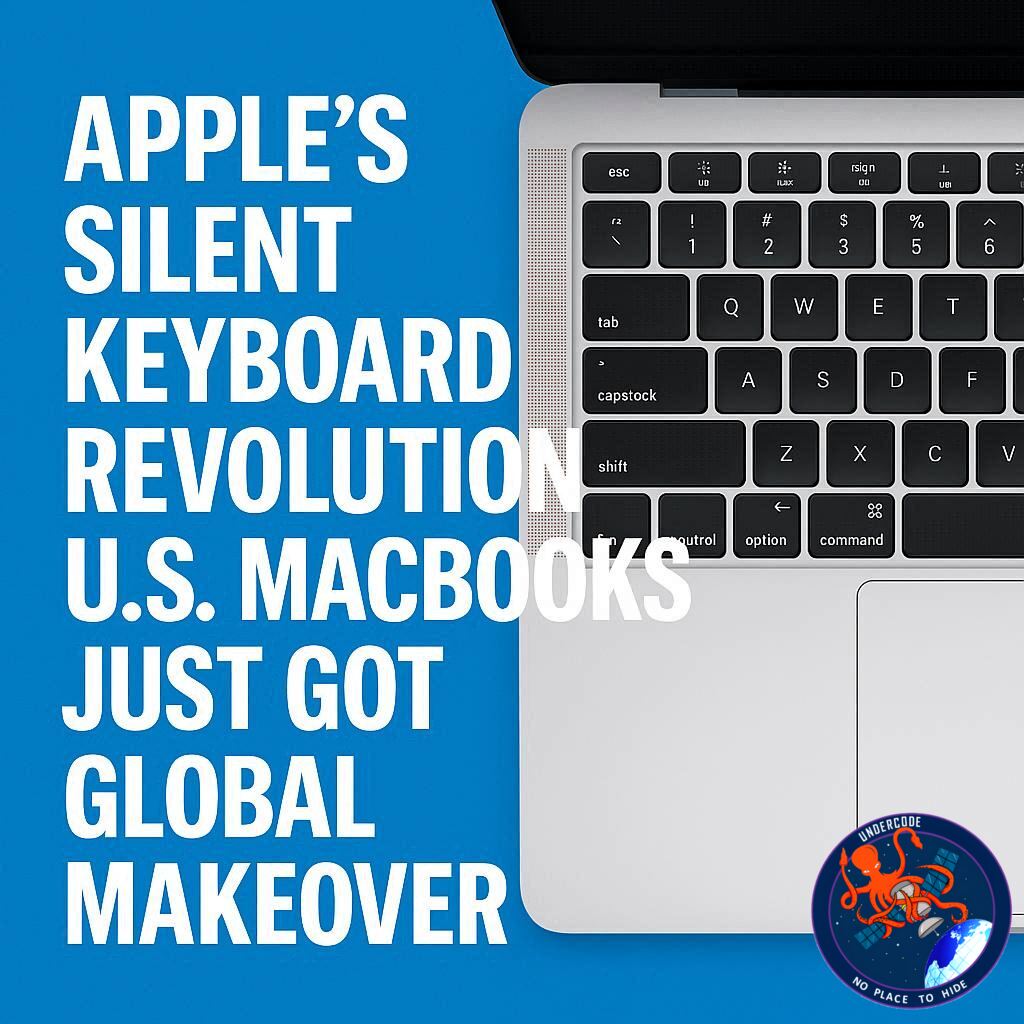
For decades, Apple quietly maintained a unique distinction in its keyboard design—one that most users never questioned. While much of the world interacted with sleek, symbol-based keyboards, American users remained tied to traditional text labels like “Tab,” “Return,” and “Delete.” That long-standing divide has finally come to an end. Apple has now unified its keyboard language, bringing glyph-based keys to U.S. MacBooks in a move that feels subtle on the surface but carries deeper implications for usability, design philosophy, and global consistency.
The End of Text Labels on U.S. MacBooks
The latest MacBook Air and MacBook Pro models mark a turning point. Apple has removed several familiar text labels from keys, replacing them with minimalist symbols—glyphs that have long been standard in international versions of its keyboards. This shift aligns U.S. devices with the rest of the world, effectively eliminating a design inconsistency that persisted for years.
Keys like Tab, Caps Lock, Return, Shift, and Delete have all undergone this transformation. Where users once saw clearly written words, they now encounter symbolic representations that may feel unfamiliar at first glance. Yet for many outside the U.S., this design is anything but new—it’s been the norm for years.
A Longstanding Global Divide Finally Resolved
To international users, the idea of text-labeled keys on Apple keyboards has always seemed unusual. In Europe, Asia, and other regions, glyphs have been the standard for decades. These symbols are deeply embedded in Apple’s ecosystem, appearing in menus, shortcuts, and documentation.
The U.S. was the outlier—until now. By adopting glyphs universally, Apple is not just making a cosmetic change; it’s standardizing the user experience across all markets. This move reflects a broader trend in tech toward global uniformity, where design decisions prioritize consistency over regional preferences.
Not All Keys Made the Switch
Despite the sweeping changes, Apple hasn’t gone all-in on glyphs. A few keys still retain their text labels, though in abbreviated form. “Esc” and “Fn” remain unchanged, likely due to their widespread recognition and functional clarity.
Meanwhile, modifier keys like Control, Option, and Command now feature a hybrid approach. They display both glyphs and text, bridging the gap between old and new. This dual-labeling strategy helps users transition more smoothly while maintaining familiarity.
Why Apple Made the Change Now
The timing of this shift is no coincidence. As Apple continues to refine its ecosystem, consistency across devices and regions has become increasingly important. Glyphs offer a universal language that transcends linguistic barriers, making them ideal for a global user base.
Another key factor lies in software integration. Apple’s menus and shortcut guides have long relied on these symbols. By aligning the physical keyboard with the digital interface, Apple creates a more cohesive experience. Users no longer need to mentally translate between text labels and symbolic representations.
The Practical Reason Behind Text Holdouts
Despite the push toward glyphs, there’s a practical reason some text labels remain. Documentation—both Apple’s and third-party—often refers to keys by name rather than symbol. Instructions like “Option-Shift-Command-K” are easier to communicate verbally than their symbolic counterparts.
This is especially important for less tech-savvy users. Explaining keyboard shortcuts becomes more intuitive when using familiar terms. While experienced users may quickly adapt to glyphs, newcomers could find them confusing without textual guidance.
The Human Factor in Keyboard Design
Apple’s design philosophy has always balanced aesthetics with usability. The shift to glyphs reflects a desire for visual simplicity, but it also introduces a learning curve. For users accustomed to text labels, the change may feel disorienting at first.
However, Apple appears confident that the benefits outweigh the drawbacks. Glyphs are cleaner, more compact, and visually aligned with the company’s minimalist ethos. Over time, they may even enhance user efficiency by reducing visual clutter.
What Undercode Say:
A Design Decision Rooted in Global Identity
Apple’s move to unify keyboard layouts is less about aesthetics and more about reinforcing a global identity. By eliminating regional differences, the company strengthens its brand consistency, ensuring that every user—regardless of location—interacts with the same design language.
The Shift Reflects Apple’s Ecosystem Strategy
This change aligns with Apple’s broader ecosystem strategy, where hardware and software are tightly integrated. Glyphs already dominate macOS interfaces, so extending them to physical keyboards creates a seamless interaction loop. It’s a small step that reinforces a larger vision.
User Adaptation Will Define Success
The success of this transition depends heavily on user adaptation. While experienced users may welcome the change, newcomers could struggle initially. Apple is betting that familiarity with digital interfaces will ease the transition over time.
Minimalism vs. Accessibility
There’s an ongoing tension between minimalism and accessibility in tech design. Glyphs are undeniably cleaner, but they can also be less intuitive. Apple’s hybrid approach for certain keys suggests an awareness of this balance, لكنها hasn’t fully resolved the trade-off.
A Step Toward Universal Design Language
This move could signal a broader trend in the industry. As devices become more interconnected globally, companies may increasingly adopt universal design languages. Apple is simply ahead of the curve, setting a precedent others may follow.
The Role of Documentation in Design Choices
Interestingly, documentation plays a significant role in hardware design decisions. The need to communicate instructions clearly has preserved text labels on certain keys. This highlights how user education and product design are deeply interconnected.
A Quiet Change with Long-Term Impact
At first glance, this update may seem minor. But over time, it could reshape how users interact with their devices. As glyphs become more familiar, they may redefine the standard for keyboard design across the industry.
The Learning Curve Is Inevitable
Every design evolution comes with a learning curve. Apple’s challenge is to ensure that this curve is as smooth as possible. Clear onboarding, intuitive interfaces, and consistent usage across platforms will be key to user acceptance.
A Reflection of Apple’s Confidence
This change also reflects Apple’s confidence in its user base. The company believes its audience is ready to embrace a more abstract, symbol-driven interface. Whether that confidence is justified will become clear in the coming years.
The Future of Keyboard Design
Looking ahead, this could be just the beginning. As technology evolves, physical keyboards may continue to adapt, incorporating more symbolic and dynamic elements. Apple’s latest move is a glimpse into that future.
🔍 Fact Checker Results
Verified Shift in Keyboard Design
✅ Apple has replaced text labels with glyphs on several keys in new U.S. MacBook models, aligning them with international versions.
Partial Retention of Text Labels
✅ Keys like “Esc” and “Fn” still use text, while modifier keys combine both glyphs and words.
Practical Communication Challenges
❌ The claim that glyphs significantly hinder user understanding is subjective; many users adapt quickly due to consistent exposure in software interfaces.
📊 Prediction
The Rise of Symbol-First Interfaces
Apple’s transition suggests a future where symbols dominate user interfaces, reducing reliance on language-specific text.
Industry-Wide Adoption Likely
Other manufacturers may follow suit, adopting glyph-based keyboards to maintain consistency with modern operating systems.
Gradual User Acceptance
While initial resistance is expected, users will likely adapt over time, especially as glyphs become more standardized across devices and platforms.
🕵️📝✔️Let’s dive deep and fact‑check.
References:
Reported By: 9to5mac.com
Extra Source Hub (Possible Sources for article):
https://www.discord.com
Wikipedia
OpenAi & Undercode AI
Image Source:
Unsplash
Undercode AI DI v2
Bing
🔐JOIN OUR CYBER WORLD [ CVE News • HackMonitor • UndercodeNews ]
📢 Follow UndercodeNews & Stay Tuned:
𝕏 formerly Twitter 🐦 | @ Threads | 🔗 Linkedin | 🦋BlueSky | 🐘Mastodon


