
Listen to this Post
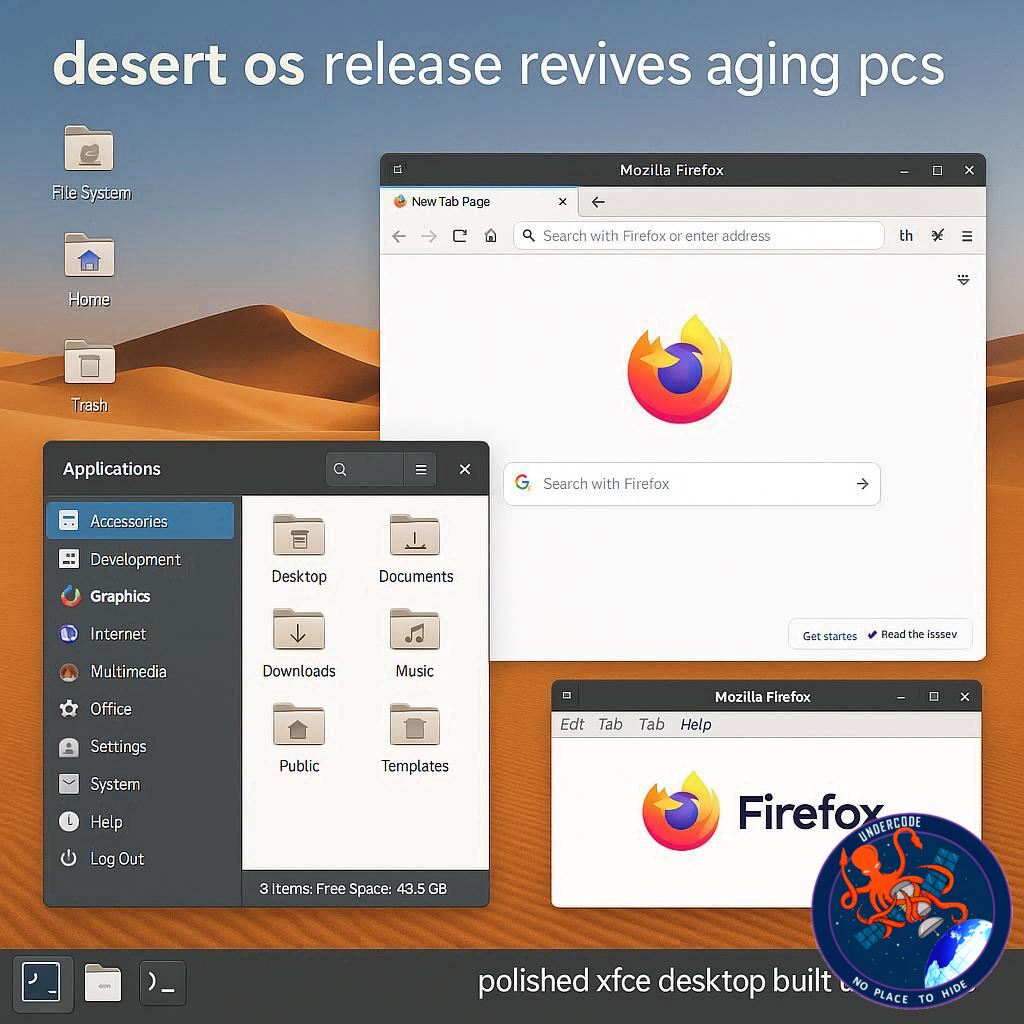 A Ukrainian Linux Distribution That Redefines What Xfce Can Look Like
In the crowded universe of Linux distributions, few projects manage to surprise seasoned users. Most desktops fall neatly into familiar categories: lightweight but dated, modern but heavy, beautiful yet resource-hungry. Desert OS disrupts that assumption. Built on Ubuntu LTS and powered by the famously lightweight Xfce desktop, this Ukrainian-developed distribution delivers an experience that feels refined, cohesive, and unexpectedly modern. For anyone with a spare laptop collecting dust or a desktop that struggles under the weight of modern operating systems, Desert OS positions itself as a compelling second chance.
A Lightweight Core with an Elegant Surface
Desert OS is based on Ubuntu 24.04 LTS, ensuring long-term support through 2029. That foundation alone makes it practical for users who value stability and longevity. Yet what truly distinguishes it is how it transforms Xfce. Traditionally associated with speed and efficiency rather than visual flair, Xfce has often been described as functional but old-fashioned. Desert OS overturns that perception.
The desktop environment features layered opacity, blur effects, smooth transitions, and a thoughtful panel layout that feels contemporary without sacrificing performance. A dual-panel configuration anchors the interface, with both top and bottom panels providing quick access to applications and system tools. There is an application overview, intuitive file location menus, and a desktop dashboard that ties everything together in a way that feels deliberate rather than patched together.
At first glance, many users might mistake the interface for KDE Plasma or GNOME. The level of polish is that convincing. Yet underneath, it remains Xfce, optimized for speed and responsiveness.
Aesthetic Sophistication Without Imitation
Some Linux distributions attempt to mimic macOS or Windows outright. Desert OS does not. While it carries a certain refined, almost Apple-like cohesion, it does not imitate. Instead, it presents a distinctly Linux identity with a carefully designed visual language.
Even subtle elements such as login sounds and interface animations feel curated. The overall impression is not of a lightweight compromise but of a thoughtfully engineered desktop that balances elegance with practicality. It achieves something rare in the Linux ecosystem: beauty without bloat.
Ubuntu Base with a Minimalist Philosophy
Desert OS strips the Ubuntu base of Snap packages and makes Flatpak optional, appealing to users who prefer traditional package management. Instead of a modern graphical app store, it ships with Synaptic. While not flashy, Synaptic remains powerful and reliable, especially for users comfortable with classic Linux tools.
Preinstalled applications include Chromium, Mousepad, GIMP, Claws Mail, LibreOffice, Transmission, Image Writer, GParted, Inkscape, and more. The selection covers productivity, design, and system management essentials without overwhelming the system with unnecessary extras.
The approach is simple: provide a stable core, essential tools, and let the user decide what to add next.
Performance: Virtual Machine Struggles, Bare-Metal Brilliance
Testing Desert OS in a KVM virtual machine proved problematic. The system felt sluggish and unresponsive in both version 5.0 and 4.5 during virtualization. However, once installed on actual hardware, the story changed dramatically.
On a modest spare laptop, Desert OS delivered what users expect from a well-optimized Linux distribution: fast boot times, responsive application launches, fluid animations, and smooth system updates. It behaved like a typical lightweight Linux environment should, stable and efficient.
This contrast highlights an important point. Some distributions are optimized primarily for bare-metal installations and do not translate well into virtual environments. Desert OS appears to be one of them.
Reviving Older Hardware with Modern Grace
One of the most compelling use cases for Desert OS is breathing life back into aging hardware. Instead of discarding a perfectly functional machine that struggles with heavier operating systems, users can install Desert OS and gain a desktop that feels modern without demanding excessive resources.
The combination of Xfce efficiency and Ubuntu’s long-term support creates a practical solution for students, home users, and professionals who need reliability without high system requirements.
A Distribution That Challenges Xfce Stereotypes
Xfce has long been praised for speed but rarely for beauty. Desert OS changes that narrative. It demonstrates that lightweight does not have to mean visually outdated. It proves that elegance can coexist with efficiency.
For users curious about alternatives to KDE Plasma, GNOME, Budgie, or other visually rich desktops, Desert OS offers a unique middle ground. It retains Xfce’s speed while presenting a refined interface that competes visually with heavier environments.
What Undercode Say:
Strategic Positioning in a Saturated Linux Market
Desert OS occupies a very specific niche. It targets users who are tired of resource-heavy desktop environments but unwilling to accept outdated visuals. That positioning is intelligent. The Linux ecosystem already has powerful flagships like Ubuntu, Fedora, and Arch-based systems. What it lacks are distributions that elevate lightweight desktops to premium aesthetic standards.
By choosing Xfce and redesigning it thoroughly, Desert OS avoids direct competition with GNOME or KDE-heavy ecosystems while still delivering comparable visual satisfaction.
Design as a Differentiator in Open Source
In open-source communities, performance often dominates discussion. Yet mainstream adoption frequently hinges on design. Desert OS recognizes this reality. The interface feels cohesive because it has been treated as a unified product rather than a collection of components.
This design discipline gives Desert OS a subtle advantage. Users who install it are not forced into immediate customization just to achieve visual harmony. That lowers the entry barrier for newcomers who might otherwise feel overwhelmed.
The Snap-Free Appeal
Removing Snap packages is a calculated move. Snap has long been controversial among segments of the Linux community due to performance and control concerns. By excluding it and making Flatpak optional, Desert OS aligns itself with users who prefer traditional Debian-based package management.
This decision strengthens its identity as a clean, performance-focused Ubuntu derivative rather than a default Ubuntu clone.
The Virtualization Caveat
The poor performance in virtual environments could hinder reviewers and testers who rely on VMs for evaluation. In an era where many first impressions are formed inside virtual machines, this is a notable drawback.
However, from a strategic perspective, the distribution’s target audience is likely installing it on older physical hardware. For that demographic, bare-metal performance matters more than VM compatibility.
Sustainability Through Ubuntu LTS
Building on Ubuntu 24.04 LTS ensures a predictable update cycle and security maintenance until 2029. That long-term stability transforms Desert OS from an experimental curiosity into a viable daily driver.
The Ukrainian origin also adds contextual depth. In times of regional adversity, open-source contributions from Ukraine represent resilience and technical strength. Desert OS stands not just as a technical product but as a symbol of continued innovation.
The Bigger Implication for Xfce
Perhaps the most important takeaway is what Desert OS proves about Xfce itself. The desktop environment is not inherently dated. It has simply lacked bold design direction in many distributions. Desert OS demonstrates that with careful theming, effects, and layout design, Xfce can rival modern desktops visually while maintaining its speed advantage.
If other developers adopt similar ambition, Xfce could experience a renaissance among users seeking both beauty and efficiency.
Fact Checker Results
✅ Desert OS is based on Ubuntu 24.04 LTS with support extending to 2029.
✅ The distribution removes Snap packages and offers Synaptic as its primary package manager.
❌ Desert OS does not perform optimally in virtual machines compared to bare-metal installations.
Prediction
🔮 Lightweight Linux distributions with premium design will gain traction as older hardware remains in circulation.
⚡ Xfce-based systems could experience renewed popularity if more projects follow Desert OS’s aesthetic model.
🚀 Desert OS may become a preferred choice for users seeking long-term support without sacrificing visual sophistication.
▶️ Related Video (78% Match):
🕵️📝✔️Let’s dive deep and fact‑check.
References:
Reported By: www.zdnet.com
Extra Source Hub (Possible Sources for article):
https://www.instagram.com
Wikipedia
OpenAi & Undercode AI
Image Source:
Unsplash
Undercode AI DI v2
Bing
🔐JOIN OUR CYBER WORLD [ CVE News • HackMonitor • UndercodeNews ]
📢 Follow UndercodeNews & Stay Tuned:
𝕏 formerly Twitter 🐦 | @ Threads | 🔗 Linkedin | 🦋BlueSky | 🐘Mastodon


