
Listen to this Post
Introduction
Microsoft has been quietly tightening the bond between Windows 11 and its cloud ecosystem, with OneDrive Backup now enabled automatically during new installations. While the change aims to keep files safe in the cloud, many users are shocked to find their Documents, Pictures, and Desktop folders suddenly relocated to OneDrive without clear consent. For those who value local control of their files, this can feel like an unwelcome intrusion. The good news? Undoing it is possible — but not without effort.
This article explains why Microsoft made the switch, what it means for everyday users, and how you can disable OneDrive Backup to regain control of your files. It also explores the broader implications of Microsoft’s cloud-first strategy and whether this shift truly benefits users or primarily serves corporate interests.
the Original
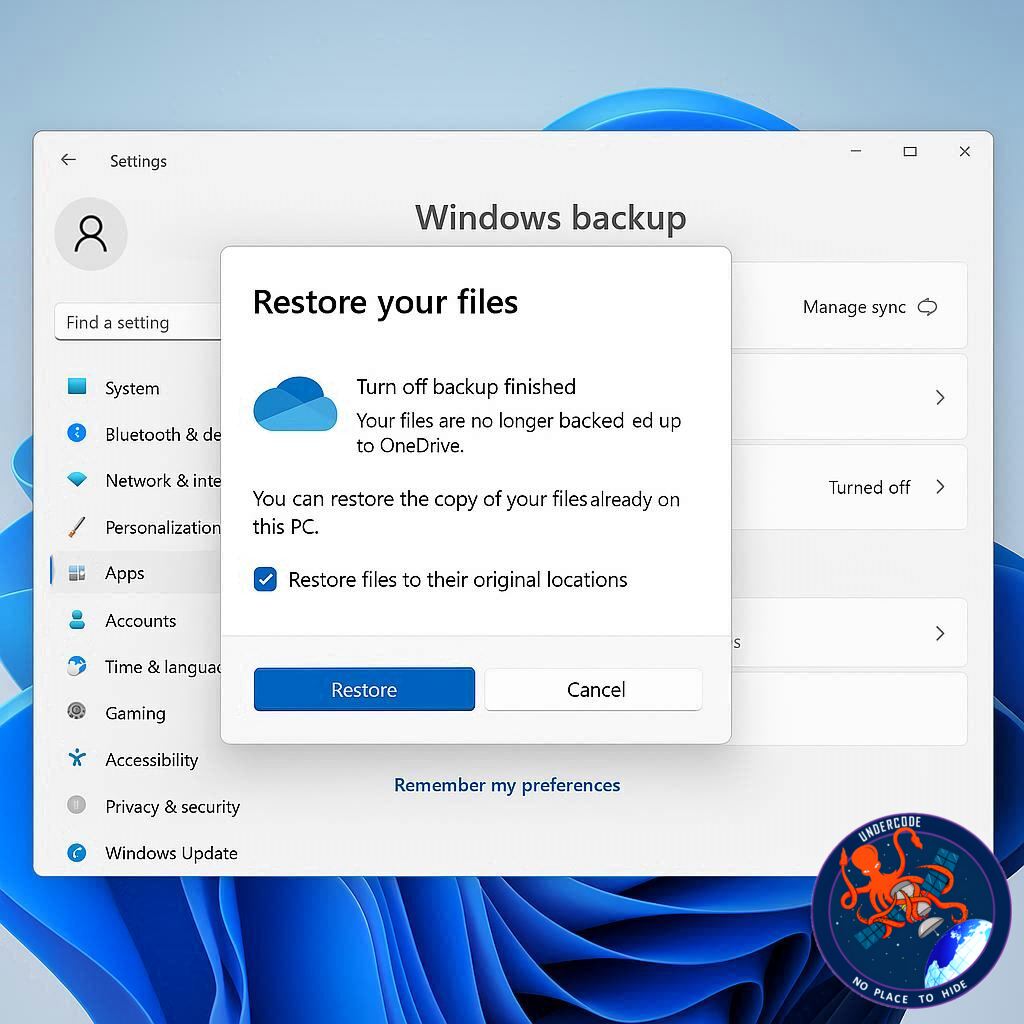
Microsoft has activated OneDrive Backup by default in Windows 11, moving critical folders like Documents, Pictures, and Desktop to OneDrive during setup. In previous builds, users could select “Only save files to this PC” during installation, but that option has now disappeared. Instead, the setup includes fine print stating files will be automatically backed up to OneDrive.
For Microsoft 365 subscribers, autosave will soon be the default across Word, Excel, and PowerPoint, requiring users to manually adjust settings if they prefer local storage. Critics argue the move primarily benefits Microsoft by nudging users toward purchasing additional OneDrive storage. However, Microsoft maintains that cloud backup safeguards users against data loss from theft, ransomware, or hardware failures.
For privacy-conscious users, or those who simply prefer full control of their files, it’s possible to undo OneDrive Backup:
- Open OneDrive settings in File Explorer and check which folders are backed up.
- Open tabs for each folder to compare cloud and local locations.
3. Turn off OneDrive Backup for each folder individually.
- Access your user profile folders (%userprofile%) and prepare the local versions of Documents, Pictures, and Desktop.
- Manually copy all files from OneDrive’s folders back to your PC’s local folders.
Once confirmed, duplicate copies in OneDrive can be deleted safely.
Additionally, Microsoft is testing a feature that autosaves new Word files directly to the cloud. Users can disable this via Word Options → Save tab, unchecking “Create new files in the cloud automatically.”
The central message: files are not deleted, only moved — but regaining local-only control requires deliberate steps.
What Undercode Say:
Microsoft’s strategy with OneDrive isn’t just about convenience — it’s about ecosystem lock-in. By making cloud backup the default, the company reduces friction for users who might otherwise forget to set it up. On the surface, this looks like protection against ransomware and hardware crashes, but beneath it lies a business model dependent on subscription upgrades.
OneDrive gives every user a modest amount of free storage, but as files pile up, especially large media folders, users will quickly hit the limit. At that point, Microsoft offers the “solution” — a paid plan. This is where convenience turns into monetization. The automatic backup is not just about security; it’s about creating dependency.
From a user perspective, the shift also raises privacy and autonomy concerns. Not everyone is comfortable with their files stored on remote servers, subject to potential access requests, security vulnerabilities, or even AI training models. Microsoft has not been explicit about these implications, which creates distrust. Transparency should be central, but instead, the critical choice to keep files local has been buried in fine print — or worse, removed entirely.
Technically, undoing OneDrive Backup isn’t difficult, but it’s unnecessarily tedious for the average user. The multiple-step process shows how cloud defaults are engineered to be sticky. Many people won’t go through the hassle of reversing it, effectively ensuring Microsoft achieves its goal: more data flowing into OneDrive.
Interestingly, Microsoft is extending this default behavior into Office applications. By autosaving Word, Excel, and PowerPoint documents to the cloud, Microsoft eliminates friction but again limits user choice. For power users and IT professionals, this represents yet another centralization of control. For average users, it means one day waking up to find their critical work auto-synced without explicit approval.
The broader pattern is clear: Microsoft is positioning the cloud as the default computing environment. Local storage is slowly being reframed as a legacy option rather than the norm. This is not unique to Microsoft — Apple’s iCloud and Google Drive operate similarly — but Windows users have historically expected greater autonomy. This cultural clash is where most frustration lies.
For those unwilling to play along, local backups and external drives remain a necessity. In fact, given increasing reliance on subscription-driven ecosystems, the demand for third-party backup tools may grow. Users who prefer offline independence will likely push back against cloud dominance by seeking alternatives.
In conclusion, while Microsoft markets OneDrive Backup as “safety first,” it is equally about steering users toward cloud dependency and recurring revenue streams. The tension between convenience and control is unlikely to fade — it will only intensify as software giants reshape personal computing around subscription ecosystems.
🔍 Fact Checker Results
✅ Microsoft has indeed removed the “Only save files to this PC” option in recent Windows 11 builds.
✅ OneDrive Backup does not delete local files — it only relocates them and syncs with the cloud.
❌ Microsoft does not automatically purchase storage for users; additional storage requires explicit subscription upgrades.
📊 Prediction
The cloud-first shift in Windows 11 will only accelerate. Expect future updates where local storage becomes less visible during setup, with cloud-based defaults dominating across Microsoft apps. Resistance will remain among privacy-conscious and enterprise users, but the broader user base will adapt — many without realizing their autonomy has been eroded. Over the next two years, Microsoft may even test cloud-first Windows editions, where local storage acts as secondary backup rather than the main workspace.
🕵️📝✔️Let’s dive deep and fact‑check.
References:
Reported By: www.zdnet.com
Extra Source Hub:
https://www.discord.com
Wikipedia
OpenAi & Undercode AI
Image Source:
Unsplash
Undercode AI DI v2
🔐JOIN OUR CYBER WORLD [ CVE News • HackMonitor • UndercodeNews ]
📢 Follow UndercodeNews & Stay Tuned:
𝕏 formerly Twitter 🐦 | @ Threads | 🔗 Linkedin | 🦋BlueSky | 🐘Mastodon


