
Listen to this Post
Introduction: A Fresh Take on CarPlay and Messages
Apple continues to refine the iPhone experience with iOS 26. The latest update, iOS 26.2, brings exciting new changes to CarPlay and the Messages app. From the futuristic Liquid Glass design in CarPlay to new toggles and messaging features, Apple is giving users more control over how they interact with their devices behind the wheel and on the go. These updates are not just cosmetic—they impact usability, customization, and safety, showing Apple’s ongoing focus on seamless integration between iPhone and CarPlay.
CarPlay Gets a Design and Functionality Boost
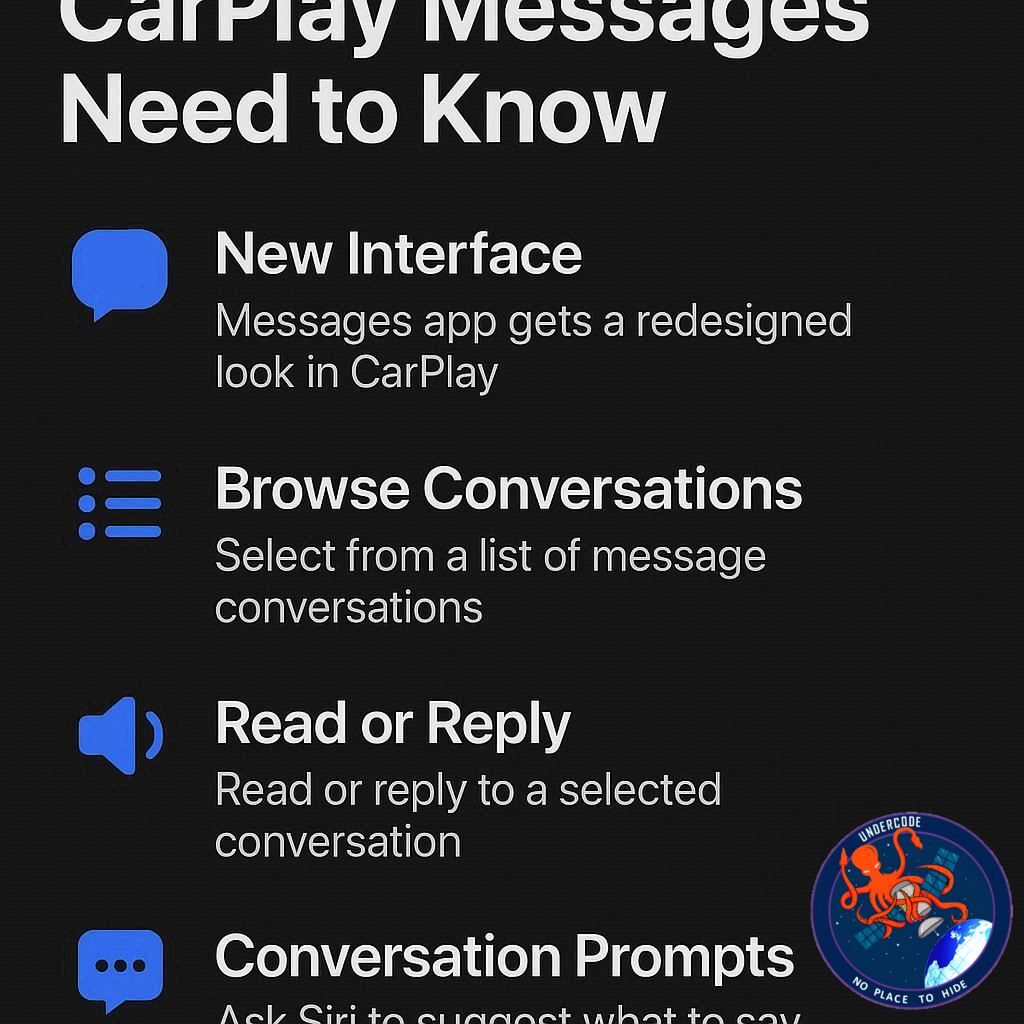
iOS 26 introduced a major overhaul of CarPlay, featuring the new Liquid Glass interface. This design revamps the way widgets and apps appear on your CarPlay screen, offering a more fluid and visually appealing experience. Live Activities are now integrated into CarPlay, giving users real-time updates for navigation, music, and messaging without needing to switch screens. This makes the driving experience more intuitive while reducing distractions.
Pinned Conversations in Messages: Simplified Control
Before iOS 26.2, CarPlay mirrored pinned conversations from your iPhone with no flexibility. Users could not customize which messages appeared pinned while driving. With the release of iOS 26.2, Apple has added a new toggle in the CarPlay settings labeled “Pinned Conversations.” Switching it off removes all pinned messages, leaving a simple chronological list of threads. This change is particularly useful for users who want a minimalistic messaging view in their car, focusing only on active conversations rather than every pinned group chat from their iPhone.
iOS 26.2: A Step Toward Granular Control
While the new toggle improves customization, it still lacks fine-tuned control. Ideally, users would be able to select which specific conversations remain pinned on CarPlay, independent of the iPhone. For instance, someone might want only family messages pinned while driving, keeping group chats hidden. This “all or nothing” approach may feel limiting, but it’s a step in the right direction toward more user-friendly messaging in CarPlay.
Other iOS 26 Messaging Updates
iOS 26 also brought Tapbacks and pinned conversations to the Messages app. Tapbacks allow users to quickly respond to messages with reactions, streamlining communication. These features make messaging faster and more interactive, both on iPhone and CarPlay, while maintaining safety by reducing the need to type while driving.
User-Friendly Features for Everyday Driving
The combination of Liquid Glass, Live Activities, and simplified message controls shows Apple’s intent to make CarPlay not only visually appealing but also practical for daily use. The cleaner interface, fewer distractions, and new toggles collectively improve both safety and convenience. Users can now interact with only the conversations that matter most, without being overwhelmed by unnecessary pinned messages.
Integration With iPhone Accessories
iOS 26 also complements popular iPhone accessories such as USB-C to USB-C cables with LED displays, 3-in-1 MagSafe charging stands, and multi-port USB-C charging stations. These integrations enhance the CarPlay experience, ensuring your device stays charged and fully functional even during long drives. Bluetooth speakers like the Beats Pill further extend usability for hands-free communication and entertainment.
What Undercode Say:
Apple’s iOS 26.2 update demonstrates incremental yet meaningful improvements to CarPlay and Messages. The introduction of a toggle to disable pinned conversations reflects user demand for simplicity and a cleaner interface. However, the lack of granular control over individual pinned conversations may frustrate power users who want different pinned setups between iPhone and CarPlay.
The Liquid Glass interface is a significant step forward, modernizing CarPlay while making information easier to digest at a glance. Live Activities integration ensures that drivers can monitor essential apps and notifications safely, reducing the need to glance at their phone. These changes show Apple’s dual commitment to aesthetics and functionality.
Messaging enhancements like Tapbacks speed up communication, but their real impact is in minimizing distraction while driving. Apple’s decision to bring a more streamlined and user-controlled messaging experience to CarPlay underscores a growing emphasis on digital wellness and safety.
From an analytical perspective, Apple seems to be balancing the tension between personalization and distraction management. While the current all-or-nothing toggle is a limitation, it lays the groundwork for future updates that could allow fully customizable CarPlay messaging experiences.
The integration with iPhone accessories also plays a subtle yet crucial role. Users who leverage MagSafe stands, high-wattage charging hubs, and Bluetooth audio devices experience CarPlay as a true extension of their iPhone ecosystem. This makes the interface not only a convenience but an essential tool for daily commuting and long-distance travel.
Apple’s update strategy appears cautious but user-focused. By gradually rolling out features that improve usability without overwhelming users, iOS 26.2 encourages adoption and smooth transitions. It’s a demonstration of Apple’s iterative approach, improving functionality with each incremental update while leaving room for more sophisticated features in the future.
Overall, the iOS 26.2 update is less about revolutionary changes and more about thoughtful refinements. It provides both casual users and tech enthusiasts with tangible improvements that enhance safety, usability, and customization, making CarPlay a more intelligent companion on the road.
Fact Checker Results:
✅ CarPlay now features a Liquid Glass design and Live Activities integration.
✅ iOS 26.2 adds a toggle to disable pinned Messages on CarPlay.
❌ There is currently no option to selectively pin conversations independently on CarPlay.
Prediction:
Apple is likely to introduce more granular control over pinned messages in future iOS updates, allowing users to set CarPlay-specific pinned conversations. Expect further refinements in the Liquid Glass interface, potentially adding customizable widgets and smarter Live Activities. These changes could make CarPlay an even more indispensable tool for drivers, blending safety, convenience, and personalization seamlessly.
🕵️📝✔️Let’s dive deep and fact‑check.
References:
Reported By: 9to5mac.com
Extra Source Hub (Possible Sources for article):
https://www.quora.com/topic/Technology
Wikipedia
OpenAi & Undercode AI
Image Source:
Unsplash
Undercode AI DI v2
Bing
🔐JOIN OUR CYBER WORLD [ CVE News • HackMonitor • UndercodeNews ]
📢 Follow UndercodeNews & Stay Tuned:
𝕏 formerly Twitter 🐦 | @ Threads | 🔗 Linkedin | 🦋BlueSky | 🐘Mastodon


