
Listen to this Post
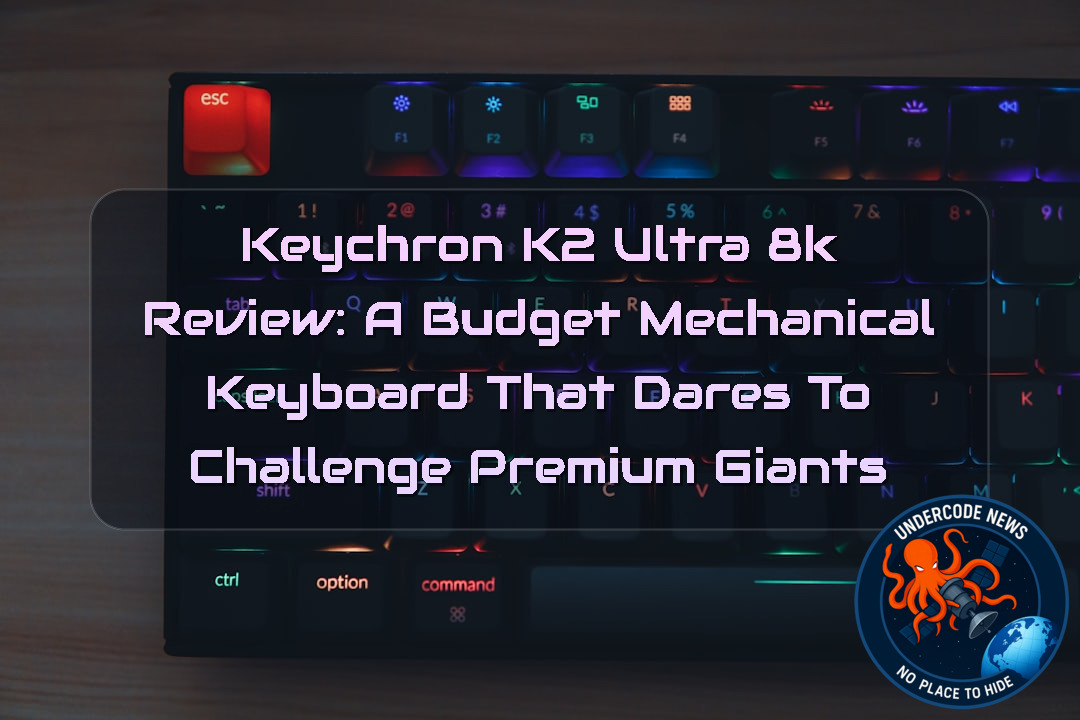 Introduction, Can an Affordable Keyboard Really Feel Premium?
Mechanical keyboards have become far more than simple input devices. They are now a centerpiece of gaming setups, productivity workstations, and enthusiast collections. While flagship brands often dominate the conversation with products costing well over $250, companies like Keychron have quietly built a reputation for delivering enthusiast-level features without demanding premium prices.
The Keychron K2 Ultra 8K enters an increasingly competitive market promising features that, until recently, were reserved for high-end mechanical keyboards. An aluminum body, Double Shot PBT keycaps, hot-swappable mechanical switches, wireless connectivity, RGB lighting, and an impressive 8K polling rate all appear on the specification sheet. On paper, it looks like an incredible bargain.
However, great specifications do not always translate into a great everyday experience. Comfort, typing feel, software quality, and gaming performance often separate good keyboards from unforgettable ones.
After examining its design, features, and real-world usability, one thing becomes clear: the Keychron K2 Ultra 8K is a keyboard with tremendous potential, but it also carries a few compromises that buyers should understand before making their purchase.
A Premium Build Without the Premium Price
One of the first things users notice is the keyboard’s solid construction.
Unlike many budget keyboards that rely heavily on plastic frames, the K2 Ultra 8K features an aluminum chassis that immediately creates a stronger impression. The keyboard feels dense, durable, and resistant to flex.
Its weight also prevents unwanted movement during intense gaming sessions or long typing workloads.
Although the aluminum finish
For users who value durability, this is one of the keyboard’s strongest selling points.
Classic Design Meets Modern Engineering
The K2 Ultra 8K follows a retro-inspired appearance.
Its tall profile, thick frame, and traditional mechanical keyboard layout resemble classic desktop keyboards from decades ago. At the same time, modern touches like RGB lighting, USB-C connectivity, wireless support, and hot-swappable switches keep it firmly in today’s enthusiast market.
The overall appearance is clean and understated rather than flashy.
It appeals to users who appreciate functionality over excessive gaming aesthetics.
Double Shot PBT Keycaps Improve Long-Term Durability
Keychron includes Double Shot PBT keycaps instead of cheaper ABS plastic.
This is a significant advantage.
PBT keycaps resist shine caused by finger oils, maintain their texture much longer, and generally offer better durability over years of heavy use.
Typing also feels slightly more premium because of their textured surface.
Unfortunately, these keycaps introduce another compromise.
Since the legends are opaque rather than translucent, the RGB lighting cannot illuminate the letters themselves.
Users working in darker environments may struggle to read the keys despite RGB being enabled.
RGB Lighting Exists, But It
RGB lighting is included, but expectations should remain realistic.
Lighting effects are customizable through onboard controls and Keychron’s web application.
Numerous colors and animations are available.
However, because the legends do not allow light to pass through, much of the visual impact is lost.
The RGB mainly glows around the keys rather than through them.
For RGB enthusiasts, this may feel disappointing.
Wireless Performance Remains Reliable
Connectivity is another strength.
The keyboard supports:
2.4GHz wireless
Bluetooth
Wired USB-C mode
Switching between devices is remarkably simple thanks to the dedicated side-mounted selector.
During testing, wireless stability remained reliable with no major disconnects or latency concerns.
This flexibility makes the keyboard suitable for users operating multiple computers.
Hot-Swappable Switches Make Future Upgrades Easy
Perhaps one of the biggest advantages is hot-swappability.
Owners are not locked into the factory switches.
Instead, switches can be replaced without soldering.
This dramatically extends the
Whether users prefer tactile, clicky, or linear switches, upgrading later is simple.
Typing Experience Is Good, But Not Great
The review unit included Keychron Red switches.
These linear switches feel smooth thanks to factory lubrication.
Bottoming out feels satisfying.
Noise levels remain controlled.
However, the actuation point requires more travel than expected.
Fast typists may occasionally fail to register lighter keystrokes.
This creates frustration during prolonged writing sessions.
Those accustomed to low-profile keyboards may also require an adjustment period because of the keyboard’s tall keycaps.
Gaming Performance Benefits from Fast Response
Gaming tells a different story.
Movement keys feel responsive.
Key spacing is generous.
The switches rebound quickly after each press.
Combined with the advertised 8K polling rate, the keyboard feels fast enough for competitive gaming.
Whether playing first-person shooters or action titles, responsiveness rarely becomes an issue.
Although premium gaming keyboards still maintain an advantage, the gap is surprisingly small considering the price.
The Biggest Weakness Is Comfort
If there is one major design flaw, it is ergonomics.
The K2 Ultra 8K is exceptionally tall.
Without a wrist rest, users must angle their wrists upward for extended periods.
After long typing sessions, fatigue becomes noticeable.
Ironically, Keychron does not include a wrist rest inside the package.
Considering the
Many buyers will likely purchase one separately.
Customization Through the Web App
Keychron’s browser-based configuration software offers impressive flexibility.
Users can:
Remap keys
Create shortcuts
Configure media controls
Adjust debounce timing
Enable SOCD options
Customize RGB effects
The interface is responsive and relatively bug-free.
Still, many enthusiasts would likely prefer a dedicated desktop application rather than relying on a web browser.
Price Makes It Extremely Competitive
Perhaps the strongest argument in favor of the K2 Ultra 8K is value.
Priced around $119.99, it significantly undercuts many premium competitors while delivering features often reserved for keyboards costing two or even three times as much.
It occupies an attractive middle ground between budget keyboards and enthusiast hardware.
For many buyers, this balance may outweigh its shortcomings.
Competition Remains Strong
The keyboard faces formidable rivals.
The HyperX Origins 2 1800 offers a more refined typing experience but sacrifices wireless functionality.
Meanwhile, the Razer BlackWidow V4 Pro 75% delivers one of the finest mechanical experiences available today.
However, that performance comes at a dramatically higher price.
The K2 Ultra 8K ultimately succeeds because it delivers approximately 80–90% of the flagship experience while costing far less.
Who Should Buy It?
The K2 Ultra 8K is an excellent choice for:
Gamers wanting premium features on a budget
Users interested in customizing switches
Wireless multi-device users
Mechanical keyboard enthusiasts entering the hobby
It may not be ideal for:
Heavy writers
Users with sensitive wrists
People who require shine-through keycaps
Those preferring ultra-light switch actuation
Deep Analysis
The K2 Ultra 8K appeals strongly to keyboard enthusiasts because it supports modern customization standards. Below are several examples commonly used by advanced users after purchasing a hot-swappable mechanical keyboard.
Check connected USB devices (Linux)
lsusb
Display keyboard information
sudo libinput list-devices
Monitor keyboard events
sudo evtest
Test key presses
xev
View USB polling information
cat /proc/bus/input/devices
Install VIA/QMK utilities
sudo apt install qmk
Compile custom firmware
qmk compile
Flash firmware
qmk flash
Detect Bluetooth devices
bluetoothctl devices
Connect via Bluetooth
bluetoothctl connect <MAC_ADDRESS>
Test keyboard latency
sudo evhz
Verify USB speed
lsusb -t
Monitor USB events
dmesg | grep USB
Benchmark input responsiveness
sudo perf stat
These commands are useful for enthusiasts who wish to diagnose latency, customize firmware, or validate wireless performance beyond standard software utilities.
What Undercode Say
The Keychron K2 Ultra 8K represents an important trend in today’s mechanical keyboard market. Premium hardware is no longer exclusive to luxury brands. Manufacturers like Keychron are proving that aluminum construction, hot-swappable switches, wireless technology, and enthusiast customization can exist within a mainstream price range.
The biggest takeaway is not its 8K polling rate. Most users will never fully exploit that specification in daily work. Instead, the real value lies in the combination of flexibility and affordability.
Keychron understands its audience well. Enthusiasts enjoy modifying switches, replacing keycaps, experimenting with layouts, and customizing firmware. The K2 Ultra 8K embraces that culture without forcing buyers into an expensive ecosystem.
That said, ergonomics should never be underestimated. Hardware specifications attract buyers, but comfort determines whether a keyboard remains enjoyable after months or years of use. The lack of an included wrist rest feels like a genuine oversight, especially considering the keyboard’s unusually tall profile.
Another interesting observation is the software philosophy. Many manufacturers rely on large desktop applications filled with telemetry and background services. Keychron’s lightweight web-based approach feels refreshingly simple, although offline users may still prefer a standalone application.
The decision to use opaque PBT keycaps also reflects a classic enthusiast compromise. PBT delivers superior durability and texture, but sacrificing shine-through legends weakens the RGB experience. Some enthusiasts will happily accept that trade-off, while gamers who frequently play in dim rooms may not.
Compared to flagship competitors from Razer and HyperX, the K2 Ultra 8K does not necessarily outperform them. Instead, it challenges them by narrowing the experience gap while dramatically lowering the cost of entry.
This pricing strategy could become increasingly influential across the keyboard industry. As consumers become more knowledgeable about switch types, polling rates, mounting styles, and customization options, value-focused products will continue gaining market share.
Ultimately, the Keychron K2 Ultra 8K demonstrates that buyers no longer need to spend several hundred dollars to obtain enthusiast-grade features. It is not a flawless keyboard, but it offers one of the strongest feature-to-price ratios currently available in the wireless mechanical keyboard segment.
Prediction
(+1) Budget Premium Keyboards Will Continue Disrupting the Market 📈
Affordable enthusiast keyboards are likely to become even more common over the next few years. Features like aluminum construction, Hall Effect switches, hot-swappable sockets, web-based configuration, wireless connectivity, and polling rates above 8K will gradually move from premium devices into mid-range products. Competition among brands such as Keychron, HyperX, ASUS, and Razer should accelerate innovation while pushing prices lower, giving consumers access to increasingly capable keyboards without premium price tags.
✅ Fact: The Keychron K2 Ultra 8K includes premium features such as an aluminum frame, Double Shot PBT keycaps, wireless connectivity, hot-swappable mechanical switches, and customizable RGB, making it highly competitive within its price segment.
✅ Fact: The
✅ Fact: Compared with premium competitors like Razer and HyperX, the K2 Ultra 8K offers excellent value rather than outright performance leadership, making it one of the strongest price-to-feature mechanical keyboards in its category.
▶️ Related Video (78% Match):
🕵️📝Let’s dive deep and fact‑check.
🎓 Live Courses & Certifications:
Join Undercode Academy for Verified Certifications
🚀 Request a Custom Project:
Secure, high-velocity infrastructure and disruptive technological engineering. Contact our engineering team for high-tier development and proprietary systems:
[email protected]
💎 Smart Architecture | 🛡️ Secure by Design | ⭐ Trusted by Thousands
References:
Reported By: www.techradar.com
Extra Source Hub (Possible Sources for article):
https://www.quora.com
Wikipedia
OpenAi & Undercode AI
Image Source:
Unsplash
Undercode AI DI v2
🔐JOIN OUR CYBER WORLD [ CVE News • HackMonitor • UndercodeNews ]
📢 Follow UndercodeNews & Stay Tuned:
𝕏 formerly Twitter 🐦 | @ Threads | 🔗 Linkedin | 🦋BlueSky | 🐘Mastodon | 📺Youtube


