
Listen to this Post
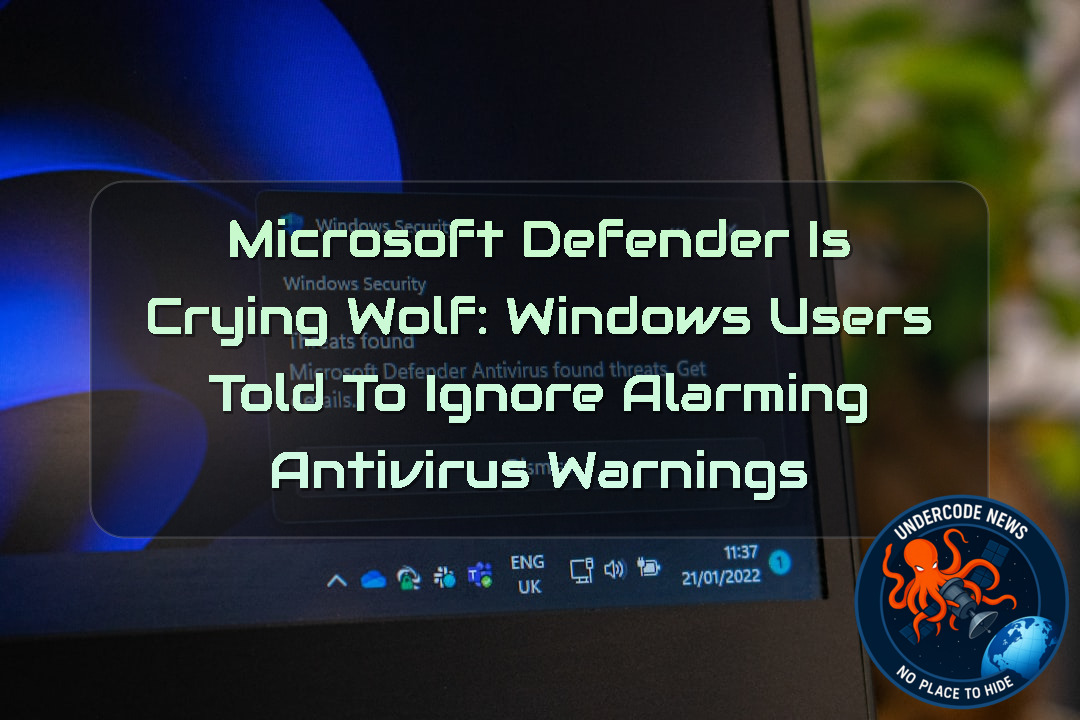 A Security Warning That Isn’t Really a Security Warning
For Windows users, few messages are more unsettling than seeing Microsoft Defender Antivirus suddenly announce that it has been turned off. Antivirus protection is supposed to be the quiet guardian running in the background—so when Windows Security tells users to “Tap or click to turn on Microsoft Defender Antivirus,” the natural reaction is to assume something has gone seriously wrong.
But in this case, the warning itself is the problem.
Microsoft has acknowledged a bug causing Windows Security to display false notifications claiming that Microsoft Defender Antivirus has been disabled, even when Defender is fully operational and its settings show that protection remains enabled. The company has advised affected customers not to panic or manually re-enable the antivirus simply because of the erroneous notification.
The problem is particularly frustrating because it affects supported Windows client and server versions, including newer releases such as Windows 11 26H1 and Windows Server 2025. Microsoft says it is working on a permanent fix that will be delivered through a future Microsoft Defender Antivirus update.
What Is Actually Happening?
The issue appears after users install the latest Microsoft Defender Antivirus updates. Windows may subsequently display a warning stating that “Microsoft Defender Antivirus is turned off.”
The message can appear when Windows starts and may return intermittently afterward.
More importantly, the notification can continue appearing even when users have disabled Windows Security notifications.
That creates an unusual situation: the operating system is effectively telling users that a critical security component is disabled while the underlying security product is actually working normally.
Microsoft Confirms Defender Is Still Protecting Users
Microsoft’s explanation is important because the notification does not necessarily reflect the real state of Defender Antivirus.
According to the company, affected systems can display the warning even though Microsoft Defender Antivirus remains active and its configuration indicates that protection is enabled.
In other words, this is primarily a reporting and notification problem, rather than evidence that Defender itself has stopped protecting the computer.
That distinction matters.
Users who see the warning may be tempted to start changing security settings, reinstalling components, disabling other security software, or performing unnecessary troubleshooting. Those actions could potentially create more problems than the original bug.
Why the Warning Is So Dangerous From a Usability Perspective
Security software depends heavily on trust.
When Windows repeatedly tells someone that antivirus protection has been disabled, users are expected to believe it. That’s the entire purpose of a security warning.
A false warning therefore creates a strange paradox: a notification intended to improve security can actually encourage users to make unnecessary changes to a correctly configured security system.
This is especially problematic for less technical users who may not know how to verify Defender’s actual status.
The Problem Has Been Around Longer Than Microsoft Realized
One of the more interesting details is the apparent timeline.
Microsoft says the issue is now known, but reports indicate that the behavior had already been affecting users in the Windows Insider Release Preview Channel since June.
That raises questions about how effectively the problem moved through Microsoft’s testing and telemetry systems before reaching wider attention.
Release Preview exists partly to identify problems before updates reach the broader Windows population. When a security notification bug survives for weeks in that environment, it highlights how complicated the Windows update ecosystem has become.
The Scope Goes Beyond Windows 11
This
Microsoft’s known-issue documentation indicates that the behavior can affect supported Windows client and server versions.
That makes the incident more significant for businesses and enterprise administrators.
A false antivirus warning on one home PC is annoying. A similar warning appearing across hundreds or thousands of corporate endpoints can become an operational headache.
Security teams may suddenly receive alerts from employees asking whether their computers are protected, while help desks have to determine whether the warnings represent genuine compromises or Microsoft’s software bug.
The Enterprise Problem: False Positives Have a Cost
For organizations, security alerts are part of a much larger workflow.
A typical enterprise environment may connect endpoint security information with Microsoft Defender portals, SIEM platforms, ticketing systems and automated response procedures.
Even when this particular issue is limited to Windows Security notifications, administrators must still distinguish between:
A genuine Defender failure
A Windows UI problem
A policy configuration issue
A third-party security conflict
A malware-related attempt to disable antivirus protection
That investigation takes time.
And at enterprise scale, even a harmless false positive can consume considerable resources.
Microsoft Is Working on a Fix
Microsoft says it is developing a solution and plans to distribute it through a future Microsoft Defender Antivirus update.
For affected users, the most important instruction is therefore simple: don’t assume the warning means Defender is actually disabled.
Instead, users should verify the actual security state through Windows Security and, where appropriate, PowerShell or enterprise management tools.
This Isnt Microsofts First False Security Warning
Unfortunately, this
Microsoft has previously acknowledged several update-related situations in which Windows presented users with incorrect errors or warnings.
In April 2025, Microsoft confirmed an issue involving invalid 0x80070643 failure messages associated with Windows Recovery Environment updates.
The company also addressed incorrect BitLocker-related errors that could make users believe their drive encryption configuration was experiencing a problem when it was not.
Windows Firewall Had a Similar Problem
The pattern continued in July 2025.
Microsoft asked users to disregard erroneous Windows Firewall alerts that appeared after rebooting following installation of a preview update.
Again, the problem was not necessarily that the firewall had actually stopped working. Instead, Windows was producing a misleading security status message.
For ordinary users, however, the distinction between “security feature disabled” and “Windows incorrectly says security feature disabled” isn’t obvious.
Certificate Errors Added to the Confusion
A month later, Microsoft reported another update-related issue involving Windows 11 24H2 and CertificateServicesClient or CertEnroll errors.
These incidents demonstrate a broader challenge with modern operating systems: Windows is no longer a simple collection of independent components.
Security services, update mechanisms, notifications, system policies, certificates, recovery environments and cloud-connected management systems increasingly depend on one another.
A relatively small software regression can therefore produce a surprisingly visible chain of symptoms.
Why Security Notifications Must Be Treated Differently
Not every Windows security warning should be ignored.
That’s an important distinction.
Microsoft’s current guidance applies to this specific known issue. Users should not develop the habit of dismissing antivirus warnings simply because some previous notifications turned out to be false.
A genuine Defender-disabled message can be extremely serious.
Attackers frequently attempt to weaken or disable security software after gaining access to a machine. Malware can also modify security configurations, interfere with services or attempt to prevent detection.
The challenge is therefore determining whether the warning is genuine.
How to Check Microsoft Defender Manually
PowerShell provides a useful way for administrators and technically experienced users to inspect Defender’s operational status.
Open PowerShell as an administrator and run:
Get-MpComputerStatus
Pay particular attention to values such as:
AMServiceEnabled
AntivirusEnabled
RealTimeProtectionEnabled
BehaviorMonitorEnabled
IoavProtectionEnabled
If these values indicate that Defender is enabled and real-time protection is operational, the Windows Security notification may be the known false alert described by Microsoft.
Checking Defender Preferences
Administrators can also inspect
Get-MpPreference
This command exposes configured Defender preferences and can help identify whether security settings have actually been changed.
For a more focused status check, administrators can use:
Get-MpComputerStatus | Select-Object <code>AMServiceEnabled,</code>
AntivirusEnabled, <code>RealTimeProtectionEnabled,</code>
BehaviorMonitorEnabled, `
IoavProtectionEnabled
The result provides a quick overview of several important Defender protections.
Checking the Defender Service
Another useful diagnostic step is checking the Microsoft Defender Antivirus service:
Get-Service WinDefend
A normally functioning service should generally report a running state.
Administrators can also check the service configuration:
Get-CimInstance Win32_Service -Filter "Name='WinDefend'" |
Select-Object Name, State, StartMode
These commands are particularly useful when investigating whether Windows Security is reporting a genuine Defender problem or merely displaying an incorrect notification.
Don’t Disable Security Software to Fix a Security Warning
One of the worst responses to this kind of issue is blindly changing security configurations.
Users should not disable Defender, uninstall third-party antivirus software, modify Group Policy or make registry changes simply because a notification appears.
If Microsoft says the underlying protection remains active, unnecessary configuration changes can create a real security problem where none existed before.
The safest approach is verification rather than experimentation.
Enterprise Administrators Need a Different Strategy
Corporate administrators should treat the incident as an endpoint-validation problem.
If employees report the false Defender notification, IT teams can remotely inspect Defender health rather than relying exclusively on the Windows Security interface.
For managed endpoints, administrators should compare:
Defender service status
Real-time protection state
Antivirus engine status
Security intelligence version
Microsoft Defender health telemetry
Device compliance state
Recent policy changes
Recent Defender updates
This makes it easier to separate an actual endpoint security incident from a cosmetic or notification-level regression.
Why
Windows updates have become increasingly complex.
A modern Windows installation can receive operating-system updates, Defender engine updates, security intelligence updates, Microsoft Store components, driver updates and cloud-delivered security configuration changes.
Some of these components operate on different schedules.
That creates an enormous testing matrix.
Microsoft
That complexity makes regressions difficult to eliminate completely.
The Real Security Lesson
The most important lesson from this incident
It’s that security decisions should be based on verified system state rather than a single notification.
A graphical warning is useful, but it is only one representation of what’s happening underneath the operating system.
For consumers, Windows Security provides the easiest way to check.
For administrators, PowerShell, Defender telemetry and centralized management provide deeper verification.
Why False Positives Can Become a Security Risk
There is another concern that deserves attention: alert fatigue.
If users repeatedly receive security warnings that turn out to be incorrect, they may gradually stop taking them seriously.
That’s dangerous.
The next time Windows displays a genuine warning, an exhausted user may simply click “Dismiss.”
This is the same fundamental problem security teams face with excessive alerts. Too many false positives eventually teach people to ignore the entire warning system.
Microsoft Needs to Protect More Than the Antivirus Engine
Modern cybersecurity
It’s also about communication.
If Defender correctly detects malware but Windows incorrectly tells users that Defender is disabled, the security experience is still broken.
Users
Those interfaces must accurately communicate the state of the underlying security controls.
A Small Bug With a Bigger Message
At first glance, this may look like another ordinary Windows update annoyance.
But security software is different from a broken calculator or a cosmetic interface glitch.
When the operating system misreports the status of antivirus protection, the consequences can include unnecessary troubleshooting, support costs, administrative confusion and ultimately reduced trust.
That’s why Microsoft needs to treat these notification failures with the same seriousness as other security-related regressions.
Deep Analysis
Understanding the Defender Architecture
Microsoft Defender Antivirus is composed of multiple services and protection mechanisms rather than a single executable.
Its functionality includes real-time monitoring, behavioral detection, cloud-based protection, security intelligence updates and other defensive components.
A failure in one component does not necessarily mean every component has stopped working.
That is precisely why checking multiple indicators is useful.
Basic Defender Health Check
Administrators can start with:
Get-MpComputerStatus
This provides a broad view of
Focused Protection Check
For a simpler result:
Get-MpComputerStatus |
Select-Object AntivirusEnabled, RealTimeProtectionEnabled
If both values report an enabled state, that is useful evidence that Defender itself remains active despite the erroneous notification.
Defender Service Verification
Run:
Get-Service WinDefend
A running WinDefend service is another indicator that the antivirus subsystem is operational.
Inspecting Defender Preferences
Use:
Get-MpPreference
This can reveal configuration values that may explain why protection behaves differently from what users expect.
Checking Security Intelligence
Administrators can inspect
Get-MpComputerStatus |
Select-Object AntivirusSignatureVersion, AntivirusSignatureLastUpdated
Keeping security intelligence current is essential because antivirus protection depends heavily on current detection data.
Searching Defender Operational Events
Windows administrators can inspect Defender-related event logs with:
Get-WinEvent -LogName "Microsoft-Windows-Windows Defender/Operational" -MaxEvents 50
This can provide additional context when a warning appears.
Checking Windows Version
Because the issue affects multiple supported Windows versions, administrators can identify the installed build with:
Get-ComputerInfo |
Select-Object WindowsProductName, WindowsVersion, OsBuildNumber
This information can then be compared against
Checking Installed Updates
To inspect recently installed Windows updates:
Get-HotFix |
Sort-Object InstalledOn -Descending |
Select-Object -First 20
This can help administrators establish whether the Defender warning began shortly after a relevant update.
Avoiding Risky Remediation
Do not use commands such as these simply because the false warning appears:
Set-MpPreference -DisableRealtimeMonitoring $true
or:
Stop-Service WinDefend
Those commands alter or disable security protection and are not appropriate as a response to Microsoft’s known notification issue.
The objective should be to verify, not weaken, the endpoint.
What Security Teams Should Monitor
Organizations should watch for a combination of signals rather than relying on one Windows notification.
A genuine compromise may produce additional evidence such as unexpected Defender policy changes, disabled services, suspicious processes, unusual authentication activity or unexplained security exclusions.
A notification appearing by itself, while Defender telemetry continues to show healthy protection, tells a very different story.
The Broader Microsoft Security Picture
This incident arrives during a period when Microsoft is increasingly integrating security into the operating-system experience.
Windows Defender, Microsoft Defender for Endpoint, cloud intelligence, identity protection and enterprise security management are increasingly interconnected.
That integration creates powerful defensive capabilities, but it also increases the consequences when components disagree.
A security dashboard that says “protected” while an underlying component says “disabled” is obviously confusing.
The reverse scenario could be even worse.
If the interface says “protected” while the underlying protection is actually disabled, users could be given a dangerous sense of security.
Why Accuracy Matters More Than Appearance
Cybersecurity interfaces should prioritize truthful state reporting over visual simplicity.
A complicated but accurate warning is preferable to a simple but misleading one.
For example, instead of simply saying “Microsoft Defender Antivirus is turned off,” an operating system could distinguish between:
Antivirus service unavailable
Real-time protection disabled
Policy-controlled protection
Defender engine unavailable
Security UI synchronization error
Protection active
Such granularity could make future incidents easier to understand.
What Undercode Say:
Security Warnings Are Trust Contracts
A security warning is effectively a contract between the operating system and its user.
When Windows says protection is disabled, users expect that statement to be true.
Breaking that expectation repeatedly can damage trust.
False Alerts Are Not Harmless
It is tempting to call this merely a cosmetic bug.
That would underestimate the problem.
Security notifications influence human behavior, and human behavior is an important component of cybersecurity.
Alert Fatigue Is Real
Repeated false warnings can train users to ignore future warnings.
That is precisely what security teams spend years trying to prevent.
Windows Has a Difficult Testing Challenge
Microsoft supports an enormous Windows ecosystem.
The combination of hardware, builds, policies, drivers and security configurations creates an almost impossible number of test scenarios.
Release Preview Exists for a Reason
The fact that the issue reportedly existed in Release Preview since June deserves attention.
Preview channels are valuable because they can expose regressions before broad deployment.
Security Updates Need Extra Scrutiny
A normal application bug might cause inconvenience.
A security-status bug can affect how users perceive their protection.
That should place such regressions higher on the testing priority list.
Enterprises Feel the Impact Differently
One false warning at home might generate five minutes of confusion.
Thousands of false warnings inside a company can generate hundreds of support tickets.
Help Desks Become Part of the Security Chain
IT staff must determine whether a warning represents an actual security event.
That investigation consumes time and resources.
Automation Can Make Things Worse
If an organization automatically opens incidents based on endpoint security alerts, false Defender messages can create unnecessary operational noise.
Automation Can Also Help
The solution is better correlation.
Security teams can compare Windows notifications with actual Defender telemetry before escalating an incident.
PowerShell Provides a Second Opinion
For technical users, PowerShell provides direct visibility into Defender’s state.
That is particularly useful when the graphical interface appears unreliable.
Users
The current issue does not mean that every affected machine is infected.
Microsoft specifically says Defender can remain functional despite the warning.
Users
At the same time, this bug should not become an excuse to dismiss every Defender alert.
The correct response is verification.
Attackers Would Love Confusion
Cybercriminals benefit when users are uncertain about their security status.
Confusing security messages create an environment where suspicious behavior becomes harder to distinguish from ordinary software problems.
Defender Is Still an Important Security Layer
Microsoft Defender remains a major part of Windows security.
A notification bug should not be confused with evidence that the antivirus engine itself is ineffective.
The Interface Matters
Cybersecurity
It’s also about presenting accurate information to people.
Communication Is Security
A security product that detects threats correctly but communicates its state incorrectly still creates risk.
Microsoft Has Seen This Pattern Before
The previous Windows Firewall, BitLocker and CertificateServicesClient issues show that misleading post-update messages aren’t entirely new.
Repetition Is the Concern
One isolated regression is understandable.
Repeated security-related false alerts deserve deeper engineering attention.
Updates Are Increasingly Complex
Windows is effectively a continuously evolving software platform.
That means regressions can appear in unexpected places.
Defender Updates Are Especially Sensitive
Security products update frequently because attackers evolve continuously.
That creates pressure to release changes quickly.
Speed and Stability Must Coexist
Microsoft has to balance rapid threat-response updates with extensive compatibility testing.
Neither objective can simply be ignored.
The Best Defense Is Verification
When a security warning appears, users should verify the actual state before taking disruptive action.
Administrators Need Multiple Data Sources
Enterprise security decisions should ideally combine endpoint state, telemetry, policy and event information.
False Positives Have Financial Costs
Every unnecessary support ticket consumes employee time.
At enterprise scale, seemingly minor software bugs can become expensive.
Security Teams Need Signal, Not Noise
The purpose of security monitoring is to identify meaningful anomalies.
Too much noise makes meaningful anomalies harder to see.
Microsoft Should Explain the Root Cause
A future fix would be more reassuring if Microsoft clearly explains why the Windows Security interface becomes disconnected from Defender’s actual state.
Transparency Builds Confidence
Users are more likely to trust security software when vendors openly explain failures.
Testing Needs Real-World Diversity
Laboratory testing cannot perfectly reproduce every customer environment.
Production telemetry is therefore an important part of Microsoft’s quality process.
Insider Programs Remain Valuable
The incident also demonstrates why preview programs matter.
Problems found there can provide important signals about what may eventually reach production.
Enterprises Should Avoid Blind Updates
Organizations should maintain staged deployment and validation processes for security-sensitive updates whenever possible.
Consumers Have Fewer Options
Home users generally rely on
That makes
Security Should Fail Safely
When a component cannot determine its own state, the system should avoid creating misleading conclusions.
The Worst Case Is False Confidence
An incorrect “Defender is disabled” message is disruptive.
An incorrect “everything is protected” message when protection is actually disabled would be substantially more dangerous.
Human Judgment Still Matters
Automation is powerful, but cybersecurity still requires context.
A single warning rarely tells the entire story.
This Incident Is a Reminder
Security software needs to be both technically reliable and communicatively reliable.
The Bigger Lesson
Trust is one of the most valuable assets in cybersecurity.
Once users stop believing security warnings, every future warning becomes less effective.
Microsoft Has an Opportunity
Fixing the immediate bug is necessary.
Improving how Windows validates and communicates security state would be even better.
Final Assessment
The current Defender problem appears more alarming than it actually is from a protection standpoint.
But it should not be dismissed as trivial.
A security warning that repeatedly tells millions of users that their antivirus is disabled when it isn’t can undermine confidence in the very protection system Microsoft is trying to promote.
✅ Microsoft Defender Can Remain Active Despite the Warning
Microsoft has acknowledged that affected systems may report that Defender is turned off even though the antivirus is functioning correctly.
The important distinction is between the false notification and the actual Defender protection state.
✅ The Issue Affects Supported Windows Versions
Microsoft says the known issue affects supported Windows client and server releases, including Windows 11 26H1 and Windows Server 2025.
That makes this more than an isolated problem tied to one consumer Windows build.
✅ Microsoft Is Preparing a Fix
Microsoft has stated that it is working on a solution and expects to deliver it through a future Microsoft Defender Antivirus update.
Users should therefore avoid unnecessary system modifications while waiting for the official correction.
❌ The Warning Does Not Automatically Mean the Computer Is Infected
Seeing the specific false Defender notification described in Microsoft’s advisory is not proof that malware has disabled antivirus protection.
Users should verify
❌ Users Should Not Automatically Disable or Reinstall Security Software
The warning is not a reason to start modifying Defender configuration or removing other security products.
Unnecessary security changes can create a genuine protection gap.
Prediction
(+1) Microsoft Will Resolve the Defender Notification Bug Through a Defender Update
Microsoft is likely to distribute a corrective Defender update rather than require users to perform complex manual repairs.
Because the problem appears to involve incorrect security-state reporting, a server-side or Defender component update could potentially resolve it without requiring a major Windows release.
(+1) Enterprise Administrators Will Increase Independent Defender Health Monitoring
Organizations are likely to rely more heavily on Defender telemetry and PowerShell-based health checks when validating endpoint protection.
The incident reinforces the importance of checking actual security state instead of trusting a single user-interface notification.
(-1) Repeated False Security Alerts Could Increase User Alert Fatigue
If similar incidents continue, some users may become less responsive to Windows security notifications.
That could create a long-term usability and security problem that is much more serious than the original Defender bug.
(+1) Security Software Will Move Toward More Granular Status Reporting
Future versions of Windows and enterprise security platforms are likely to provide more detailed explanations when protection states become ambiguous.
Instead of simply saying “Defender is turned off,” security interfaces could increasingly distinguish between an actual protection failure and a synchronization or reporting problem.
Final Outlook
This Microsoft Defender incident is a classic example of how a relatively small software regression can create a disproportionately large security scare.
The good news is that Microsoft’s own explanation indicates the antivirus can remain fully operational even while Windows displays the alarming warning.
The bigger concern is trust.
When security software speaks, users need to know that its warnings are accurate. If Windows repeatedly tells people that their defenses are down when they are actually working, the technical bug may eventually become a human one: people stop listening.
For now, the smartest approach is neither panic nor complacency. Verify Defender’s actual status, avoid unnecessary configuration changes, keep Windows and Defender updated, and wait for Microsoft’s official fix.
▶️ Related Video (82% Match):
🕵️📝Let’s dive deep and fact‑check.
🎓 Live Courses & Certifications:
Join Undercode Academy for Verified Certifications
🚀 Request a Custom Project:
Secure, high-velocity infrastructure and disruptive technological engineering. Contact our engineering team for high-tier development and proprietary systems:
[email protected]
💎 Smart Architecture | 🛡️ Secure by Design | ⭐ Trusted by Thousands
References:
Reported By: www.bleepingcomputer.com
Extra Source Hub (Possible Sources for article):
https://www.discord.com
Wikipedia
OpenAi & Undercode AI
Image Source:
Unsplash
Undercode AI DI v2
🔐JOIN OUR CYBER WORLD [ CVE News • HackMonitor • UndercodeNews ]
📢 Follow UndercodeNews & Stay Tuned:
𝕏 formerly Twitter 🐦 | @ Threads | 🔗 Linkedin | 🦋BlueSky | 🐘Mastodon | 📺Youtube


