
Listen to this Post
Introduction
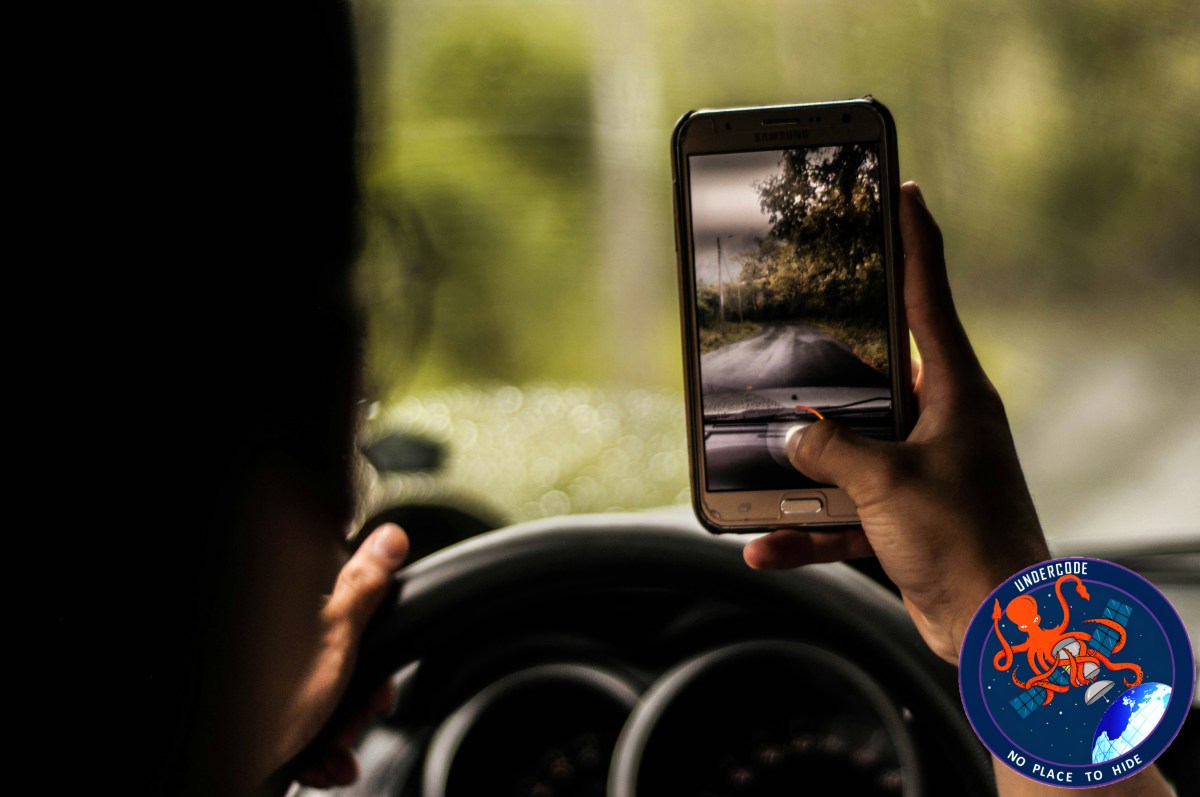
Dashcams have become one of the most useful tools for modern drivers. They help capture accidents, unexpected road incidents, insurance disputes, and even reckless driving around you. But not everyone wants to spend money on a separate dashcam device. The good news is that many people already own a powerful alternative: their smartphone.
With today’s advanced phone cameras, large storage capacities, and access to recording apps, a smartphone can work surprisingly well as a temporary or even regular dashcam. With the right setup, drivers can record journeys, improve personal security, and collect evidence if something goes wrong on the road.
How a Smartphone Can Replace a Dashcam
A smartphone already includes the most important parts of a dashcam: a camera, battery, screen, storage, GPS, and app support. Instead of buying another gadget, users can convert their phone into a dashboard camera with only a few accessories.
This option is especially useful for occasional drivers, renters, ride-share users, or people who simply want a low-cost solution.
What You Need Before Starting
To use a phone properly as a dashcam, a few basic items are important.
A strong dashboard or windshield mount is needed so the phone stays steady while driving. Without it, footage may shake badly or the phone may fall.
A car charger is also necessary because continuous recording drains battery power quickly.
Storage space matters too. High-resolution video can fill memory fast, so clearing unused files helps.
Finally, a reliable dashcam app is required. Apps such as DailyRoads Voyager or AutoBoy Dash Cam are designed for loop recording and automatic start functions.
How to Set It Up Step by Step
Start by downloading a trusted dashcam application from your app store. These apps offer features normal camera apps often do not.
Next, securely mount the phone where it has a clear front-facing view of the road. Make sure the placement does not block visibility while driving.
Then adjust the camera angle. Ideally, the recording should show the road ahead and a small portion of the hood for reference.
After that, choose video settings. A balanced resolution like 1080p is usually enough. Very high resolution uses more battery and storage.
Enable loop recording if available. This automatically deletes old footage when storage is full.
Turn on auto-start recording so the app begins filming when driving starts.
Finally, connect the charger before every trip.
Important Tips for Better Results
Keep the phone cool during long drives. Sunlight through the windshield can overheat devices quickly.
Clean the camera lens often because fingerprints and dust reduce image quality.
Close background apps to improve recording performance.
Check storage regularly to avoid failed recordings.
Use landscape mode for wider road coverage.
If driving at night often, test low-light recording quality in advance.
Is It Good Enough for Everyday Use?
For many people, yes. A smartphone dashcam setup is practical, affordable, and easy to start immediately.
It works especially well for:
Casual drivers
City commuters
Rental car users
Ride-share drivers needing temporary coverage
People testing whether they need a dashcam
However, dedicated dashcams still have advantages. They are built for heat resistance, automatic recording, wider viewing angles, night vision, and long-term continuous use.
So while smartphones are excellent short-term solutions, frequent drivers may eventually prefer a permanent dashcam.
What Undercode Say:
The rise of smartphone dashcams shows how modern devices continue replacing single-purpose electronics. Phones once replaced MP3 players, cameras, GPS units, and flashlights. Now they can also replace entry-level dashcams.
This trend reflects consumer behavior: people prefer maximizing devices they already own rather than buying extra hardware.
Still, smartphones were not engineered for windshield heat exposure or nonstop recording sessions. Battery stress, overheating, and storage wear are real concerns over time.
Another hidden issue is distraction. If the phone doubles as navigation, calls, and dashcam at the same time, performance may suffer. Dedicated dashcams avoid this conflict completely.
There is also privacy to consider. Recorded footage may contain license plates, pedestrians, voices, and location data. Users should understand local recording laws and responsible data handling.
For budget-conscious users, though, smartphone dashcams are one of the smartest tech hacks available today. A simple mount and charger can create real protection in minutes.
As phone cameras improve with stabilization, HDR, and AI enhancement, the quality gap between phones and cheap dashcams may continue shrinking.
Manufacturers may even embrace this trend further by integrating “Drive Mode Dashcam” features directly into Android and iPhone systems in the future.
For now, using a smartphone as a dashcam is not just a workaround. It is a practical example of technology flexibility.
Fact Checker Results
✅ Smartphones can record driving footage effectively when paired with mounting hardware and dashcam apps.
✅ Continuous recording can drain battery quickly, making a charger highly recommended.
✅ Dedicated dashcams remain better for durability, heat resistance, and permanent use.
Prediction
📌 Smartphone makers may soon add native dashcam modes with loop recording.
📌 AI could automatically detect crashes and save important footage instantly.
📌 Budget dashcam sales may decline as phone camera quality keeps improving.
🕵️📝Let’s dive deep and fact‑check.
References:
Reported By: zeenews.india.com
Extra Source Hub (Possible Sources for article):
https://www.discord.com
Wikipedia
OpenAi & Undercode AI
Image Source:
Unsplash
Undercode AI DI v2
Bing
🔐JOIN OUR CYBER WORLD [ CVE News • HackMonitor • UndercodeNews ]
📢 Follow UndercodeNews & Stay Tuned:
𝕏 formerly Twitter 🐦 | @ Threads | 🔗 Linkedin | 🦋BlueSky | 🐘Mastodon


