
Listen to this Post
 Introduction: A Small Problem That Feels Bigger Than It Is
Few things are as frustrating as plugging in your phone and watching the battery percentage crawl—or worse, not move at all. Most people immediately assume the charger is broken or the battery is dying. In reality, the problem is often much simpler. Your smartphone’s charging port quietly collects dust, lint, and debris over time, especially if you carry your phone in your pocket, bag, or car every day. This buildup can prevent the charging cable from making proper contact, leading to slow charging, repeated disconnections, or no charging at all. Before spending money on accessories or rushing to a service centre, a quick and careful cleaning at home may solve the issue in seconds.
Why Charging Problems Are More Common Than You Think
Modern smartphones are used constantly and stored in environments that are far from clean. Pockets collect fabric lint, bags gather dust, and cars expose devices to tiny particles from the outside environment. Over months or years, this debris slowly settles inside the charging port. The buildup is often invisible at first glance, but it can be enough to disrupt the electrical connection between the cable and the phone. This is one of the most common causes of charging issues, particularly in older smartphones that have been used daily without regular maintenance.
Signs Your Charging Port Might Be Dirty
A dirty charging port does not always cause a complete charging failure. In many cases, the symptoms appear gradually. Your phone may only charge when the cable is held at a certain angle, disconnect repeatedly while charging, or take much longer than usual to reach full battery. Some users also notice that the charging cable feels loose or does not “click” into place properly. These signs often point to debris inside the port rather than a serious hardware fault.
Important Safety Steps Before Cleaning
Before attempting to clean your smartphone’s charging port, safety should be your top priority. Always switch off your phone completely and unplug it from any power source. Cleaning a port while the device is powered on or connected to electricity can cause short circuits or permanent damage. It is equally important to work in a well-lit area so you can see what you are doing clearly and avoid unnecessary force.
Tools You Should Never Use
Many people make the mistake of using sharp metal objects such as needles, pins, or paper clips to scrape out dirt. While this may seem effective, metal tools can damage the delicate internal connectors inside the port. Even a small scratch can lead to long-term charging problems that cannot be fixed without professional repair. Avoid anything conductive, sharp, or rigid when cleaning your phone.
Safe Tools You Can Use at Home
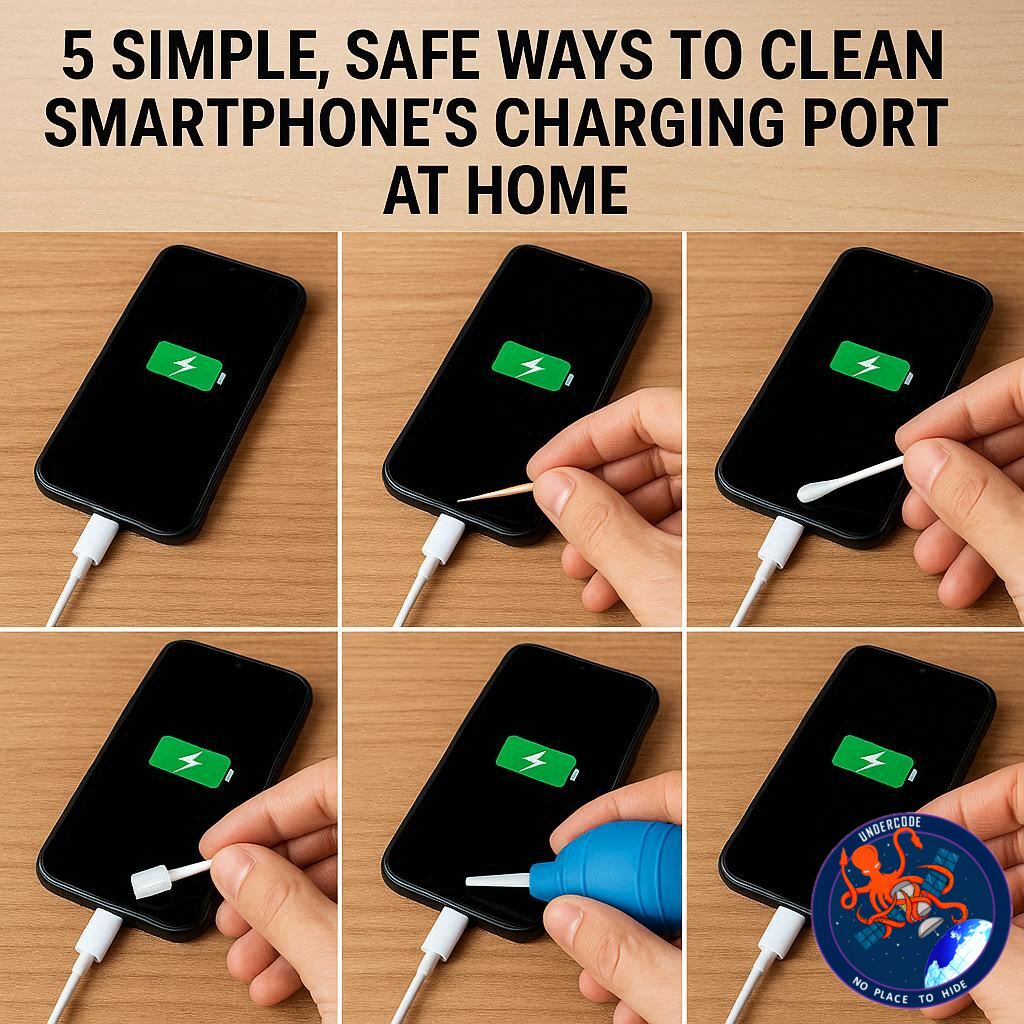
You do not need professional equipment to clean a charging port safely. A wooden toothpick is one of the best options because it is soft, non-conductive, and unlikely to damage internal components. Gently insert it into the port and carefully loosen visible dust without applying pressure. A soft-bristled brush, such as a clean toothbrush or makeup brush, can also help remove fine particles that are difficult to reach. These tools are commonly available at home and pose minimal risk when used correctly.
Using Compressed Air Carefully
Compressed air can be effective in removing dust from a charging port, but it must be used with caution. Short, controlled bursts from a safe distance are recommended. Holding the nozzle too close or using strong airflow can push debris further inside the phone instead of removing it. Compressed air should be seen as a supplementary method rather than the primary cleaning tool.
Why Water and Liquids Are Dangerous
One of the most common mistakes people make is pouring water or cleaning liquid directly into the charging port. Even phones with some level of water resistance are not designed for direct liquid exposure in open ports. Moisture can cause corrosion, short circuits, and irreversible damage to internal components. Cotton swabs should also be avoided, as they can leave behind tiny fibres that worsen the problem instead of fixing it.
The Right Way to Use Isopropyl Alcohol
If you choose to use isopropyl alcohol, it should be applied with extreme care. Never pour or drip alcohol directly into the charging port. Instead, lightly dampen a wooden toothpick or soft brush and gently clean the area. Isopropyl alcohol evaporates quickly and can help remove stubborn grime, but improper use can still damage your phone.
What to Do If Cleaning Doesn’t Work
If your phone still refuses to charge properly after careful cleaning, the issue may lie elsewhere. Faulty charging cables, worn-out adapters, battery degradation, or internal hardware problems can all cause similar symptoms. In such cases, testing with a different cable or charger is a good next step. If the problem persists, visiting an authorised service centre is the safest option.
Preventing Dust Buildup in the Future
Prevention is easier than repair. Using a charging port cover can significantly reduce dust and lint accumulation, especially if you carry your phone in your pocket. Keeping your device away from dusty environments and performing light, regular cleaning can also help maintain consistent charging performance. Simple habits can extend the lifespan of both your phone and its charging components.
Summary of the Original
The article explains that charging issues are often caused by dust and debris trapped inside a smartphone’s charging port rather than serious technical faults. Smartphones are regularly exposed to environments where tiny particles collect over time, blocking proper contact between the charging cable and the device. Before visiting a service centre, users are advised to safely clean the charging port at home. Important precautions include turning off the phone, unplugging it from power, and avoiding sharp metal tools. Safe cleaning options include wooden toothpicks, soft brushes, and limited use of compressed air. The article warns against using water, cleaning liquids, cotton swabs, or metal objects, as these can cause damage. If cleaning does not solve the problem, the issue may involve the cable, battery, or internal components, in which case professional repair is recommended. Preventive steps such as using a charging port cover and regular light cleaning can help maintain proper charging over time.
What Undercode Say:
Charging Port Hygiene Is an Overlooked Habit
Most smartphone users obsess over screen protectors and phone cases but completely ignore the charging port until something goes wrong. This imbalance in care is understandable, as charging ports are small, hidden, and rarely inspected. However, they are one of the most frequently used and mechanically stressed parts of a smartphone. From an engineering perspective, even a thin layer of debris can disrupt electrical conductivity, leading to unstable power delivery.
Design Limitations of Modern Smartphones
Modern smartphone designs prioritise slim profiles and minimal openings, but charging ports remain exposed by necessity. Manufacturers rely on precise tolerances between the cable connector and the port. When debris enters this narrow space, the margin for error disappears. This explains why even premium devices with advanced features can suffer from basic charging issues after prolonged use.
User Behaviour Plays a Bigger Role Than Hardware
Data from repair centres consistently shows that many charging issues are not caused by defective components but by user habits. Carrying phones in pockets filled with lint, placing them on dusty surfaces, or using low-quality cables increases the likelihood of port contamination. Regular inspection and gentle cleaning could prevent a significant percentage of service visits.
The Risk of DIY Repairs
While cleaning a charging port is generally safe when done correctly, many users cross the line into risky behaviour. Metal tools, excessive force, and liquid exposure often cause more harm than the original problem. From a technical standpoint, charging port pins are fragile and precisely aligned. Once bent or scratched, they cannot be easily repaired.
Why Service Centres Often Replace Instead of Repair
When users damage charging ports through improper cleaning, service centres often recommend full port replacement. This is not always because repair is impossible, but because replacement is more reliable and time-efficient. Unfortunately, this increases repair costs for users, reinforcing the importance of careful at-home maintenance.
Preventive Maintenance Should Be Normalised
Undercode believes smartphone maintenance should be treated like basic hygiene. Just as users clean their screens regularly, charging ports deserve occasional attention. A quick visual check every few weeks and gentle cleaning when needed can dramatically reduce long-term issues.
The Hidden Cost of Ignoring Small Problems
Ignoring early charging issues often leads users to repeatedly unplug and replug cables, apply pressure, or bend connectors. Over time, this stresses both the port and the cable, potentially leading to permanent damage. What starts as a dust problem can escalate into a hardware failure if left unchecked.
A Simple Fix With Long-Term Benefits
From a cost-benefit perspective, charging port cleaning is one of the simplest yet most effective maintenance actions users can take. It requires minimal tools, no technical expertise, and just a few seconds of attention. The long-term payoff is improved charging stability and extended device lifespan.
Fact Checker Results
✅ Dust and debris are a leading cause of smartphone charging issues.
✅ Non-metal tools like wooden toothpicks are safe when used carefully.
❌ Pouring liquids directly into charging ports is not a recommended practice.
Prediction
🔮 Smartphone manufacturers may introduce better port protection designs in future models.
🔮 Wireless charging adoption will continue to grow as users seek port-free convenience.
🔮 User awareness around basic device maintenance is likely to improve with wider tech education.
🕵️📝✔️Let’s dive deep and fact‑check.
References:
Reported By: zeenews.india.com
Extra Source Hub (Possible Sources for article):
https://www.instagram.com
Wikipedia
OpenAi & Undercode AI
Image Source:
Unsplash
Undercode AI DI v2
Bing
🔐JOIN OUR CYBER WORLD [ CVE News • HackMonitor • UndercodeNews ]
📢 Follow UndercodeNews & Stay Tuned:
𝕏 formerly Twitter 🐦 | @ Threads | 🔗 Linkedin | 🦋BlueSky | 🐘Mastodon


