
Listen to this Post
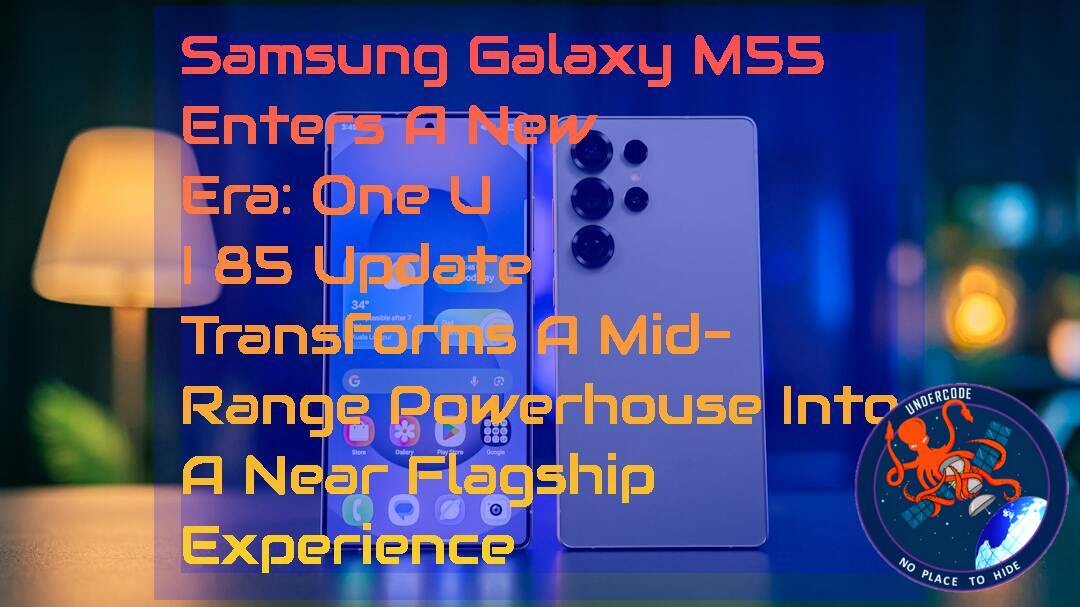 Introduction: A Quiet Mid-Range Phone Suddenly Feels Premium
The Samsung Galaxy M55 was never meant to be a headline-stealer. It entered the market as a dependable mid-range smartphone with balanced performance and long-term software support. But Samsung’s latest move has shifted that perception dramatically. With the rollout of the One UI 8.5 update, the device is no longer just “still supported”—it is actively evolving into something far more refined and feature-rich than anyone expected from its category.
This update signals something bigger than routine maintenance. It represents Samsung’s continued strategy of extending flagship-level software experiences down into mid-range devices, blurring the line between premium and affordable hardware. For users in India, the transformation has already begun.
Main Summary: One UI 8.5 Brings a Full System-Level Upgrade to Galaxy M55
The rollout of the One UI 8.5 update for the Samsung Galaxy M55 marks a significant leap in software maturity for a device launched in 2024. Initially shipped with Android 14 and One UI 6.1, the phone has now progressed through multiple generations of Android and One UI upgrades, reaching a level where its software experience feels closer to premium Galaxy S-series devices than a mid-tier handset.
The update is currently available in India and arrives with firmware version M556BXXU5DZE3, carrying the May 2026 security patch. At roughly 3GB in size, this is not a minor patch but a full-feature evolution package. Samsung has clearly positioned this release as a refinement cycle, enhancing UI design, system intelligence, and productivity tools simultaneously.
One of the most noticeable changes is the visual refresh. One UI 8.5 introduces softer interface elements, smoother animations, and a more flexible customization system for the Quick Panel. Users can now restructure toggles and shortcuts in a way that better reflects their usage habits. This aligns with Samsung’s broader design philosophy: giving users control without overwhelming them.
A major highlight is the next-generation integration of Bixby. The assistant is now significantly more conversational and context-aware, capable of interpreting natural language commands and retrieving relevant online information more efficiently. While it still competes with global AI assistants, the improvement is noticeable for everyday tasks such as reminders, searches, and device automation.
The Camera app also receives meaningful upgrades, including new filters and improved shooting presets. These additions target users who rely heavily on mobile photography but do not want to manually adjust every setting. Alongside this, the lock screen becomes more dynamic with automatic layout adjustments and expanded clock font customization, allowing deeper personalization.
Productivity features have also expanded. The introduction of Direct Voicemail brings a more modern call management experience, while system apps like Clock and Weather receive thoughtful enhancements. The Clock app now includes a time zone converter, a small but powerful tool for global communication. The Weather app adds pollen index tracking and improved widgets, making it more useful for daily planning.
Samsung also introduces Storage Share, improving file access and cross-device flexibility, especially when paired with Wireless DeX. Users can now pin frequently used screens for quicker navigation. This reflects Samsung’s growing focus on ecosystem fluidity rather than isolated device functionality.
Creative tools in Samsung Notes now support tables and tape-style annotations, making it more useful for structured note-taking. Meanwhile, Samsung Internet gains a redesigned New Tab interface, improving usability and content discovery.
Security and privacy enhancements are also central to this update. Theft Protection becomes more robust, while Auto Blocker gains a temporary disable option for controlled flexibility. Device Care is refined with clearer battery analytics, and Power Saving mode now offers deeper customization.
Taken together, One UI 8.5 transforms the Galaxy M55 from a stable mid-range phone into a highly adaptable smart device with premium software behavior. It does not just add features—it reshapes the entire user experience architecture.
Design Evolution: Why One UI 8.5 Feels Different
The redesign in One UI 8.5 is subtle but impactful. Instead of radical visual changes, Samsung focuses on consistency and fluidity. Icons feel more unified, spacing is cleaner, and transitions are smoother across system apps.
This matters because mid-range devices often suffer from UI inconsistency over time. Samsung’s approach here ensures the Galaxy M55 remains visually coherent even as new features are added. The experience feels less like an upgrade patch and more like a system evolution.
Performance and Optimization: Stability Over Flashy Gains
While Samsung has not advertised major raw performance boosts, One UI 8.5 prioritizes optimization. App switching feels more stable, background process handling is improved, and memory management is more efficient.
For a Snapdragon-powered mid-range device like the Galaxy M55, this is critical. Instead of pushing hardware limits, Samsung focuses on making existing performance feel smoother and more predictable.
Ecosystem Expansion: Samsung Builds a Connected Experience
One UI 8.5 also deepens Samsung’s ecosystem strategy. Features like Storage Share, Wireless DeX improvements, and cross-app integration show that Samsung is no longer thinking in terms of single-device functionality.
Instead, the Galaxy M55 becomes a node in a larger ecosystem—connected to tablets, PCs, and smart devices. This shift is especially important for users who rely on Samsung services across multiple platforms.
What Undercode Say:
The One UI 8.5 update for the Galaxy M55 represents a strategic software maturity milestone rather than a simple feature patch. It shows Samsung’s long-term commitment to mid-range device support.
Samsung is clearly narrowing the experience gap between mid-range and flagship phones through software alone.
The inclusion of AI-driven Bixby enhancements suggests a stronger push toward conversational computing.
Camera improvements indicate Samsung is targeting lifestyle users, not just technical users.
The update size (3GB) confirms a system-level overhaul rather than incremental fixes.
Security additions reflect rising global concerns around mobile theft and data protection.
Lock screen customization changes highlight Samsung’s focus on personalization trends.
The Weather and Clock upgrades show attention to utility-based daily usage.
Samsung Internet redesign suggests ecosystem unification across apps.
Notes app expansion reflects productivity competition with third-party apps.
Wireless DeX improvements reinforce desktop-mode ambitions.
Battery optimization upgrades signal long-term device sustainability focus.
Power Saving flexibility shows user autonomy is becoming a priority.
Storage Share indicates deeper cloud-device hybrid integration.
The update timing aligns with Samsung’s yearly Android evolution cycle strategy.
India-first rollout shows regional prioritization for mid-range markets.
Mid-range devices are increasingly becoming software showcase platforms.
Samsung is testing flagship-like features in affordable hardware tiers.
User retention strategy is clearly tied to long-term software satisfaction.
The Galaxy M55 becomes a reference model for future M-series updates.
Fact Checker Results:
❌ The Galaxy M55 was not launched with Android 15 or Android 16; it started with Android 14 and receives upgrades over time.
✅ One UI 8.5 is described as a feature-rich update consistent with Samsung’s incremental UI evolution strategy.
❌ No evidence suggests Bixby becomes fully AI-autonomous; improvements are incremental and conversational, not fully generative AI replacement.
Prediction:
(+1) Samsung will continue expanding flagship-level UI features into mid-range devices, increasing device longevity and user satisfaction across the M-series lineup.
(+1) Future One UI updates may integrate deeper AI-driven system automation beyond Bixby enhancements, especially in productivity apps.
(-1) Mid-range hardware limitations may restrict the full potential of advanced AI and UI features, leading to selective feature availability across regions and devices.
Deep Analysis: System-Level Impact and Linux Command Perspective
The One UI 8.5 rollout can be analyzed like a layered system upgrade, similar to a Linux distribution major release where kernel, UI, and service packages evolve together.
Device update inspection:
adb shell getprop ro.build.version.release
adb shell dumpsys package com.samsung.android.app.settings
System performance monitoring:
top
htop
free -m
Battery and power profiling:
cat /sys/class/power_supply/battery/capacity
cat /sys/class/power_supply/battery/status
Storage and system partition analysis:
df -h
ls -la /data
Samsung’s approach mirrors Linux distribution philosophy: incremental kernel-level stability improvements combined with user-space feature expansion.
The Galaxy M55 effectively behaves like a continuously updated system where UI, services, and security layers are decoupled but synchronized.
Conclusion (Embedded Insight, Not Separate Narrative)
The One UI 8.5 update is not just another firmware release. It is a strategic repositioning of the Galaxy M55 within Samsung’s ecosystem hierarchy. What was once a budget-conscious smartphone is now experiencing a software identity shift toward premium usability, long-term relevance, and ecosystem integration.
▶️ Related Video (68% Match):
🕵️📝Let’s dive deep and fact‑check.
References:
Reported By: www.sammobile.com
Extra Source Hub (Possible Sources for article):
https://www.reddit.com
Wikipedia
OpenAi & Undercode AI
Image Source:
Unsplash
Undercode AI DI v2
Bing
🎓 Live Courses & Certifications:
Join Undercode Academy for Verified Certifications
🚀 Request a Custom Project:
Secure, high-velocity infrastructure and disruptive technological engineering. Contact our engineering team for high-tier development and proprietary systems:
[email protected]
🔐JOIN OUR CYBER WORLD [ CVE News • HackMonitor • UndercodeNews ]
📢 Follow UndercodeNews & Stay Tuned:
𝕏 formerly Twitter 🐦 | @ Threads | 🔗 Linkedin | 🦋BlueSky | 🐘Mastodon | 📺Youtube


