
Listen to this Post
Introduction: A New Era of Productivity
Samsung has once again shaken up the Android world with its One UI 8.0 update, bringing not just smoother visuals but a game-changing multitasking feature. While the Galaxy S25 lineup and Fold 7 are stealing headlines, it’s the hidden productivity gem on Galaxy tablets that deserves equal attention. The ability to run three apps side by side in a redesigned layout marks a turning point in how users interact with their devices. Let’s dive into the update, its impact, and why it might just redefine tablet multitasking forever.
One UI 8.0’s Triple-App Multitasking Explained
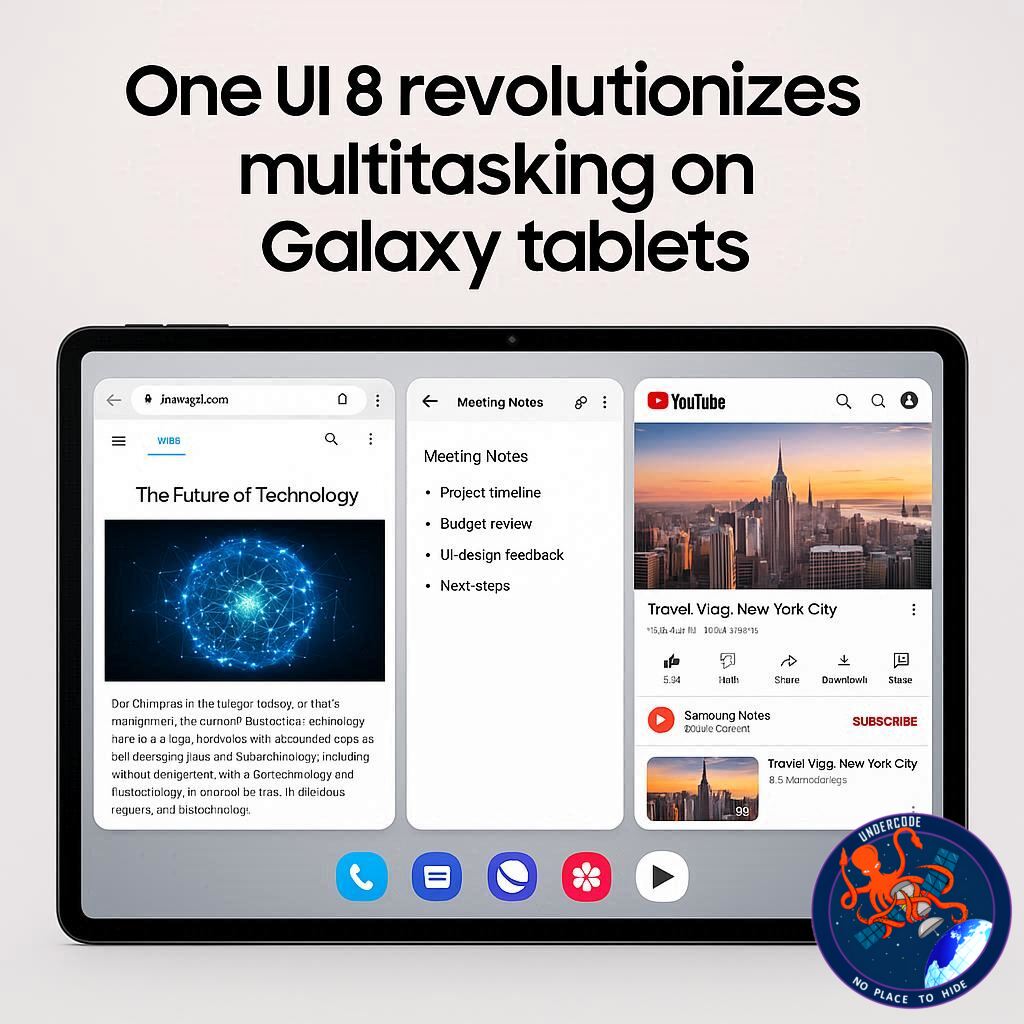
Samsung’s One UI 8.0 (based on Android 16) introduces an innovative multitasking layout that allows users to run three apps simultaneously in a 50:25:25 split-screen ratio.
One app takes up half of the display for full functionality.
Two other apps each occupy a quarter of the screen, maintaining usability without sacrificing visibility.
This solves the long-standing issue from One UI 7.0, where the horizontal split caused crucial app elements to be cut off.
For example, users can now watch YouTube on half the screen while browsing the web and chatting on social media simultaneously—without struggling with tiny, squished windows.
The Problem with the Old Layout
In One UI 7.0, three-app multitasking was technically possible but flawed. The vertical 50% split and two narrow horizontal windows left apps cramped and often unusable. Many interfaces didn’t scale properly, leaving buttons cut off and text unreadable.
Samsung’s new vertical-friendly design leverages the fact that most apps are optimized for tall, portrait-style use. This ensures a seamless and natural transition for tablet users.
Device Availability and Rollout
The new layout first appeared on the Galaxy Tab S11 series, setting the stage for its expansion to the Galaxy Tab S10+ and S10 Ultra. While Samsung has confirmed availability for these high-end devices, questions remain about whether the Galaxy Tab S10 FE series will also gain access. The rollout seems gradual, hinting at possible performance optimization concerns for mid-range models.
Beyond Multitasking: What This Means for Samsung
This improvement is more than just a UI tweak—it represents Samsung’s strategy to dominate the productivity space against rivals like Apple’s iPadOS and Microsoft’s Surface lineup. By giving users more control and flexibility, Samsung tablets inch closer to becoming true laptop replacements.
What Undercode Say: 🧩
Samsung’s One UI 8.0 triple-app multitasking may appear like a minor update at first glance, but under the surface, it’s a strategic play with massive implications:
User-Centric Approach: Samsung recognized a persistent frustration in One UI 7.0 and directly addressed it. This builds brand trust and keeps loyal users within the ecosystem.
Competitive Edge: With Apple limiting multitasking options in iPadOS, Samsung’s superior customization gives it a sharper edge in the tablet war.
Work-Life Balance: Professionals can now juggle spreadsheets, video calls, and emails simultaneously—making tablets a true productivity tool. Students can also use this feature for note-taking, research, and streaming lectures, all at once.
Hardware Synergy: This feature shines brightest on large displays like the Tab S11 Ultra. It highlights why Samsung continues pushing bigger screens and foldables—because their UI innovations rely heavily on expansive real estate.
Ecosystem Lock-In: Samsung isn’t just selling tablets; it’s selling an experience. Features like this encourage users to stay loyal, ensuring their next phone, laptop, and wearable remain Samsung products.
Challenges Ahead: Not all apps will perfectly adapt. While vertical layouts are widely supported, some niche apps may still struggle. Performance on mid-tier devices like the Tab S10 FE could also be limited.
This isn’t just about multitasking; it’s about Samsung building a future-ready productivity ecosystem. One UI 8.0’s triple-app layout lays the foundation for even more advanced split-screen, drag-and-drop, and DeX capabilities in future updates.
✅ Fact Checker Results
One UI 8.0 indeed introduces a 50:25:25 multitasking layout.
Available now on Galaxy Tab S11, S10+, and S10 Ultra models.
Unclear if Tab S10 FE fully supports it yet.
🔮 Prediction: The Future of Galaxy Productivity
Samsung will likely expand this multitasking capability across more devices, including foldables and even future Galaxy phones with larger screens. Expect DeX integration to evolve, merging desktop-level multitasking with mobile flexibility. By 2026, Samsung could pioneer quad-window multitasking, setting a new gold standard in tablet productivity.
🕵️📝✔️Let’s dive deep and fact‑check.
References:
Reported By: www.sammobile.com
Extra Source Hub:
https://www.digitaltrends.com
Wikipedia
OpenAi & Undercode AI
Image Source:
Unsplash
Undercode AI DI v2
🔐JOIN OUR CYBER WORLD [ CVE News • HackMonitor • UndercodeNews ]
📢 Follow UndercodeNews & Stay Tuned:
𝕏 formerly Twitter 🐦 | @ Threads | 🔗 Linkedin | 🦋BlueSky | 🐘Mastodon


