
Listen to this Post
Introduction
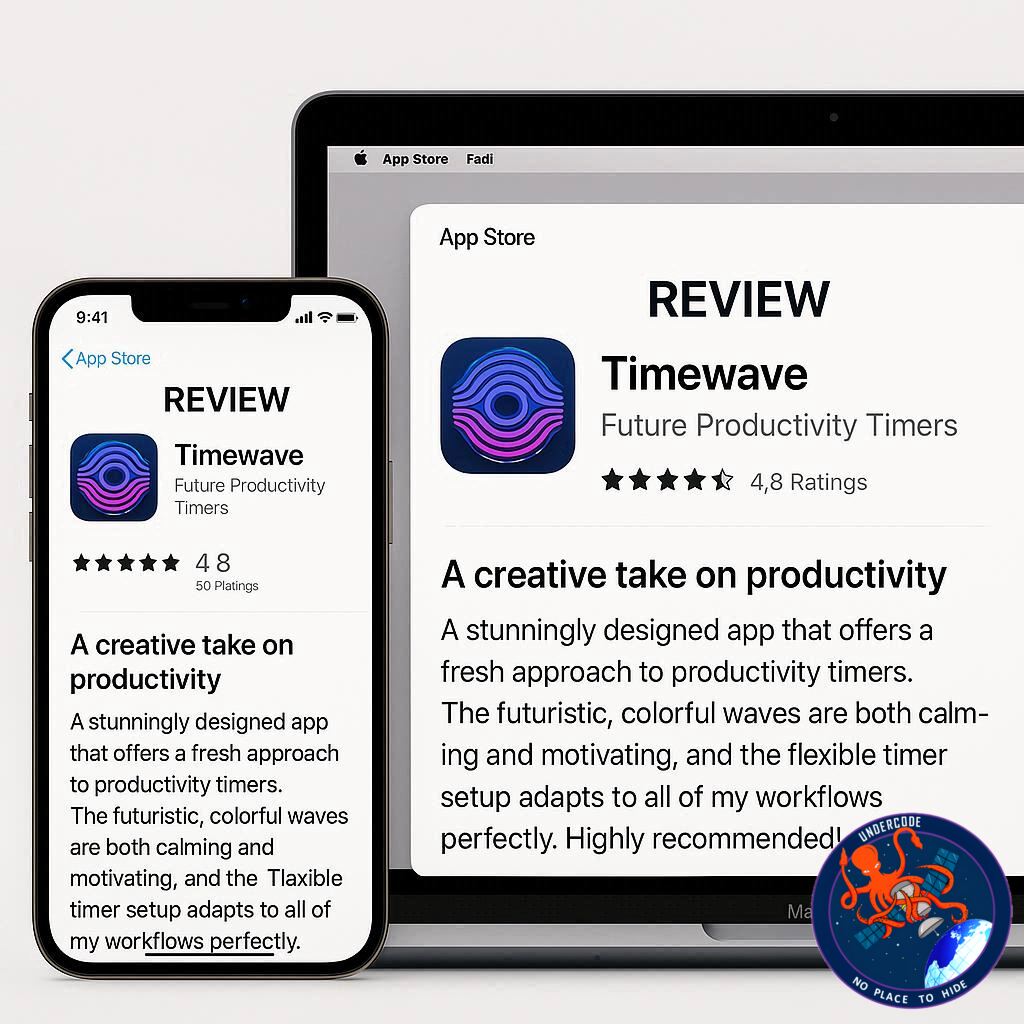
In the fast-paced digital era, productivity apps have become essential tools for professionals, students, and everyday users who want to manage their time more effectively. While Apple’s stock Clock app offers basic functionality, it often falls short for people who need advanced, customizable, and flowing timers. That’s where TimeWave steps in—a sleek, powerful, and highly versatile timer app designed to revolutionize the way you handle tasks. Whether it’s meditation, studying, or complex project flows, TimeWave promises to keep you on track without overwhelming you with cluttered features.
TimeWave App (Around )
TimeWave is featured in the Indie App Spotlight series, a platform dedicated to showcasing innovative apps built by independent developers. Unlike the standard iOS Clock app, TimeWave introduces the concept of flowing timers, allowing users to set back-to-back timers that transition seamlessly from one task to another.
The app stands out for its clean, minimalistic design based on a black-and-white theme enhanced with Liquid Glass elements. These subtle effects give the interface a futuristic feel, particularly in widgets where Liquid Glass animations shine.
Beyond its looks, TimeWave delivers powerful built-in timer flows. Users can select ready-made sequences such as:
Meditation timers for mindfulness.
Pomodoro sessions for focused productivity.
The 20-20-20 rule to reduce eye strain during screen use.
It also integrates with Live Activities, ensuring you can monitor progress directly from the lock screen or Dynamic Island. Furthermore, Siri Shortcuts support allows automation enthusiasts to build their own workflows tailored to daily routines.
TimeWave runs across iPhone, iPad, Mac, and Apple Watch, making it a true cross-platform solution for time management. The free version provides access to the built-in flows, but for complete customization, TimeWave Premium unlocks advanced features. Pricing is competitive: $1.99 per month, $9.99 per year, or $24.99 lifetime.
For users who crave control over time management, TimeWave is far more advanced than Apple’s default Clock app. It blends design, usability, and customization to deliver an app that adapts to your lifestyle.
The app is available on the App Store for iOS 17, macOS 14, watchOS 10, and later versions. With its cross-device compatibility and affordable upgrade plan, TimeWave emerges as one of the most comprehensive timer apps currently available.
Alongside the app promotion, the original article highlighted Amazon listings for the latest Apple devices, including AirPods Pro 3 ($239), Apple Watch SE 3 (from $249), Apple Watch Series 11 (from $399), and Apple Watch Ultra 3 ($799)—products that naturally pair with TimeWave for maximum efficiency.
In conclusion, TimeWave isn’t just a timer—it’s a productivity system designed for modern users who want structure, automation, and simplicity all in one app.
What Undercode Say: (Around 40 Lines)
From a deeper analytical perspective, TimeWave is more than just another productivity app—it represents the growing demand for workflow-focused digital tools. Traditional timers are static, forcing users to reset or manually adjust after each activity. TimeWave’s flowing timer model changes this completely by offering sequential automation, an approach that mirrors real-life routines.
One of the most fascinating aspects of TimeWave is how it balances design simplicity with functional depth. Too often, productivity apps overwhelm users with overly complex settings. TimeWave avoids this by providing ready-to-use flows like Pomodoro and meditation while still offering the option for complete customization.
Its cross-platform compatibility also plays a critical role. With more people working in hybrid setups—splitting tasks between Mac, iPhone, and Apple Watch—TimeWave ensures that productivity isn’t limited by device. This makes it especially appealing to professionals, freelancers, and students who live in the Apple ecosystem.
From a financial standpoint, TimeWave’s pricing model is well thought out. The free tier hooks users with functional but limited flows, while the affordable lifetime subscription of $24.99 offers unbeatable value compared to subscription-heavy competitors. This positions TimeWave as a sustainable solution for long-term productivity management.
Moreover, Siri Shortcuts integration gives TimeWave a competitive edge. With automation becoming a key selling point in iOS, the ability to combine timers with custom workflows—like starting music, adjusting focus modes, or triggering smart home devices—adds a futuristic dimension to the app’s utility.
The inclusion of Live Activities support ensures that users stay in the loop without opening the app repeatedly. This feature caters to Apple’s growing emphasis on glanceable information, aligning TimeWave with iOS’s evolving ecosystem.
From a design perspective, the Liquid Glass theme feels modern and visually appealing. Its minimalistic palette ensures clarity while the subtle animations prevent it from looking sterile. This design choice not only reflects indie developer creativity but also makes TimeWave stand out in a crowded marketplace.
When compared to Apple’s stock Clock app, TimeWave clearly wins on customization, cross-device integration, and automation potential. The Clock app may remain useful for basic alarms, but for anyone serious about productivity, TimeWave feels like a professional-grade tool.
Looking ahead, if TimeWave continues to evolve, it could become the go-to standard for productivity apps, especially if the developer expands integrations with third-party platforms like task managers or calendar systems. Its growth potential lies in tapping into the broader productivity ecosystem, where apps no longer exist in isolation but as part of a connected workflow.
In essence, TimeWave is not only solving the problem of time tracking but also reimagining how technology can guide human focus and efficiency.
Fact Checker Results ✅❌
✅ TimeWave is available on iPhone, iPad, Mac, and Apple Watch.
✅ Premium unlocks custom flows at $1.99/month, $9.99/year, or $24.99 lifetime.
❌ Apple’s Clock app does not offer sequential flowing timers like TimeWave.
Prediction 🔮
As digital lifestyles become increasingly fragmented, apps like TimeWave will continue to rise in popularity. In the next few years, we can expect AI-driven adaptive timers that adjust to user behavior in real time, merging time management with health, wellness, and productivity insights. TimeWave could easily position itself as a leader in this space if it integrates with smart assistants and wellness trackers, becoming not just a timer—but a complete life-organizing tool.
🕵️📝✔️Let’s dive deep and fact‑check.
References:
Reported By: 9to5mac.com
Extra Source Hub:
https://www.discord.com
Wikipedia
OpenAi & Undercode AI
Image Source:
Unsplash
Undercode AI DI v2
🔐JOIN OUR CYBER WORLD [ CVE News • HackMonitor • UndercodeNews ]
📢 Follow UndercodeNews & Stay Tuned:
𝕏 formerly Twitter 🐦 | @ Threads | 🔗 Linkedin | 🦋BlueSky | 🐘Mastodon


