
Listen to this Post
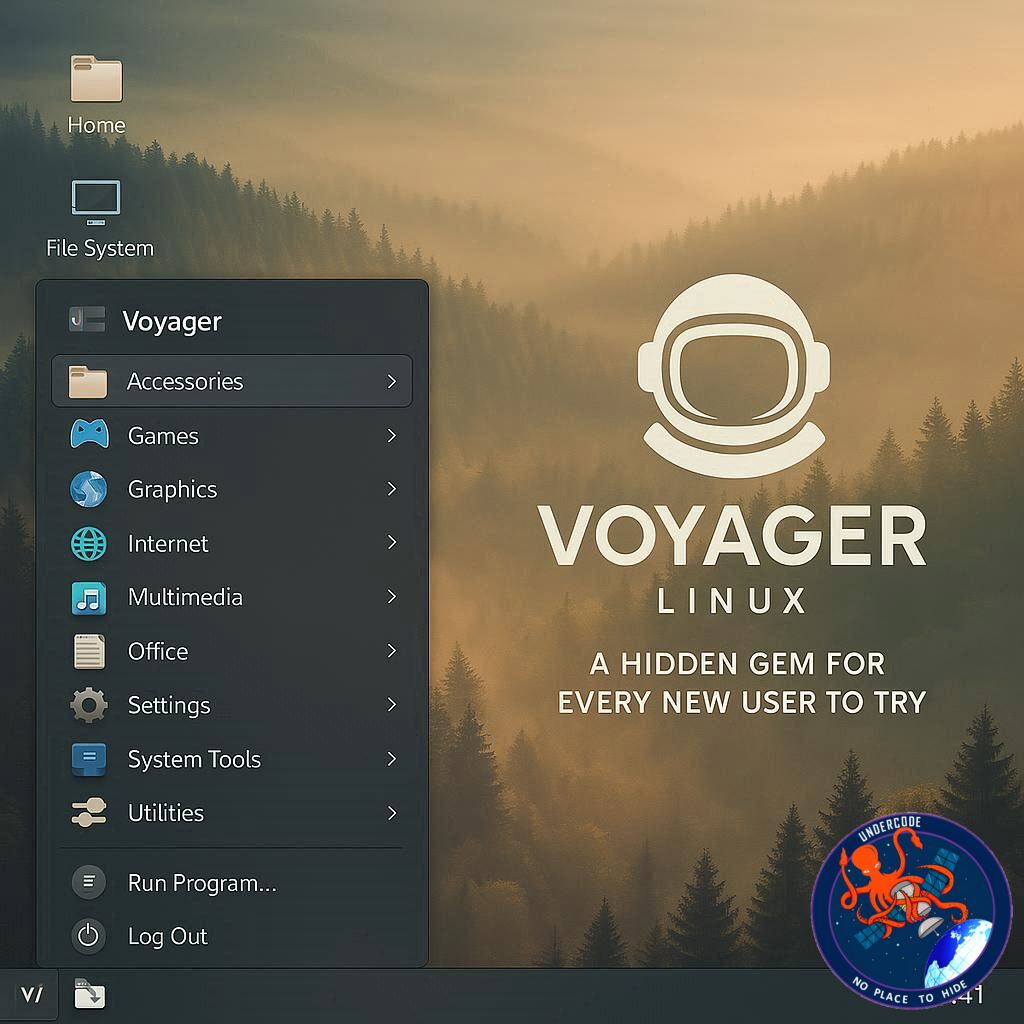
Linux has countless distributions, each catering to different users, but some incredibly polished options fly under the radar. Voyager Linux is one of those underrated distros that combines elegance, usability, and versatility, making it a perfect choice for newcomers and seasoned users alike. With its latest 25.10 alpha release, Voyager continues to impress with a visually appealing, highly functional GNOME-based desktop that feels intuitive even for those stepping away from Windows or MacOS for the first time.
Voyager Linux 25.10 Alpha: A Closer Look
Voyager Linux remains a distribution that many users overlook, yet it deserves far more recognition. Having tested the 25.10 alpha, it’s clear that the developers are focused on creating a user-friendly experience without sacrificing sophistication. The distro uses a slightly customized GNOME environment to craft a desktop that mirrors the clean, elegant aesthetics of MacOS, although the upcoming Glass UI promises to raise the bar even further.
A standout feature is Box Voyager GNOME, a configuration hub that allows users to manage Night Mode, Wallpapers, ChatGPT integration, GNOME Extensions, Conky system monitoring, Wine/Gaming tools, Parental Controls, backups, and more—all in one convenient place. The GNOME desktop layout employs a dock/panel approach with a slightly transparent dock for application launchers and a top panel for workspace control, a second app menu, and a system tray. This combination ensures the desktop is intuitive enough that users can log in and navigate without feeling lost.
For users hesitant about GNOME’s sometimes unfamiliar interface, Voyager offers alternatives, such as a traditional menu accessible via the “U” in the top left corner, reducing the learning curve for newcomers. Gamers benefit from Wine+Gaming support, giving one-click access to tools like Wine, Steam, Proton, Lutris, Heroic Games Launcher, PlayOnLinux, and Q4wine. Installing Steam or other apps is as simple as clicking “Install” in the app store.
Voyager also ships with a robust set of default applications, including LibreOffice, Firefox, FreeTube, Rhythmbox, KeePassXC, Maps, Weather, Pacman, Pinta, Thunderbird, VLC, Easy Effects, Shortwave, and GNOME Video Player. For additional apps, the Software app store—with built-in Flathub support—enables easy installation of both open-source and proprietary apps such as Spotify and Slack.
The developers have thoughtfully removed the terminal from the dock to avoid intimidating new users, while still keeping it accessible through the App Overview or ArcMenu. Additionally, Voyager reintroduces the middle mouse button paste function, a handy feature that many Linux distributions have phased out. Small touches like these reflect an understanding of user convenience and accessibility.
Some experimental features, like window shading, currently do not function, but their inclusion suggests a willingness to innovate and cater to power users who appreciate advanced multitasking tools. Overall, even in its alpha state, Voyager Linux is a polished and charming distribution, ideal for Windows refugees or anyone exploring Linux for the first time.
What Undercode Say:
Voyager Linux stands out in the crowded Linux ecosystem for its thoughtful balance of usability and customization. Its GNOME-based desktop is not just visually appealing but also functionally versatile, catering to both casual users and gamers. The inclusion of Box Voyager GNOME demonstrates a clear focus on centralizing configuration, which reduces friction for newcomers while offering depth for more experienced users.
The gaming capabilities alone make Voyager an attractive option for Linux newcomers who want access to Steam and Wine without complex setup. Furthermore, default apps cover essential productivity, media, and utility needs, which is a rarity in some other user-friendly distros that rely heavily on additional downloads.
Voyager’s approach to the terminal shows a smart design philosophy—removing potential barriers for new users without entirely eliminating functionality. Reintroducing middle-click paste is a subtle but meaningful nod to usability, showing attention to detail that veteran Linux users will appreciate. While some alpha features like window shading aren’t fully functional yet, their presence signals an ambition to enhance productivity features, making Voyager a promising candidate for the future.
In comparison to other beginner-friendly distributions, Voyager manages to strike a rare balance: no steep learning curves, immediate aesthetic appeal, and powerful customization for advanced users. It is an ideal stepping stone for anyone migrating from Windows or MacOS, offering familiar touches while introducing the flexibility Linux is known for.
Overall, Voyager Linux 25.10 alpha is more than just a pretty desktop—it’s a carefully curated experience designed to ease the transition into Linux, encourage exploration, and support gaming, productivity, and customization. For those still undecided about which distro to choose, Voyager is a hidden gem worth discovering.
🔍 Fact Checker Results
✅ Voyager Linux 25.10 alpha exists and is a GNOME-based distribution.
✅ Box Voyager GNOME provides configuration tools for system settings, apps, and gaming.
❌ Window shading is included in settings but currently non-functional in alpha.
📊 Prediction
Voyager Linux is poised to gain traction among beginner and intermediate Linux users. Its intuitive interface, centralized configuration hub, and strong gaming support could make it a popular choice for those transitioning from Windows or MacOS. As the Glass UI and additional features mature, Voyager may emerge as a leading beginner-friendly Linux distribution, potentially influencing other distros to integrate similar usability-focused design elements.
🕵️📝✔️Let’s dive deep and fact‑check.
References:
Reported By: www.zdnet.com
Extra Source Hub:
https://www.twitter.com
Wikipedia
OpenAi & Undercode AI
Image Source:
Unsplash
Undercode AI DI v2
🔐JOIN OUR CYBER WORLD [ CVE News • HackMonitor • UndercodeNews ]
📢 Follow UndercodeNews & Stay Tuned:
𝕏 formerly Twitter 🐦 | @ Threads | 🔗 Linkedin | 🦋BlueSky | 🐘Mastodon


