Listen to this Post
Introduction
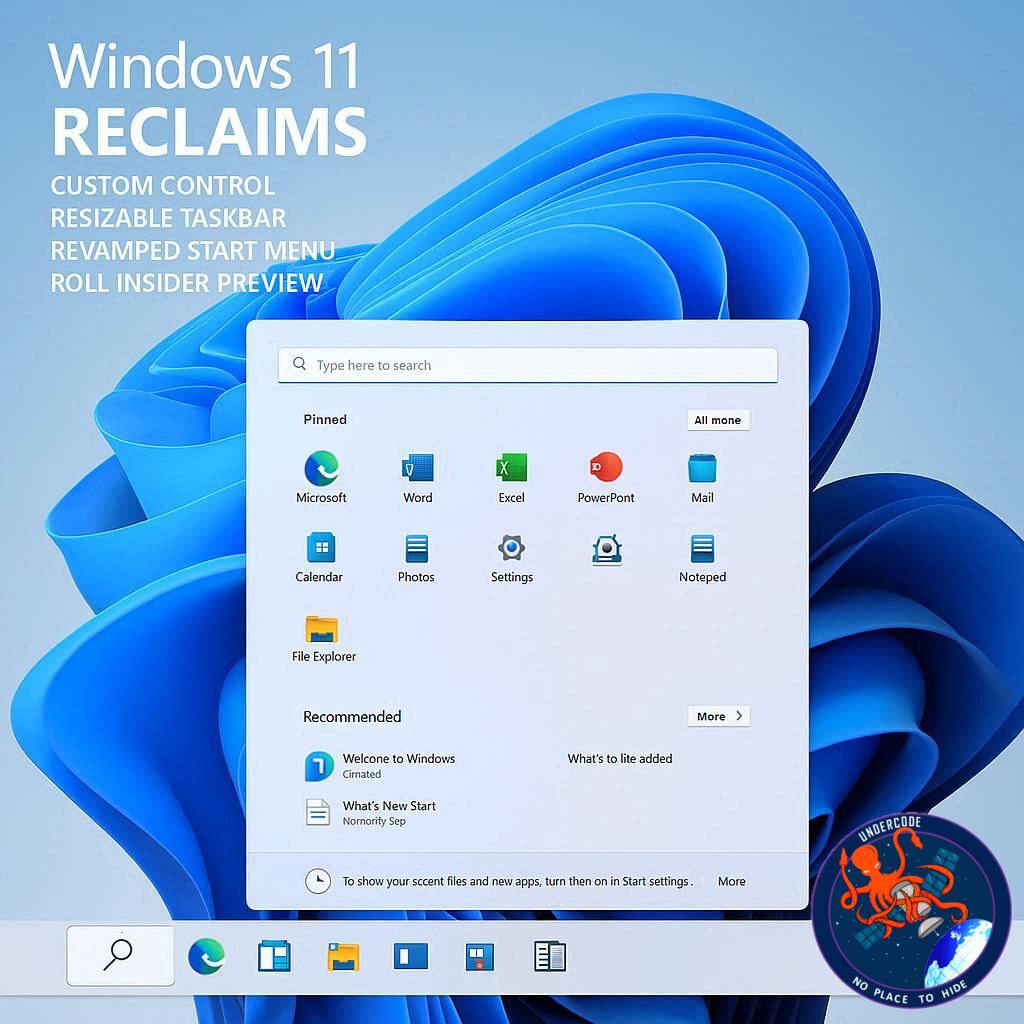
Microsoft is once again reshaping the Windows 11 experience, this time by restoring long-requested customization features that many users felt were missing since the operating system’s launch. In the latest Insider Preview build, the company is reintroducing a resizable taskbar and a more flexible Start menu, signaling a clear shift toward user-driven design. Alongside performance improvements and interface refinements, these changes reflect Microsoft’s broader effort to make Windows 11 more adaptable, efficient, and responsive to real user feedback.
Summary of the Original
Microsoft has officially reintroduced the ability to resize the taskbar and reposition it in Windows 11 through Insider Preview Build 26300.8493, released in the Experimental channel. This update allows users to switch to smaller taskbar buttons, reduce overall taskbar height, and move the taskbar to any side of the screen, including the top, bottom, left, or right.
According to Microsoft design leadership, this feature has been one of the most requested changes from users since Windows 11 launched with a more locked-down interface. The update is designed to improve usability and increase vertical screen space for applications by allowing a more compact taskbar mode. Importantly, these changes can be applied instantly without requiring a system restart or sign-out.
Users can access these new settings through Settings, then Personalization, and finally Taskbar behaviors. Within this menu, they can also adjust icon alignment and enable smaller taskbar buttons, which compress both icons and the bar itself.
In addition to taskbar improvements, Microsoft is also enhancing the Start menu. Users can now disable recommended content and adjust the layout to show only pinned apps if desired. This creates a more minimal experience for those who prefer a clean interface, while still preserving optional discovery features such as recently installed apps.
Microsoft clarified that some elements, like recently added apps, will remain in place to help users discover new software, especially from the Microsoft Store ecosystem. The company is also refining file relevance in the Start menu to prioritize frequently used or important items and adding the option to hide user identity elements such as profile pictures and names.
Beyond interface changes, Microsoft is testing a redesigned Windows Run dialog with dark mode support. This updated version aims to be faster and simpler, while removing rarely used features like the Browse button, which Microsoft says is used by an extremely small fraction of users.
These updates are part of a broader Windows 11 evolution strategy focused on performance, consistency, and reduced system clutter. Microsoft leadership has emphasized ongoing improvements to notifications, settings simplification, setup optimization, and search unification across the operating system.
What Undercode Say:
Microsoft’s decision to reintroduce taskbar flexibility is more than a cosmetic update. It reflects a deeper correction in Windows 11 design philosophy that originally prioritized uniformity over customization. The backlash to the locked taskbar positioning in early Windows 11 versions demonstrated that power users still value control over interface layout.
The ability to move the taskbar again signals Microsoft is listening more carefully to long-term Windows users, especially enterprise users and productivity-focused professionals who rely on multi-monitor setups and unconventional screen layouts.
Smaller taskbar buttons may seem minor, but they directly address usability concerns on high-resolution and ultrawide displays, where wasted vertical space becomes a real productivity issue.
The Start menu adjustments are equally important because they show Microsoft acknowledging criticism about “Recommended” content dominance. Many users perceive it as unnecessary clutter rather than helpful discovery.
Allowing users to disable recommendations entirely is a major shift toward user sovereignty in interface design.
However, Microsoft still retaining recently installed apps shows a balancing act between user control and ecosystem promotion.
This suggests Microsoft is not fully removing content-driven discovery but instead making it optional and less intrusive.
The redesigned Run dialog is another subtle but strategic move. Removing underused features indicates Microsoft is actively measuring feature usage at scale and trimming legacy elements that add maintenance overhead.
The push toward faster, simpler system dialogs reflects a long-term modernization effort across Windows components.
This aligns with Microsoft’s broader strategy of reducing system complexity while improving perceived performance.
The company’s emphasis on feedback-driven design indicates a more iterative development model compared to earlier Windows releases.
Search unification across Start, taskbar, File Explorer, and Settings is particularly significant.
It hints at a future where Windows search becomes a centralized intelligence layer rather than fragmented tools.
Notification reduction and setup streamlining also suggest Microsoft is targeting “friction removal” as a core UX principle.
Overall, these updates reflect a transition from rigid design control back to flexible user-first customization.
It also indicates Microsoft is actively competing with more modular operating systems by giving users deeper personalization without sacrificing system consistency.
If executed well, this could help restore user trust that was partially lost during the Windows 11 redesign transition.
Fact Checker Results
✔ Microsoft Insider Build 26300.8493 does introduce taskbar customization options in testing channels
✔ Start menu recommendation toggles are part of ongoing Windows 11 UX experiments
⚠ Some features remain in Insider testing and are not yet confirmed for stable release
Prediction
Windows 11 is likely moving toward a fully modular interface system where taskbar, Start menu, and search behave as independent customizable layers. Future updates may introduce drag-and-drop taskbar positioning, deeper AI-assisted search integration, and even context-aware Start menu layouts based on user behavior patterns.
🕵️📝Let’s dive deep and fact‑check.
References:
Reported By: www.bleepingcomputer.com
Extra Source Hub (Possible Sources for article):
https://stackoverflow.com
Wikipedia
OpenAi & Undercode AI
Image Source:
Unsplash
Undercode AI DI v2
Bing
🔐JOIN OUR CYBER WORLD [ CVE News • HackMonitor • UndercodeNews ]
📢 Follow UndercodeNews & Stay Tuned:
𝕏 formerly Twitter 🐦 | @ Threads | 🔗 Linkedin | 🦋BlueSky | 🐘Mastodon