
Listen to this Post
Introduction: A Feature That Isn’t Really a Feature
When people think about modern operating systems, they expect built-in tools for everyday tasks. Something as basic as checking internet speed feels like it should be a native feature inside the system. After all, a company with the scale and engineering resources of Microsoft should easily provide such functionality directly within the operating system.
However, the latest update to Windows 11 tells a different story. Instead of introducing a fully integrated network speed testing tool, the new “Internet Speed Test” option essentially acts as a shortcut that opens a browser and sends users to a search result on Bing.
The decision has sparked criticism from users and technology observers who expected something more polished and native. While the feature technically allows users to test their connection speed, the way it is implemented raises questions about Microsoft’s design direction for Windows and its increasing reliance on web-based solutions.
Windows Patch Tuesday Brings the New Feature
On March 10, 2026, Microsoft rolled out its third Patch Tuesday update of the year for both Windows 11 and Windows 10.
As usual, the update primarily focused on security improvements and stability fixes. Windows 10 did not receive any major new functionality, which is expected as the operating system moves closer to the end of its lifecycle.
Windows 11, on the other hand, received a few small feature additions. One of them is support for Emoji 16 within the emoji panel, bringing newer emojis into the system’s built-in interface. The second addition, which has drawn the most attention, is the new “Internet Speed Test” feature.
At first glance, the name suggests a built-in tool that measures network performance directly from within the operating system. However, the reality is much simpler and less impressive.
The “Perform Speed Test” Button Explained
Instead of launching a dedicated application or built-in utility, the new feature introduces a toggle called “Perform speed test.”
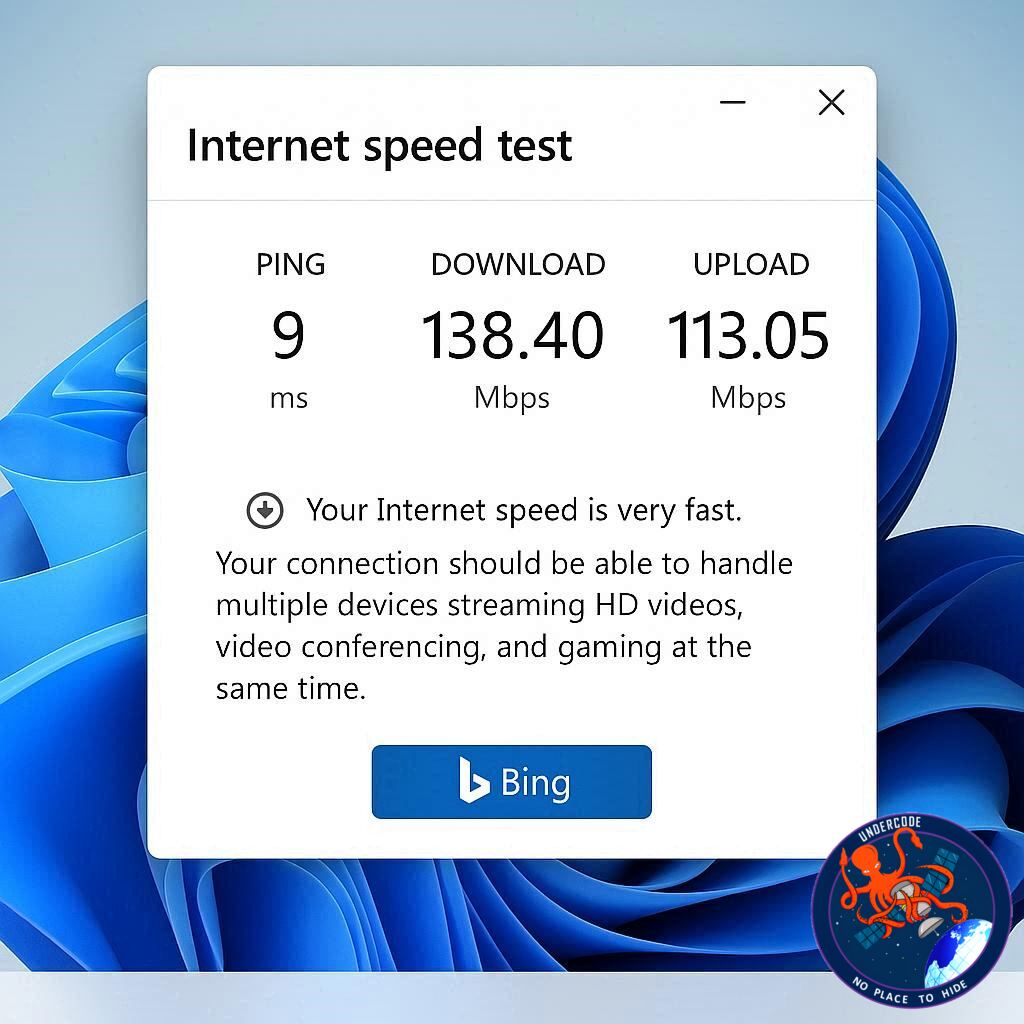
Users will see this option when they right-click the Ethernet or Wi-Fi icon on the Windows taskbar. Clicking it does not initiate a test within Windows itself. Instead, it opens the user’s default web browser and directs them to a Bing search results page for “internet speed test.”
From there, the test runs through Bing’s integrated tool.
In other words, Windows is not performing the speed test. The browser is.
How the Bing Speed Test Actually Works
The speed test that appears on Bing relies on infrastructure from Ookla, the company behind the widely known service Speedtest by Ookla.
The system works by downloading a randomly generated chunk of data and uploading it back to testing servers. By measuring the time required for these transfers, it calculates the user’s download speed, upload speed, and network latency.
This approach is standard across most internet speed testing tools and generally provides reliable results.
Microsoft integrated the Bing test through a partnership with Ookla. Notably, Ookla was recently acquired by Accenture, further strengthening its position in network measurement technologies.
Interestingly, Microsoft previously maintained its own Azure-based internet speed testing tool on Bing. That internal system was eventually replaced with Ookla’s infrastructure after the partnership was established.
A Feature That Respects Browser Preferences
One positive aspect of the new shortcut is that it respects the user’s default browser settings.
Instead of forcing the link to open in Microsoft Edge, the system uses a standard HTTPS link type. This means whichever browser the user has set as their default will open the speed test page.
Users who prefer browsers like Chrome or Firefox will therefore see the Bing speed test inside their preferred browser environment rather than being redirected to Edge.
While this is a small detail, it reflects Microsoft’s gradual shift toward respecting user choice in default applications.
Why Critics Are Frustrated
Despite working technically, the feature has generated significant criticism because many people expected a native system tool rather than a web shortcut.
The frustration comes from the idea that a multi-trillion-dollar company should be capable of building a fully integrated solution. A proper speed testing utility could operate directly within the operating system, collect additional diagnostic data, and integrate with Windows network management tools.
Instead, the new option essentially acts as a convenience link placed inside the taskbar menu.
For users who were expecting a powerful diagnostic tool, the implementation feels incomplete.
Microsoft Once Built a Better Native Tool
Ironically, Microsoft already built something much closer to what users want.
During the era of Windows 8, the company released a native application called Network Speed Test. The app was built using the XAML framework and designed specifically for the Metro interface that Microsoft promoted during that period.
That application offered far more information than the new shortcut.
It displayed details such as the connection type, network name, internet connectivity status, and additional technical metrics. It also kept a history of previous tests, allowing users to track changes in performance over time.
For many users, that older tool remains a better example of what a native Windows feature could look like.
The Missing Ability to Customize or Remove the Shortcut
Another limitation of the current implementation is the lack of customization.
Users cannot remove the “Perform speed test” option from the taskbar context menu. Nor can they redirect it to another speed testing service or application.
This restriction means the feature remains permanently tied to Bing.
For users who prefer alternative speed testing tools or local applications, the shortcut becomes little more than a fixed entry that cannot be modified.
What Undercode Say:
The Web-First Strategy Behind Windows
The internet speed test shortcut reflects a broader shift in Microsoft’s design philosophy. Over the past several years, the company has increasingly moved toward web-powered features instead of building native applications.
From Microsoft’s perspective, this approach reduces development complexity. Web tools are easier to maintain, update, and scale compared to traditional desktop utilities.
However, the downside is that the operating system begins to feel less self-contained.
When everyday tools depend on external web services, the operating system starts acting more like a launcher for online experiences rather than a complete platform.
The Cost of Convenience Over Capability
A native speed test utility could have offered much more than basic download and upload measurements.
It could analyze packet loss, network jitter, routing paths, or Wi-Fi signal strength. It could integrate with system diagnostics to detect router bottlenecks or network congestion.
By redirecting users to a browser page instead, Windows loses the opportunity to provide deeper system-level insights.
Convenience replaces capability.
Windows as a Platform vs Windows as a Portal
Historically, Windows functioned as a full computing platform where applications and tools ran locally.
Modern changes suggest Microsoft is gradually turning Windows into a portal that connects users to services, search engines, and cloud platforms.
This strategy aligns with Microsoft’s business model, which increasingly revolves around cloud services like Microsoft Azure and subscription products.
But for power users and system administrators, the shift can feel like a reduction in control and functionality.
The Design Debate Inside Modern Operating Systems
There is an ongoing debate in software design between native functionality and web-based convenience.
Native tools typically offer better performance, deeper system integration, and offline functionality.
Web tools offer faster updates, cross-platform compatibility, and reduced maintenance costs.
The Windows speed test feature highlights the tension between these two approaches.
Microsoft clearly prioritized quick deployment and integration with its search ecosystem rather than building a full diagnostic utility.
The Hidden Marketing Value of Bing Integration
Another important factor behind the decision may be ecosystem exposure.
Every time a user clicks the “Perform speed test” button, they are directed to Bing. Even if the user only wants to test their connection speed, the interaction still increases traffic to Microsoft’s search platform.
In a competitive search market dominated by Google, every additional user interaction matters.
This means the feature is not just a convenience tool. It also acts as a subtle method of driving engagement with Bing.
A Missed Opportunity for Windows 11
Windows 11 has been trying to position itself as a modern operating system with improved productivity tools and better system integration.
Adding a fully functional network diagnostics dashboard could have been a powerful step in that direction.
Instead, the speed test shortcut feels more like a placeholder than a genuine innovation.
For many users, it represents a missed opportunity rather than a meaningful upgrade.
Fact Checker Results
✅ Microsoft’s March 2026 Patch Tuesday update introduced the “Perform speed test” shortcut in Windows 11.
✅ The feature redirects users to Bing’s speed test powered by Ookla infrastructure.
❌ Windows 11 does not include a native built-in speed testing engine despite the feature’s name.
Prediction
🔮 Microsoft will likely continue integrating web-powered tools into Windows rather than building fully native utilities.
⚡ Future updates may expand Bing-powered features across system menus, search tools, and diagnostics.
📊 If user backlash grows, Microsoft could eventually release a more advanced native network diagnostic tool in a future Windows update.
🕵️📝✔️Let’s dive deep and fact‑check.
References:
Reported By: www.windowslatest.com
Extra Source Hub (Possible Sources for article):
https://www.linkedin.com
Wikipedia
OpenAi & Undercode AI
Image Source:
Unsplash
Undercode AI DI v2
Bing
🔐JOIN OUR CYBER WORLD [ CVE News • HackMonitor • UndercodeNews ]
📢 Follow UndercodeNews & Stay Tuned:
𝕏 formerly Twitter 🐦 | @ Threads | 🔗 Linkedin | 🦋BlueSky | 🐘Mastodon


