
Listen to this Post
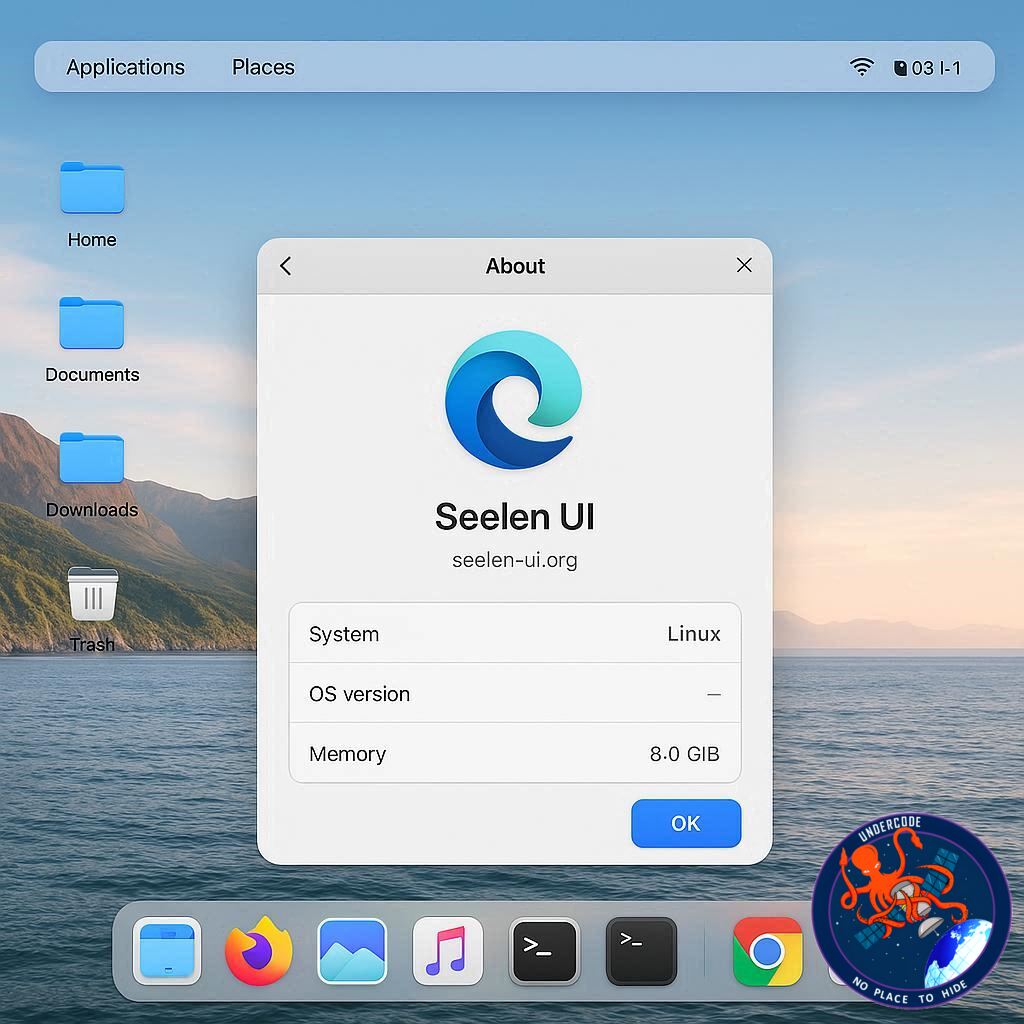
Windows 11 has drawn its fair share of criticism, especially from users who crave flexibility and style in their desktop environments. For those who have grown up with Linux or admired the sleek aesthetics of macOS, Microsoft’s design often feels restrictive or uninspiring. But there’s good news: Seelen UI, a free and customizable desktop environment for Windows, offers a way to completely reinvent the look and feel of your PC. Whether you’re stuck with Windows for work or simply want to experiment, this tool allows you to give your desktop a fresh identity—closer to Linux or macOS—without abandoning Microsoft’s ecosystem.
Seelen UI: A Fresh Coat of Paint for Windows
Seelen UI is a desktop environment designed to give Windows users the freedom to reshape their computing experience. The application offers a vast range of customization options, from tiling windows to dock layouts, themes, icons, and even integrated media controls. For Linux enthusiasts accustomed to environments like Budgie, GNOME, or KDE, this tool feels familiar—bringing the same spirit of flexibility to an operating system often criticized for its rigidity.
The installation process is straightforward. The easiest route is through the Microsoft App Store, though a binary installer is also available for direct download. Since Seelen UI relies on Microsoft Edge and WebView, these components must be installed for the app to function properly. Windows 11 users already have WebView, while Windows 10 users may need to enable it during setup.
Once installed, Seelen UI greets you with a guided Welcome wizard to set up your first customization. From there, the possibilities open wide. The settings manager makes it easy to apply new modules, switch themes, or design your own unique workflow. For example, combining themes like the Round Toolbar, Dockbar (with a MacOS-inspired glass effect), and Fancy Toolbar can transform Windows 11 into something almost unrecognizable.
Why People Are Choosing Seelen UI
The appeal of Seelen UI goes beyond looks. It offers real usability improvements, such as:
Tiling window support for productivity power users.
Quick access commands and application shortcuts for faster navigation.
Media modules integrated directly into the interface.
Configurable toolbars, taskbars, and icons for a tailored experience.
This makes Seelen UI more than just a cosmetic “skin.” It functions as a full desktop environment that allows Windows to compete—at least visually and functionally—with Linux and macOS setups.
A Word of Caution
While Seelen UI itself is safe and open-source, third-party plugins and themes carry the usual risks associated with Windows customization. Downloading from unknown sources may lead to malware or unstable configurations, so it’s best to stick with verified modules and community-recommended packages.
What Undercode Say:
The emergence of Seelen UI highlights a deeper trend in the tech world: users are no longer content with being locked into a single company’s vision of what their desktop should look like.
Microsoft has long tried to balance corporate consistency with consumer usability, but Windows 11 shows how difficult that balance is. The operating system’s design is geared toward standardization and security, often at the cost of personalization. By contrast, Linux thrives on customization, with dozens of desktop environments catering to different workflows and tastes. Seelen UI bridges this cultural gap by letting Windows users experience that same freedom.
From a productivity standpoint, tiling windows and dock-style taskbars reduce friction for multitaskers. Developers, designers, and advanced users who crave efficiency often switch to Linux precisely for these features. Now, Seelen UI gives them a reason to stick with Windows—especially in environments where Microsoft software remains unavoidable.
There’s also a psychological factor at play. The look and feel of a workspace directly affects motivation and satisfaction. A cluttered or uninspiring interface can drag down focus, while a polished, personalized design can make long hours at a computer more enjoyable. Seelen UI doesn’t just beautify Windows—it reshapes the emotional relationship users have with their devices.
Another noteworthy angle is community-driven innovation. Projects like Seelen UI thrive because developers recognize what corporations overlook. Microsoft is unlikely to overhaul Windows into a fully modular system because it could fragment support and confuse users. Independent developers step into this gap, offering creative solutions without corporate red tape. This dynamic mirrors Linux’s open-source ethos and shows how grassroots projects can elevate mainstream platforms.
Economically, tools like Seelen UI also extend the lifespan of Windows machines. Users who might otherwise abandon the OS out of frustration can instead rejuvenate it with a fresh interface. That reduces churn, keeps hardware relevant, and ensures compatibility with software ecosystems tied to Windows.
Looking forward, Seelen UI may represent more than a niche experiment. If its popularity grows, Microsoft could face pressure to adopt more flexible design philosophies. Just as Linux forced Windows to improve security and macOS pushed Microsoft toward cleaner aesthetics, community tools like Seelen UI might encourage Redmond to prioritize customization in future updates.
In short, Seelen UI is not just a theme—it’s a quiet rebellion against uniformity in computing. It proves that Windows users want more than what’s handed to them, and they’re willing to seek alternatives when corporations fall short.
🔍 Fact Checker Results
✅ Seelen UI is free and available via the Microsoft Store.
✅ It requires Microsoft Edge and WebView to function correctly.
❌ Seelen UI is not an official Microsoft product, so third-party risks exist with plugins.
📊 Prediction
The rise of Seelen UI signals a growing demand for personalization in mainstream operating systems. Within the next few years, expect Microsoft to introduce more customizable features—taskbar options, theme expansions, and perhaps even modular desktops—to prevent users from relying too heavily on third-party tools. Seelen UI, in this sense, could be the spark that nudges Windows into a new era of flexibility.
🕵️📝✔️Let’s dive deep and fact‑check.
References:
Reported By: www.zdnet.com
Extra Source Hub:
https://www.reddit.com/r/AskReddit
Wikipedia
OpenAi & Undercode AI
Image Source:
Unsplash
Undercode AI DI v2
🔐JOIN OUR CYBER WORLD [ CVE News • HackMonitor • UndercodeNews ]
📢 Follow UndercodeNews & Stay Tuned:
𝕏 formerly Twitter 🐦 | @ Threads | 🔗 Linkedin | 🦋BlueSky | 🐘Mastodon


