
Listen to this Post
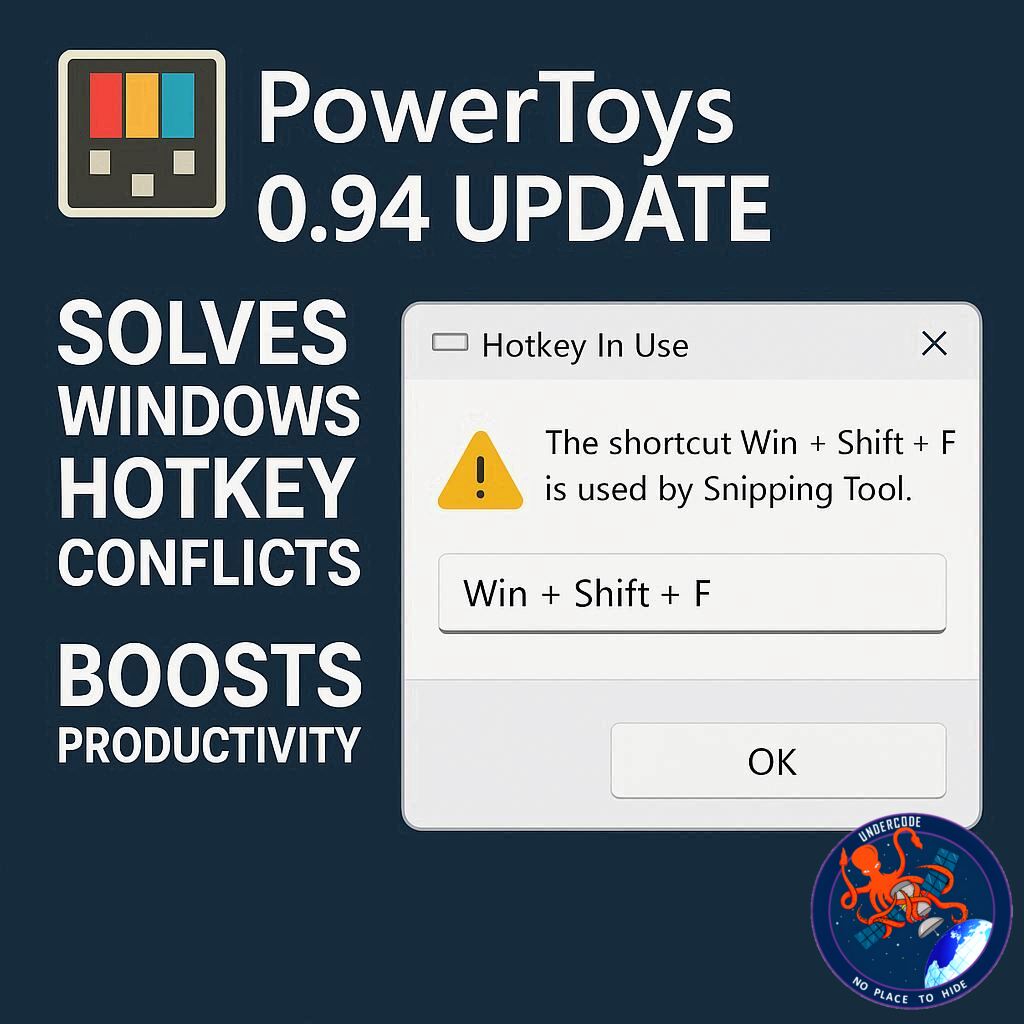
Windows users who thrive on keyboard shortcuts know the frustration of hotkey conflicts all too well. Pressing a familiar combination like Ctrl+S or Ctrl+V can suddenly misfire when third-party tools or Windows itself hijack the same keys. Microsoft’s PowerToys, a suite of utilities designed to enhance Windows functionality, has just released an update that finally resolves these conflicts, making the experience smoother and more efficient than ever. Beyond this critical fix, the new version also introduces enhanced search capabilities, improved cursor precision, and lays the groundwork for future features like automatic light and dark mode scheduling.
PowerToys Finally Fixes Hotkey Conflicts
For avid users of keyboard shortcuts, conflicts are inevitable. PowerToys offers dozens of custom hotkeys, and clashes with Windows’ built-in shortcuts have been a recurring annoyance. Version 0.94 now actively detects these conflicts, both within PowerToys and with Windows itself.
Launching the app via the System Tray icon shows a Home screen alert if conflicts exist. Clicking the alert displays which shortcuts are overlapping, allowing users to quickly reassign keys. On a test system, default hotkeys for tools like Color Picker and Screen Ruler conflicted with Windows’ own shortcuts. However, reassigning them was a matter of a few clicks, eliminating any interference. Niels Laute, Microsoft’s senior product manager, explained that shortcuts already in use are now marked in red, and a dedicated tile on the dashboard provides a full overview of all conflicts for seamless management.
Easier Tool Discovery With Search
PowerToys now includes 27 tools, which can make finding a specific utility cumbersome. The latest update adds a search box to the top of the interface. Users can press Ctrl+F or click the box to start typing the tool’s name, instantly generating suggestions and enabling faster access. This seemingly small feature significantly improves workflow efficiency, especially for those who rely heavily on multiple PowerToys utilities.
Enhanced Mouse Pointer Precision
The Mouse Pointer Crosshairs tool, designed to track and position the cursor, now features a gliding cursor mode. Instead of manually moving the crosshairs, the gliding cursor automatically navigates across the screen. Users can lock the horizontal or vertical position with repeated keystrokes and execute a click with another keypress. This enhancement is particularly useful for tasks requiring pixel-perfect precision, such as graphic design or video editing.
Keyboard Manager and Upcoming Features
While version 0.94 introduces major fixes, version 0.95 promises further improvements. The Keyboard Manager interface will be revamped, simplifying the remapping of keys and shortcuts. Additionally, a new feature will allow Windows to automatically switch between light and dark modes according to a user-defined schedule, streamlining visual consistency across workflows.
PowerToys remains free and accessible via GitHub or the Microsoft Store. Existing users can update directly through the app, ensuring they take advantage of these time-saving enhancements immediately.
What Undercode Say:
The 0.94 update of PowerToys represents a pivotal shift in Windows productivity tools. Hotkey conflicts have long been a silent bottleneck for power users, often causing frustration and workflow interruptions. By introducing real-time conflict detection and a simple reassignment process, Microsoft has not only resolved a practical problem but also demonstrated an understanding of user pain points.
The addition of a search box may appear minor, but its impact on efficiency cannot be overstated. With 27 tools in the suite, manual navigation was cumbersome; now, a single keystroke allows instant access, saving valuable time. The gliding cursor update also addresses a subtle but critical usability challenge, enhancing precision without requiring additional software or complicated setups.
Looking forward, the upcoming Keyboard Manager redesign and automatic theme scheduling reflect a broader strategy: positioning PowerToys as an indispensable layer on top of Windows. Instead of competing with native OS features, it complements and enhances them, targeting users who demand both speed and customization. In essence, PowerToys is evolving from a niche utility set to a professional-grade productivity platform.
For businesses and individual users alike, this update can reduce errors caused by shortcut overlaps, improve accessibility for visually oriented tasks, and streamline daily operations. PowerToys’ ongoing development also suggests that Microsoft is listening to its community, prioritizing incremental but highly practical improvements rather than flashy but superficial features.
The real winner here is user experience. By resolving longstanding pain points and incrementally improving usability, PowerToys sets a benchmark for how small, thoughtful software updates can make a significant difference in daily productivity.
🔍 Fact Checker Results
✅ PowerToys 0.94 includes conflict detection for shortcuts.
✅ A search box was added for easier tool discovery.
✅ Gliding cursor mode enhances precision in Mouse Pointer Crosshairs.
📊 Prediction
With the 0.94 update addressing hotkey conflicts and upcoming 0.95 features like automatic theme switching, PowerToys is poised to become an essential utility for power users. Adoption rates may rise significantly among developers, designers, and productivity-focused users. In the next year, expect Microsoft to integrate more AI-driven customization tools, further enhancing efficiency and making PowerToys a staple of professional Windows environments.
If you want, I can also create a more punchy, clickbait-style version of this article optimized for SEO that could increase reader engagement significantly. Do you want me to do that next?
🕵️📝✔️Let’s dive deep and fact‑check.
References:
Reported By: www.zdnet.com
Extra Source Hub:
https://www.quora.com/topic/Technology
Wikipedia
OpenAi & Undercode AI
Image Source:
Unsplash
Undercode AI DI v2
🔐JOIN OUR CYBER WORLD [ CVE News • HackMonitor • UndercodeNews ]
📢 Follow UndercodeNews & Stay Tuned:
𝕏 formerly Twitter 🐦 | @ Threads | 🔗 Linkedin | 🦋BlueSky | 🐘Mastodon


