
Listen to this Post
Introduction: A New Way to Start Conversations
For years, messaging apps have required both people in a conversation to create accounts before they can communicate. That requirement has often created friction, especially when trying to reach someone who does not use the same platform. Now, WhatsApp is experimenting with a solution that could remove that barrier entirely.
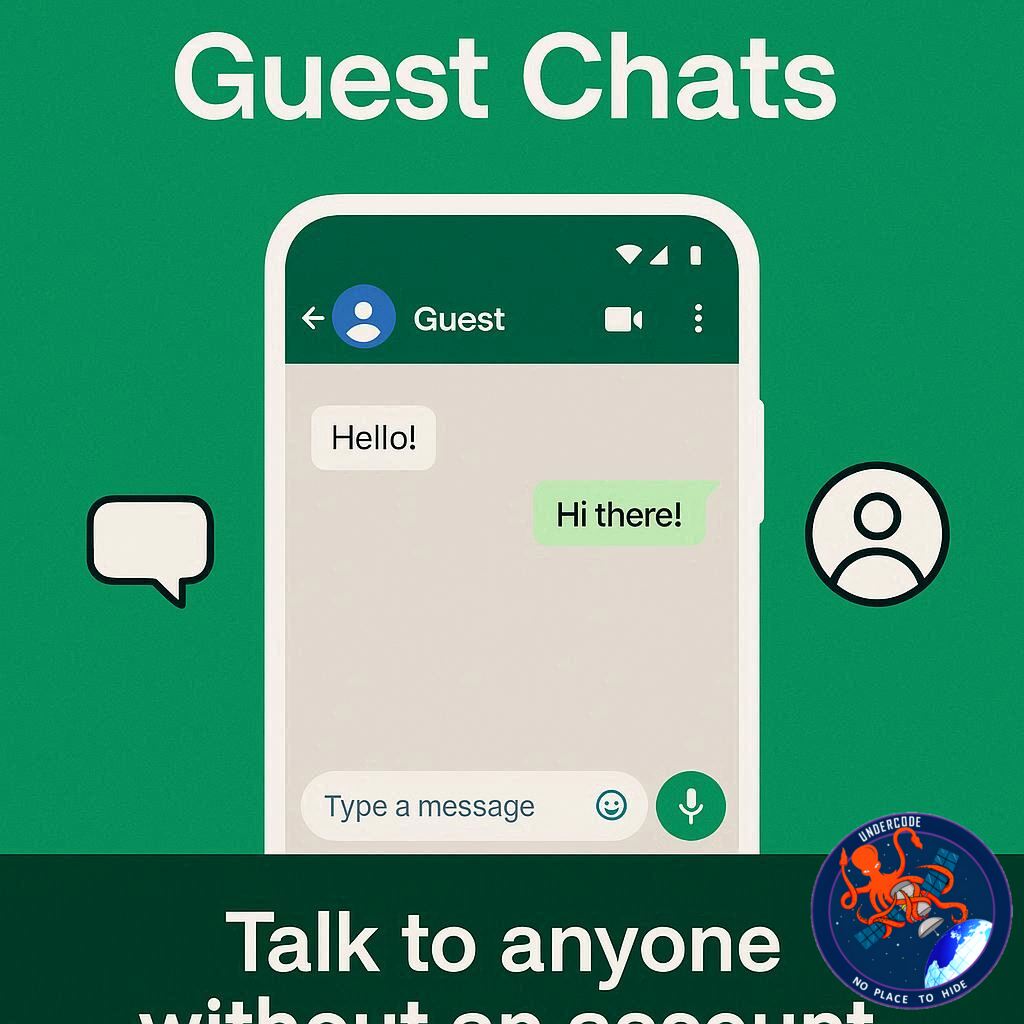
A new feature called Guest Chats is currently rolling out to a limited number of beta testers on Android, iOS, and Web. The idea is simple but powerful: users can invite someone to chat through a secure link, even if the recipient does not have a WhatsApp account installed. Instead of forcing someone to download the app immediately, the conversation can start directly from a browser.
This feature could significantly change how messaging platforms onboard new users. Instead of asking someone to join the platform first, WhatsApp now allows conversations to begin instantly. If the experience feels smooth enough, guests might eventually choose to sign up for a full account later.
WhatsApp Tests Guest Chats in Beta Versions
WhatsApp first revealed this upcoming feature during testing in its beta updates. The company is currently experimenting with guest chats among a small number of testers using the latest beta versions of the app.
The goal is to allow existing users to communicate with people who do not yet use WhatsApp. Unlike third-party chat integrations, this feature does not require any additional apps or services. Everything happens through WhatsApp’s own ecosystem.
When a user wants to start a guest conversation, they can generate an invite link directly inside the app. The option appears under the “Invite a friend” section or near the contacts list. Once the link is created, it can be shared via SMS or copied and sent through email or other messaging platforms.
When the recipient opens the link, the experience begins inside their web browser. At that point, they are given two choices: download WhatsApp or continue as a guest. If they choose the second option, the browser loads a temporary conversation through WhatsApp Web.
Secure Messaging Without an Account
One of the most important aspects of guest chats is security. Even though the guest does not have an account, the conversation still benefits from WhatsApp’s end-to-end encryption.
When a guest opens the invite link, WhatsApp Web automatically generates a unique identifier used to create the encryption key for the conversation. This means that messages remain private between the participants. Not even WhatsApp itself can read the content.
Users can verify encryption by scanning a QR code or manually comparing security codes within the conversation. This ensures the same level of protection found in normal WhatsApp chats.
However, guests must agree to WhatsApp’s Terms of Service before joining the conversation. At the moment, they can also see the phone number of the person who sent the invitation.
Guest Identity and Potential Risks
After joining the chat, the guest is asked to enter a name before starting the conversation. This can be a real name or a pseudonym, though WhatsApp recommends using something recognizable to avoid confusion.
However, there is an important limitation: guest identities are not verified.
That means there is no guarantee that the person who opens the invite link is actually the intended recipient. If the link is intercepted, shared accidentally, or accessed through a compromised email account, someone else could potentially join the conversation.
Another scenario involves phone numbers that have changed ownership. If the original recipient no longer uses the same number, someone else could access the guest chat link.
Because of these risks, WhatsApp advises users to share invite links carefully and confirm that they are speaking with the correct person.
Starting the Conversation
Interestingly, the person who creates the invitation does not initiate the first message. Instead, the guest must start the conversation after opening the link.
When a guest joins the chat, WhatsApp clearly marks the account with the label “Guest.” This label appears at the top of the conversation and inside the chat interface, ensuring that the account holder knows the person is not a registered WhatsApp user.
This transparency helps prevent confusion and makes it clear when someone is participating through temporary guest access.
Once the guest sends their first message, the conversation proceeds like a normal chat, though with several limitations.
Guest Chats Come With Limited Features
Because guest chats are designed to be temporary and lightweight, they do not include the full set of WhatsApp features.
Guests cannot participate in group chats. They also cannot send or receive media such as photos, videos, documents, GIFs, stickers, or voice messages.
Voice calls and video calls are also unavailable.
In other words, guest chats are focused entirely on simple text-based messaging. The design intentionally keeps the experience minimal, encouraging users who want more functionality to eventually create a full WhatsApp account.
Automatic Expiration After Inactivity
Guest chats are not meant to remain active forever.
If there is no activity in the conversation for 10 days, the chat automatically expires. Once expired, the original inviter must generate a new link if they want to continue the conversation with that guest.
Notifications may also be limited for guests. Since the chat runs through a browser rather than a full app installation, the guest may need to manually check the conversation for new messages.
This design reinforces the temporary nature of guest access.
Blocking Guests When Necessary
WhatsApp is also giving users control over guest interactions. If a guest becomes unwanted or suspicious, they can be blocked just like a regular account.
To block a guest, the user simply opens the conversation, taps the guest name at the top of the screen, and selects the Block option. Once blocked, the guest will no longer be able to send messages in that conversation.
Importantly, only the person who shared the invite link can be contacted by that guest. Guests invited by others cannot message unrelated users, which helps limit abuse.
Why Guest Chats Matter
Guest chats represent a major shift in how messaging platforms grow their user base.
Traditionally, messaging apps rely on network effects. A person joins because their friends are already using the platform. But the onboarding process still requires installing the app and creating an account.
With guest chats, that barrier disappears. Someone can start talking immediately without committing to the platform.
This could make WhatsApp much more accessible in situations where quick communication is needed. For example, businesses, freelancers, event organizers, or customer support teams might send guest chat links to people who do not yet use the app.
If the experience proves convenient, those guests may eventually decide to create permanent accounts.
What Undercode Say:
Guest chats reveal an interesting strategic move by WhatsApp and its parent company, Meta. Messaging platforms have reached a point where growth no longer comes solely from new smartphone users. Instead, companies must find ways to convert people who already rely on other communication tools.
By allowing conversations to begin without account creation, WhatsApp effectively lowers the psychological barrier to entry. People often hesitate to install a new app simply to respond to one message. Guest chats remove that friction.
This approach mirrors strategies used by other digital services. For example, collaboration platforms often allow guest participants to join meetings or documents before requiring registration. Once users become familiar with the platform, converting them into full users becomes much easier.
From a product design perspective, the feature is intentionally limited. The absence of media sharing, voice notes, and calls is not necessarily a weakness. Instead, it acts as a subtle incentive. Guests can experience the basic messaging environment, but the full experience remains locked behind account creation.
Security is another critical aspect. WhatsApp continues to emphasize end-to-end encryption, even for temporary participants. This reinforces the company’s long-standing privacy messaging. However, the lack of identity verification does introduce new risks, especially if invite links are shared publicly or intercepted.
The expiration mechanism after ten days also serves an important role. Temporary access prevents guest chats from becoming long-term communication channels that bypass account creation entirely. It maintains a balance between accessibility and platform growth.
Another interesting implication involves customer support and business communication. Companies may eventually use guest chat links for quick support interactions. Instead of requiring customers to install WhatsApp first, they could start chatting instantly from a browser.
At the same time, there is potential for misuse. Phishing attempts, impersonation, or accidental link sharing could lead to unauthorized access to a conversation. This is why WhatsApp clearly labels guest participants and encourages users to verify identities before sharing sensitive information.
Ultimately, guest chats represent a clever onboarding funnel disguised as a convenience feature. Users who enjoy the frictionless experience may naturally transition to a permanent account, expanding WhatsApp’s ecosystem without aggressive marketing.
If implemented carefully, this feature could redefine how messaging apps attract new users in an increasingly competitive communication landscape.
Fact Checker Results
✅ Guest chats allow conversations with people who do not have a WhatsApp account.
✅ Messages in guest chats remain protected by end-to-end encryption.
❌ Guest chats do not support media sharing, calls, or group conversations.
Prediction
The introduction of guest chats could mark the beginning of account-optional messaging experiences across major platforms. 📱
If the feature proves successful, WhatsApp may expand guest capabilities to include limited media sharing or short-term group interactions. 🚀
Other messaging competitors may also adopt similar “link-based chat access” systems to remove onboarding friction and accelerate user growth. 🔮
🕵️📝✔️Let’s dive deep and fact‑check.
References:
Reported By: wabetainfo.com
Extra Source Hub (Possible Sources for article):
https://www.discord.com
Wikipedia
OpenAi & Undercode AI
Image Source:
Unsplash
Undercode AI DI v2
Bing
🔐JOIN OUR CYBER WORLD [ CVE News • HackMonitor • UndercodeNews ]
📢 Follow UndercodeNews & Stay Tuned:
𝕏 formerly Twitter 🐦 | @ Threads | 🔗 Linkedin | 🦋BlueSky | 🐘Mastodon


