
Listen to this Post
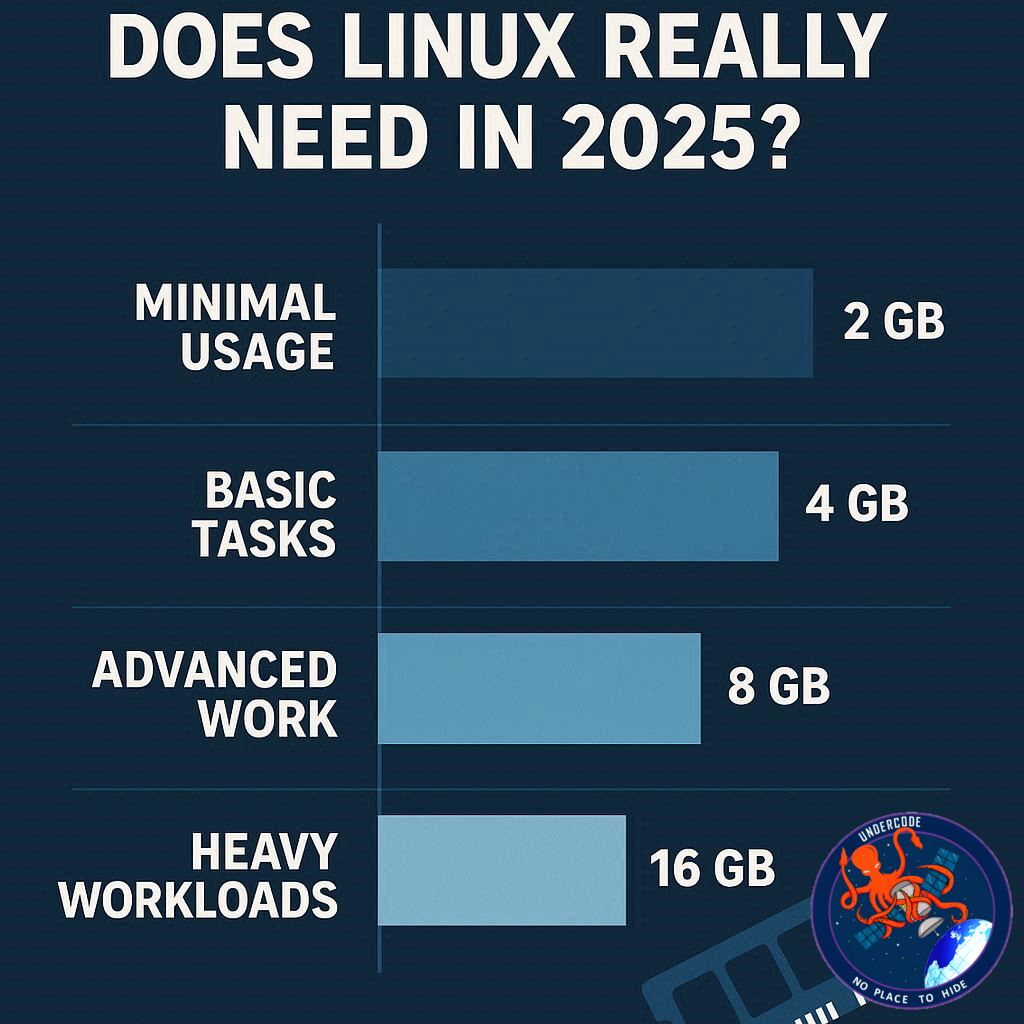
As we move further into 2025, the question of how much RAM your Linux system needs has never been more relevant. With modern Linux distributions becoming increasingly powerful, flexible, and visually sophisticated, understanding your system’s memory requirements is crucial for smooth performance. Unlike Windows, Linux is generally more efficient with RAM, but that doesn’t mean you can skimp on it if you want a seamless experience. In this article, we break down current requirements, practical recommendations, and considerations for future-proofing your Linux PC.
Understanding RAM in Modern Linux
RAM, or Random Access Memory, is your computer’s high-speed workspace. It temporarily stores data your system is actively using, enabling faster access than your SSD or HDD. Without adequate RAM, your Linux PC will slow down, struggle with multitasking, and even fail under heavier workloads. In 2025, even lightweight Linux distributions have become more resource-demanding due to modern apps, high-resolution media, and advanced desktop environments.
For instance, Ubuntu Desktop’s official minimum system requirement is 4GB of RAM. Some users have even successfully run Ubuntu in virtual machines with just 3GB of RAM for testing purposes. While technically feasible, running Linux on such low memory is restrictive and can easily lead to frustration as you try to open multiple browser tabs or run heavier applications.
Doubling the Minimum: 8GB of RAM
If you double Ubuntu’s minimum and go for 8GB of RAM, you can expect smoother performance for everyday tasks like browsing, document editing, and email. However, limitations appear quickly when you try to:
Open more than 10 browser tabs, especially on media-rich websites.
Play modern games or run game emulators.
Use RAM drives for temporary storage, which help reduce SSD wear.
Run multiple virtual machines or resource-intensive IDEs.
Edit and render large video files or create complex images in GIMP.
8GB works for basic productivity but can become a bottleneck for multitasking or development workloads.
The Sweet Spot: 16GB of RAM
For most users, 16GB of RAM hits the ideal balance between performance and affordability. With this configuration, you can comfortably:
Keep multiple browser tabs open.
Play games casually and run virtual machines.
Perform moderate video editing and graphic design.
Run development environments efficiently.
Rendering large videos may still monopolize your RAM, limiting multitasking, but for typical productivity and light multimedia work, 16GB is highly functional.
High-End Performance: 32GB and Beyond
With 32GB of RAM, your Linux system becomes a powerhouse. You can:
Play demanding games with a dedicated GPU.
Render videos while keeping other applications running.
Run multiple virtual machines without performance drops.
Use RAM drives and fully enhance desktop effects.
For users involved in heavy development, large-scale media projects, or gaming, 32GB is ideal. If you want to future-proof your system, consider pushing the limits to the maximum your motherboard supports, often 64GB.
Task-Based Recommendations
Basic Use (web, documents, email): 8GB
Moderate Use (tabs, light gaming, development, VMs): 16GB
Heavy Use (intensive gaming, large projects, media editing): 32GB
Future-Proofing: Maximum supported, often 64GB
Doubling the RAM beyond your estimated needs often leads to noticeably smoother performance and extends the usable lifespan of your system.
What Undercode Say:
Linux is a remarkably efficient operating system, but memory requirements have increased alongside modern software. Lightweight distributions like Lubuntu or Xubuntu still thrive on 4–8GB, yet for mainstream users, especially those running Ubuntu, Fedora, or Pop!_OS with modern desktop environments, 16GB has emerged as the practical baseline.
If you regularly juggle 20+ browser tabs, run multiple IDEs, or host virtual machines, 32GB is no longer luxury—it’s necessity. Furthermore, the way RAM interacts with SSDs and CPU caching means that insufficient memory can lead to frequent I/O bottlenecks, slowing down even powerful processors. High memory configurations also allow for RAM drives, improving temporary file access and extending SSD lifespan.
When planning upgrades, consider longevity and future software demands. Doubling your RAM beyond immediate needs offers not only current performance gains but also resilience for new apps, AI tools, and resource-heavy web applications. Moreover, Linux’s flexibility ensures that any memory-intensive task—from game development to multimedia editing—is handled more gracefully with ample RAM, minimizing frustrations and interruptions.
In addition, Linux users are increasingly leveraging containerization, virtualized labs, and AI-driven applications, which consume significant memory. Professionals and enthusiasts investing in 32GB or 64GB setups will see tangible benefits, including seamless multitasking, reduced latency, and faster rendering times. In short, RAM is no longer just a performance enhancer—it’s a cornerstone of modern Linux usability.
🔍 Fact Checker Results
✅ Modern Linux distributions generally require less RAM than Windows for equivalent tasks.
✅ Ubuntu Desktop minimum requirement is 4GB; many lightweight distros can operate on 2–3GB.
❌ Using 8GB RAM is insufficient for heavy multitasking, gaming, or virtual machines.
📊 Prediction
As software complexity grows and AI tools integrate into Linux workflows, RAM demands will continue to rise. By 2027, 16GB will become the baseline for general use, while 32GB+ will be standard for power users. Systems with 64GB will cater to advanced media production, containerized environments, and professional development, making memory upgrades a key factor in maintaining smooth, future-proof Linux experiences.
🕵️📝✔️Let’s dive deep and fact‑check.
References:
Reported By: www.zdnet.com
Extra Source Hub:
https://www.quora.com/topic/Technology
Wikipedia
OpenAi & Undercode AI
Image Source:
Unsplash
Undercode AI DI v2
🔐JOIN OUR CYBER WORLD [ CVE News • HackMonitor • UndercodeNews ]
📢 Follow UndercodeNews & Stay Tuned:
𝕏 formerly Twitter 🐦 | @ Threads | 🔗 Linkedin | 🦋BlueSky | 🐘Mastodon


